ChatGPT: How to Use ChatGPT Online, the App, and Its Main Features
ChatGPT has become a useful tool for people who want help with writing, learning, research, coding, and everyday tasks.
If you are searching for ChatGPT online, looking for the Chat GPT app, or trying to understand how this AI assistant works, this guide will help you get started. You will learn how to access ChatGPT, use its main features, write better prompts, and avoid common mistakes.
What Is ChatGPT?
It responds to questions and instructions in natural language, making it easier to get explanations, generate ideas, and complete different tasks.
It refers to a type of AI model designed to process and generate language.
People use ChatGPT for many purposes, including:
- Writing emails, blog posts, and reports.
- Learning new subjects and practicing English.
- Creating social media captions and marketing ideas.
- Understanding computer code and fixing coding errors.
- Summarizing documents and organizing information.
- Planning projects, schedules, and business activities.
- Asking questions about images and supported files.
ChatGPT can help you get started faster, but its answers still need human review.
How to Use ChatGPT Online
Step 1: Visit the Official ChatGPT Website
Open your browser and go to https://chatgpt.com/.
Some websites use similar names, so make sure you are visiting the official service.
Step 2: Sign In or Get Started
Follow the instructions displayed on the website. Depending on the access options available to you, you may be able to start a chat directly or sign in to your account.
Step 3: Enter Your First Question
For example, you could ask:
- Explain SEO in simple English.
- Give me 10 blog ideas about WordPress hosting.
- Create a beginner-friendly study plan for learning digital marketing.
Step 4: Improve the Response
Ask for simpler language, additional examples, a shorter explanation, or a different format.
For example, if you receive a long explanation of SEO, you can ask ChatGPT to summarize it in five bullet points.
Step 5: Check the Information
Review the answer before using it for work, study, or website content. For current information, such as prices, software features, and official policies, check reliable sources.
How to Download and Use the Chat GPT App
The ChatGPT app lets you access the assistant from a compatible smartphone or tablet.

Download the Official App
For Android, visit the ChatGPT app on Google Play.
For iPhone or iPad, visit the ChatGPT app on the Apple App Store.
Check that OpenAI is listed as the publisher before installing the app. This helps you avoid unofficial applications that use similar names.
Set Up the App
Follow these steps after downloading it:
- Open the ChatGPT app.
- Sign in or follow the available account setup instructions.
- Start a new conversation.
- Type a question or use a supported voice feature.
The available features depend on your device, account, region, and current usage limits.
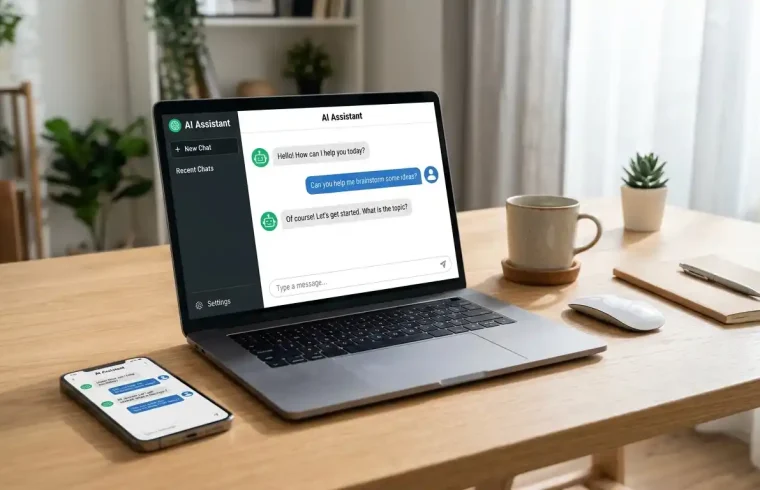
ChatGPT Online vs. the App
Both options provide access to ChatGPT, but the best choice depends on how you work.
The browser version is convenient for people who write long documents, manage website content, or switch between several browser tabs.
You can use either option with the same account where supported. You do not need to install the app simply to try ChatGPT.
Is ChatGPT Free to Use?
Yes, ChatGPT offers a free plan. You can begin using the service without purchasing a subscription, although some features have usage limits.
The free plan may be enough if you mainly ask questions, learn new skills, or draft short pieces of content. Additional tools, such as file analysis, image generation, and voice features, may have separate limits.
Paid plans offer expanded access to selected models and tools. The exact features and limits can change, so check the official ChatGPT pricing page before paying for a subscription.
Which Plan Should You Choose?
Your choice should depend on how often you use ChatGPT and what you need it to do.
A beginner who asks occasional questions may be comfortable with the free plan. Someone who uses AI regularly for research, writing, coding, or file analysis may benefit from a paid plan if the extra access saves time.
Start with the free option and test it on your real tasks.
Best Ways to Use ChatGPT
ChatGPT can help with many everyday activities.
1. Writing Blog Posts and Website Content
Bloggers can use ChatGPT to plan article outlines, improve introductions, explain technical subjects, and edit rough drafts.
For example, a website owner could ask:
The outline provides a starting point. The writer should then research the topic, verify technical details, add useful examples, and remove repeated information.
Publishing an unedited AI draft may leave readers with generic or inaccurate information. Use ChatGPT to support your writing process rather than treating its first answer as a finished article.
If you are planning a content-driven website, our guide to content management software explains the tools used to create and manage website content.
2. Learning New Skills
Students and beginners can ask ChatGPT to explain unfamiliar subjects in plain language.
Try this prompt:
“Explain keyword research for a beginner. Give me a practical example and then ask five questions to test what I have learned.”
You can also request practice exercises, step-by-step lessons, or examples based on your current skill level.
For schoolwork and professional training, compare important answers with reliable learning materials. ChatGPT can make mistakes, even when its explanation sounds convincing.
3. Digital Marketing and SEO
Digital marketers can use ChatGPT to brainstorm content ideas, draft social media posts, prepare campaign outlines, and organize keyword research.
For example, you could request 20 article ideas for a website about web hosting, grouped by search intent.
Search intent means the reason someone enters a query into a search engine. A person searching for “what is web hosting” probably wants an explanation, while someone searching for “best web hosting plans” may be comparing services.
ChatGPT can suggest relevant topics, but its suggestions do not automatically provide verified search volume or ranking difficulty. Use keyword research tools and Google Search Console to check actual search data where available.
4. Writing Emails and Client Messages
Freelancers and business owners can use ChatGPT to draft proposals, customer replies, job applications, and professional emails.
For example, ask it to write a short message offering social media management to a small business. Include your real services, preferred tone, and the type of client you want to reach.
Always review the draft before sending it. Add specific details and remove promises that you cannot support.
5. Coding and WordPress Troubleshooting
ChatGPT can explain programming concepts, help you understand error messages, and suggest possible fixes for website problems.
If your WordPress website stops working after a plugin update, explain what changed and provide the exact error message. ChatGPT may help you identify possible causes and organize the troubleshooting steps.
Before changing code, database settings, or important website files, create a backup. Test suggested fixes carefully and contact your hosting provider if you cannot identify the cause.
If you manage a WordPress website, our cPanel guide explains how to manage common hosting tasks.
6. Understanding Files and Images
For example, you might upload a report and ask for its main findings or provide a screenshot of a website error for an explanation.
Always compare the result with the original material when accuracy matters. Be careful with financial records, private documents, and confidential client information.
How to Write Better ChatGPT Prompts
A prompt is the instruction you give ChatGPT. Clear instructions usually make it easier for the assistant to understand your goal.
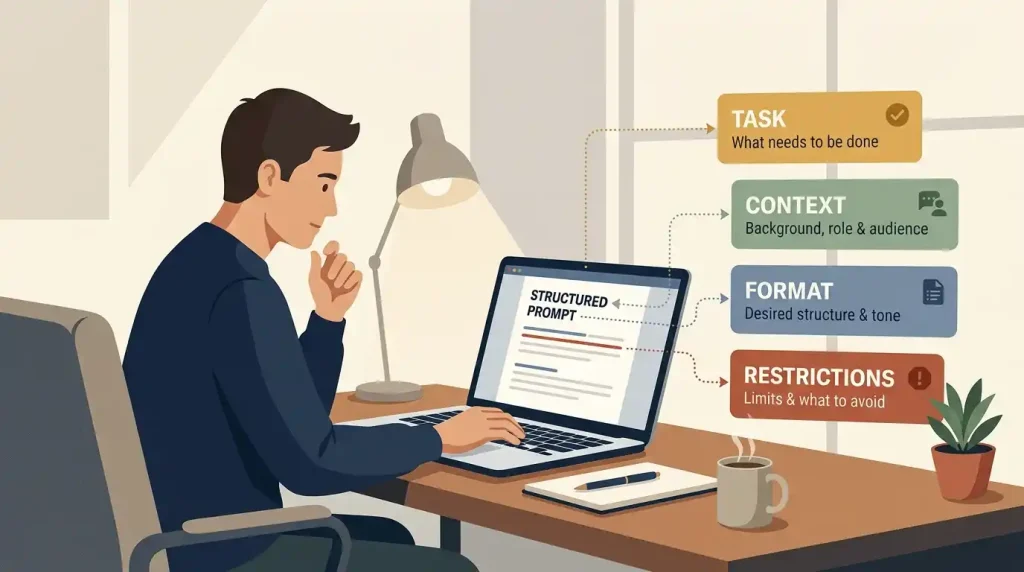
A useful prompt often includes four things:
- Task: Explain exactly what you want.
- Context: Describe your website, audience, or situation.
- Format: Request a list, table, email, or article.
- Restrictions: Specify the tone, length, or details to avoid.
Example of a Weak Prompt
“Write about digital marketing.”
Example of a Better Prompt
Explain SEO, social media marketing, and email marketing in simple English.
The second prompt provides clearer direction and makes the result easier to review.
Improve Your Answer With Follow-Up Questions
Continue the conversation to improve the response.
You could ask ChatGPT to shorten a paragraph, explain a difficult term, add a practical example, or remove repeated ideas.
Common ChatGPT Mistakes to Avoid
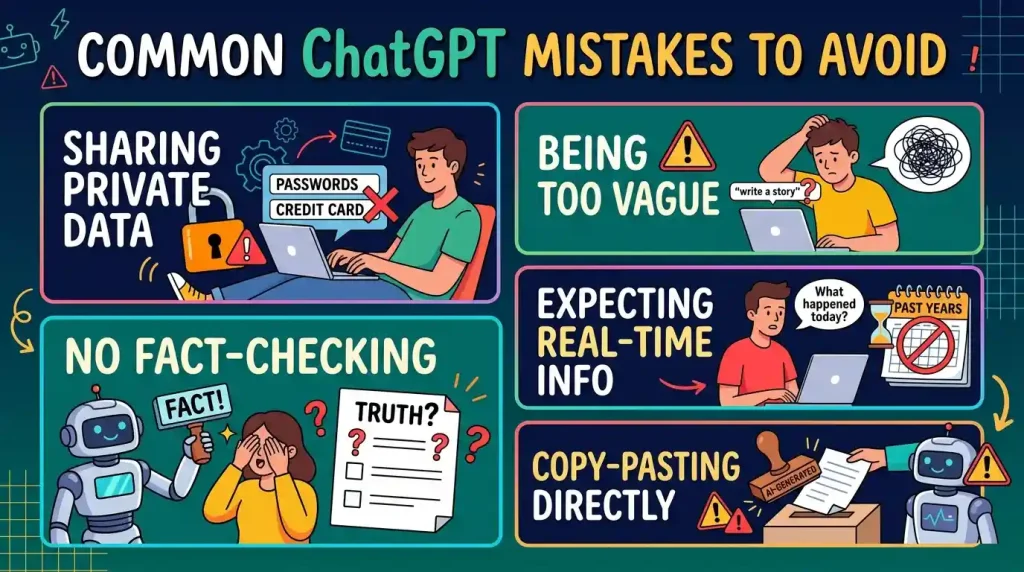
Trusting Every Answer
ChatGPT can generate incorrect details or invent information.
Providing Too Little Context
Explain the type of business, target audience, budget, and purpose when those details matter.
Publishing Content Without Editing
Read the entire draft, check its accuracy, and add original information before publishing.
Sharing Sensitive Information
Avoid entering passwords, banking details, or confidential client records unnecessarily.
Expecting Guaranteed Results
ChatGPT cannot guarantee Google rankings, business sales, or job offers. Its suggestions need testing, research, and your own judgment.
ChatGPT and SEO: What Website Owners Should Know
ChatGPT can help with SEO planning, but using the tool does not automatically make a page rank well in search results.
Build an outline that answers their questions in a logical order, then write useful content that covers the subject clearly.
Use ChatGPT to review headings, improve readability, suggest a meta description, and identify areas that need more explanation. Verify facts and links before publishing.
Do not force keywords into every paragraph. Use your focus keyword where it fits naturally, including the title, introduction, URL, and relevant headings when appropriate.
You should also review the finished page for originality, useful examples, accurate product information, and links to relevant pages on your website.
After publishing, monitor the page in Google Search Console. Impressions, clicks, and search queries can help you understand how people find the content and where further improvements may help.
Website performance is another part of managing a site. Read our WP Rocket review to learn about WordPress caching and speed optimization.
Actionable Checklist: Start Using ChatGPT Today
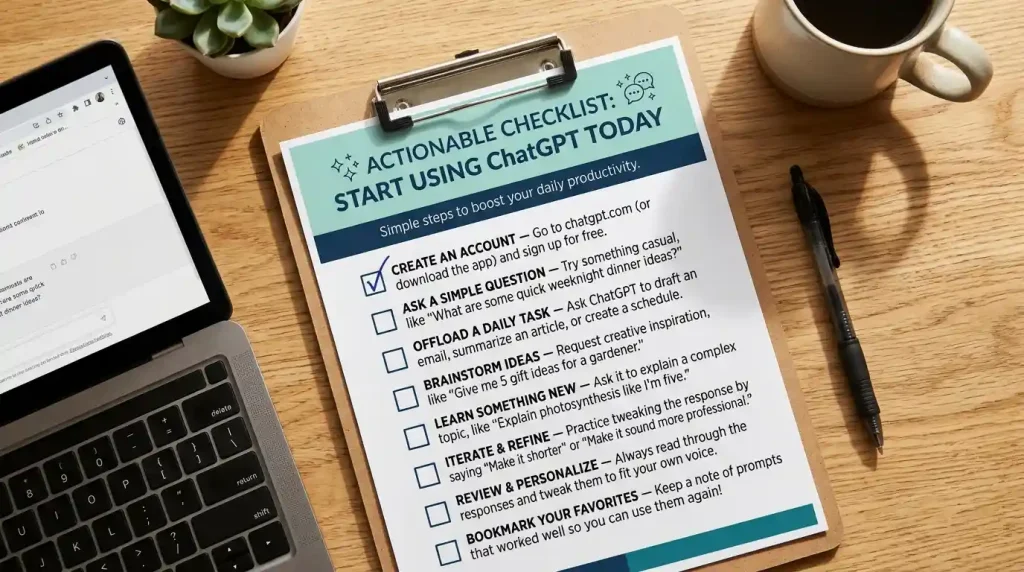
Use this checklist to begin:
- Open the official ChatGPT website or install the verified app.
- Choose one task you want help with.
- Write a clear prompt with enough context.
- Ask follow-up questions to improve the response.
- Verify important facts and links.
- Avoid sharing unnecessary private information.
- Review your results and improve your prompts over time.
You do not need to master every feature immediately.
Conclusion
You can access it online through a browser or use the official mobile app on a supported device.
The best way to get started is to choose one practical task, write a clear prompt, and review the answer carefully. As you gain experience, you can use follow-up questions to improve the result and make your workflow more efficient.
If you want to try it today, visit ChatGPT online and ask your first question. Start with something simple, check the answer, and build from there.
FAQs About ChatGPT
1. What is ChatGPT used for?
it is use for research, knowledge, coding, etc.
2. Is ChatGPT free to use online?
Yes, ChatGPT offers a free plan. Some features have separate usage limits, while paid plans provide expanded access to selected tools.
3. Where can I find the official ChatGPT website?
The official website is https://chatgpt.com/. Check the full address before entering your account details.
4. How do I download the Chat GPT app?
Verify that OpenAI is the publisher before installing it.
5. What does ChatGTP mean?
ChatGTP is a common typing mistake for ChatGPT. If you are looking for OpenAI’s AI assistant, use the correct spelling and visit the official website.
6. Can I use ChatGPT without installing the app?
Yes. You can use ChatGPT through a supported web browser. Installing the mobile app is optional.
7. Can ChatGPT write SEO-friendly articles?
ChatGPT can help with outlines, drafts, headings, and readability. However, it cannot guarantee search rankings. Research, accuracy, originality, and useful content still matter.
8. Is online ChatGPT safe to use?
Use the official website or verified app, protect your login details, and avoid sharing unnecessary sensitive information.