Choosing the right WordPress hosting services is an important step when building a website. Your hosting provider stores your website’s files, database, and other essential resources so visitors can access your content online. The right hosting plan can make website management easier and give your project room to grow.
However, not every hosting plan is suitable for every website. A personal blog, a business website, an affiliate marketing website, and an online store can have very different needs. Before purchasing a plan, it is important to compare performance, security, support, pricing, backups, and upgrade options.
In this guide, you will learn what WordPress hosting is, which hosting types are available, what features to look for, and how to choose a suitable service for your WordPress website.
What Are WordPress Hosting Services?
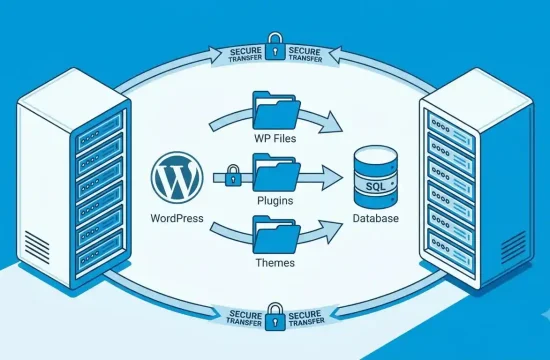
WordPress hosting services provide the server resources needed to run a website built with WordPress. These services may include storage, database support, SSL certificates, backups, security features, technical support, and tools for managing your website.
Some providers offer general web hosting that supports WordPress, while others offer hosting plans specifically optimized for WordPress installations.
If you are starting a new website, look for a service that supports current WordPress requirements and provides a straightforward way to install and maintain WordPress.
You can check the official WordPress hosting requirements before choosing a provider.
Types of WordPress Hosting
Different hosting types offer different levels of control, resources, maintenance, and cost. Understanding these options can help you avoid paying for features you do not need.

1. Shared WordPress Hosting
Shared hosting places multiple websites on the same server. The websites share server resources, which makes this type of hosting an affordable starting point for many small projects.
Best for:
- Personal blogs and new websites
- Small business websites
- Beginner affiliate websites
- Projects with modest traffic
Advantages: Shared hosting is often budget-friendly and may include a control panel, email accounts, SSL, and a one-click WordPress installer.
Limitations: Available resources are shared, and performance can vary depending on the provider, plan, and server load.
If you are launching your first WordPress website, shared hosting may be sufficient. Check the resource limits and renewal price before purchasing.
2. Managed WordPress Hosting
Managed WordPress hosting is designed specifically for WordPress websites. Depending on the provider and plan, the service may include automatic updates, backups, caching, security monitoring, staging tools, and WordPress-focused technical support.
Best for:
- Business websites
- Website owners who want less technical maintenance
- Growing blogs
- Agencies managing multiple WordPress sites
The exact features vary by provider. Some managed plans restrict certain plugins or impose limits on visits, storage, or website installations, so read the plan details carefully.
3. VPS Hosting
Virtual private server (VPS) hosting provides a virtualized server environment with allocated resources. It typically offers more control than basic shared hosting.
Best for:
- Growing websites that need additional resources
- Developers who want server-level control
- Projects with specific software requirements
VPS hosting can require more technical knowledge. If you choose a self-managed VPS, you may be responsible for server configuration, updates, security, and troubleshooting.
4. Cloud Hosting
Cloud hosting uses cloud infrastructure to provide computing resources. The available architecture and scaling options depend on the provider.
Best for:
- Websites with changing resource demands
- Growing online businesses
- Projects that need flexible infrastructure
Cloud hosting is not automatically faster or cheaper than every other option. Check how the provider charges for storage, bandwidth, backups, and additional resources.
5. Dedicated Server Hosting
Dedicated hosting provides a physical server dedicated to one customer. It offers substantial control and resources but generally requires a larger budget and more administration.
Best for:
- Resource-intensive websites
- Large businesses with specific infrastructure requirements
- Experienced teams that need extensive server control
Most beginners do not need a dedicated server. Consider this option only when your website’s requirements justify the additional cost and management.
Key Features to Look for in WordPress Hosting Services
Before buying web hosting for WordPress, compare the following features.
1. WordPress Compatibility
Check that the hosting environment supports current WordPress requirements. WordPress.org currently recommends PHP 8.3 or greater, MariaDB 10.11 or greater or MySQL 8.0 or greater, and HTTPS support. Requirements can change, so consult the official documentation before making a purchase.
Your provider should make it possible to run a supported, secure WordPress installation.
2. Performance and Server Resources
Hosting is one part of website performance, alongside themes, plugins, images, caching, and code.
Compare the resources included in each plan, such as storage, memory or CPU limits where disclosed, bandwidth policies, and visit limits. Do not rely only on marketing claims such as “unlimited” or “blazing fast.”
For more ways to improve performance after launching, read our guide to WordPress speed optimization.

3. SSL and Website Security
Your website should use HTTPS. Check whether the hosting provider includes an SSL certificate and whether renewal and installation are handled automatically.
Also look for security features such as account protection, malware monitoring, server updates, and clear procedures for handling compromised websites. Hosting security features do not remove the need to keep WordPress, themes, and plugins updated.
4. Backups and Restoration
Backups can help you recover from accidental changes, technical errors, or certain security incidents.
Before choosing a plan, check:
- How often backups are created
- How long backup copies are retained
- Whether backups are included in the advertised price
- Whether you can restore a website yourself
- Whether you can download an independent backup
Keep your own backup when practical. A backup stored separately from your hosting account can be useful if you lose access to that account.
5. Customer Support
Good support can save time when you encounter installation problems, email issues, database errors, or website downtime.
Review the available support channels and operating hours. Find out whether the support team handles WordPress-specific issues or only server-related problems.
If possible, test the provider’s pre-sales support with a practical question before purchasing.
6. Pricing and Renewal Costs
The introductory price is not always the long-term price. Some hosting plans require payment for a longer initial term to receive the advertised discount.
Before you buy, compare:
- Initial payment and renewal price
- Contract length
- Domain registration and renewal costs
- Backup and email fees
- Migration charges
- Refund terms
- Taxes and other applicable charges
Choose a plan based on its total cost and included features, not just its lowest advertised monthly price.
7. Website Migration and Scalability
If you already have a WordPress website, check whether the provider offers migration assistance and whether any fees or limitations apply.
For a new website, consider whether you can upgrade your plan without rebuilding everything. A simple upgrade path can be helpful as your content library, traffic, or business needs grow.
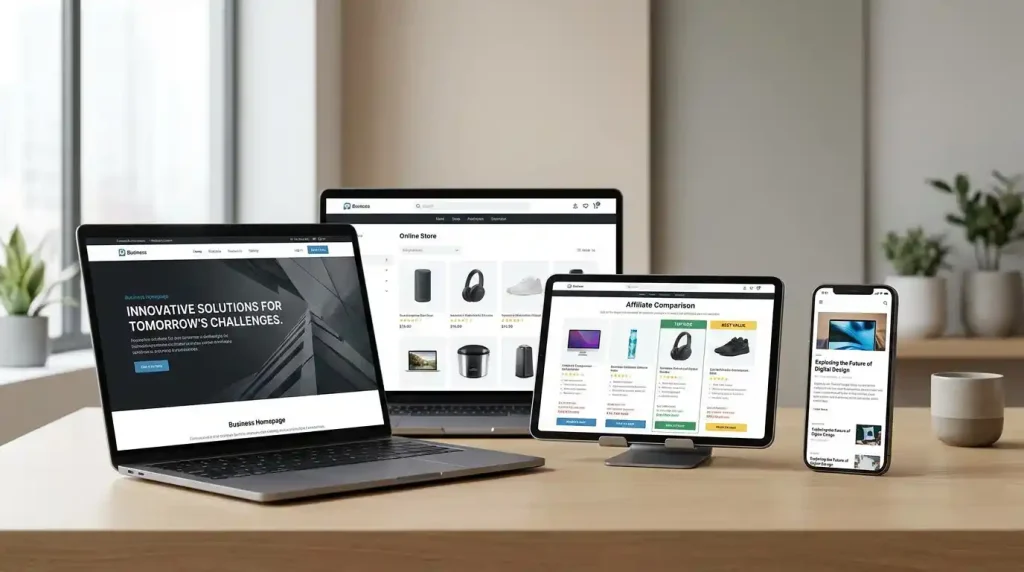
How to Choose the Best WordPress Hosting for Your Website
The right choice depends on what you are building.
For a New Blog
A basic shared hosting plan may be enough for a new blog with modest traffic. Prioritize reliable support, SSL, backups, WordPress compatibility, and transparent renewal pricing.
For an Affiliate Marketing Website
If you are building an affiliate website, choose hosting that can handle your content, images, comparison tables, and any plugins you need. Make sure you can add more content and upgrade resources as the site grows.
A lightweight theme can also help keep the website manageable. Explore our guide to WordPress themes before choosing your site design.
For a Business Website
A business website may need reliable support, professional email, backups, security tools, and easy administration. Managed WordPress hosting can be worth considering if you want the provider to handle more routine maintenance.
For an Online Store
An online store may need more server resources and careful attention to backups, security, checkout functionality, and payment integrations. Review the hosting provider’s compatibility guidance for WooCommerce and the plugins your store requires.
For a High-Traffic Website
If your website has demanding traffic or resource requirements, compare managed WordPress, cloud, and VPS options. Review actual resource limits and monitoring tools rather than upgrading solely because a plan is labeled “premium”.
WordPress Hosting vs. a WordPress Website Designer
Hosting and website design are two different services.
WordPress hosting provides the infrastructure that keeps your website available online. A WordPress website designer helps create the website’s layout, appearance, navigation, and user experience.
You may need both services, but you do not always need to hire a designer. WordPress themes and page-building tools can help beginners build a website themselves.
If you want to create the site yourself, start with a suitable hosting plan, install WordPress, select a theme, and add your essential pages. If you need a custom design or complex functionality, hiring an experienced designer may save time.
For search visibility, you can also follow our practical WordPress SEO guide.
Common Mistakes to Avoid When Buying WordPress Hosting
Choosing Only by Price
A low introductory price may look attractive, but renewal fees, limited resources, and paid extras can make a plan less suitable over time.
Ignoring Backups
Do not assume that every plan includes automatic backups or easy restoration. Check the backup policy before you commit.
Paying for Resources You Do Not Need
A new personal blog rarely needs the same infrastructure as a large online store. Start with a plan that meets your actual requirements and upgrade when necessary.
Overlooking Renewal Terms
Read the billing term, renewal price, refund policy, and any restrictions before checking out.
Expecting Hosting to Fix Every Speed Problem
Changing hosting may help if the server is the bottleneck, but oversized images, heavy themes, and inefficient plugins can also slow down a website. Test performance before deciding what to change.
Frequently Asked Questions
What are the best WordPress hosting services for beginners?
Look for hosting that supports current WordPress requirements, includes HTTPS, offers backups, provides accessible customer support, and has transparent pricing. The best choice depends on your budget and website needs.
Is WordPress hosting different from web hosting?
WordPress hosting is a type of web hosting intended to run WordPress websites. General web hosting may also support WordPress, while managed WordPress plans can include additional WordPress-specific maintenance and tools.
Can I use regular web hosting for WordPress?
Yes, provided the hosting environment meets WordPress requirements. Confirm software compatibility, HTTPS support, resources, and the provider’s installation process before buying.
How much does WordPress hosting cost?
The cost varies by hosting type, provider, contract term, resources, and included services. Compare the full initial and renewal costs on the provider’s official pricing page rather than relying on a single advertised starting price.
Do I need a WordPress website designer?
Not necessarily. Many people build websites with WordPress themes and page builders. A designer may be useful if you need a custom layout, branding, advanced functionality, or professional help.
Can I change my WordPress hosting provider later?
Yes. A WordPress website can usually be migrated to another compatible host. The process depends on the website setup and the providers involved, so make a backup and check migration instructions before changing hosts.
Is managed WordPress hosting worth it?
It may be worthwhile if you value WordPress-focused support and features such as managed backups, staging, or maintenance. Compare the actual features and limitations with a standard hosting plan before deciding.
Final Thoughts
Choosing the right WordPress hosting services starts with understanding your website’s needs. Compare hosting types, server resources, security, backups, support, renewal costs, and upgrade options before purchasing a plan.
For a small blog or a new affiliate project, basic hosting may be a sensible starting point. A growing business or online store may benefit from managed WordPress, cloud, or VPS hosting, depending on its requirements.
Start with a reliable, compatible plan, keep independent backups, and monitor your website as it grows. A thoughtful hosting choice can make managing your WordPress website simpler without paying for resources you do not yet need.