When it comes to making your website more search engine friendly, the most important step is choosing the best WordPress SEO plugin.
A strong SEO plugin can assist you in enhancing the titles, meta descriptions, sitemaps, schema markup, breadcrumbs, social previews, and a plethora of other on-page SEO settings.
But that will not automatically get us on game with SEO plugins. Helpful content, keyword research, website speed, mobile-friendly design, and internal and backlinks are some of the factors SEO relies on. All a plugin does is make less complicated tasks when it comes to SEO in your WordPress dashboard.
Choosing the right SEO plugin can be a bit overwhelming for beginners, as there are many well-known names like Yoast SEO, Rank Math, All in One SEO, SEOPress, The SEO Framework, and Squirrly SEO. They all have different capabilities, some offer a free version, and they differ in the premium features available.
In this guide, we will show you what an SEO plugin does & why your WordPress website needs it, the key features to look for in an SEO plugin, and which SEO plugin may be a good fit based on different types of websites.
What Is a WordPress SEO Plugin?
An SEO plugin is a WordPress tool that prescribes content and technical SEO settings to website owners so their site can rank better on search engines. It allows you to control the visibility of your pages, posts, categories, and products in the search engines.
A WordPress SEO Plugin Can Assist With the Following:
- SEO title optimization
- Meta description writing
- XML sitemap creation
- Schema markup
- Breadcrumbs
- Social media previews
- Canonical URLs
- Robots’ meta settings
- Content readability analysis
- Internal linking suggestions
- Redirection management
- WooCommerce SEO
- Local SEO settings
- Search Console connection
You might do a lot of these settings manually without SEO plugins. That could be a daunting and time-consuming task for novices.
Importance of SEO Plugin for you
While WordPress itself is SEO-optimized, the CMS doesn’t include all of the advanced features required for your search engine optimization right out of the box. An SEO plugin gives you additional control and assists in obtaining more natural optimization of your website.
Why a good SEO plugin is useful to you:
- Write better SEO titles
- Add custom meta descriptions
- Generate XML sitemaps
- Improve content structure
- Add schema markup
- Control index and noindex settings
- Optimize social sharing previews
- Fix basic technical SEO issues
- Improve website organization
- Help search engines to better understand your content
An SEO plugin can greatly simplify our optimization process when publishing blog updates, product pages, service pages, or business content.
Top WordPress SEO Plugins: Popular Plugins
No one SEO plugin works best for every single site. The ideal option relies on your website type, expertise level, budget and SEO specifications.
Here are some popular WordPress SEO plugins that many website owners use:
Yoast SEO
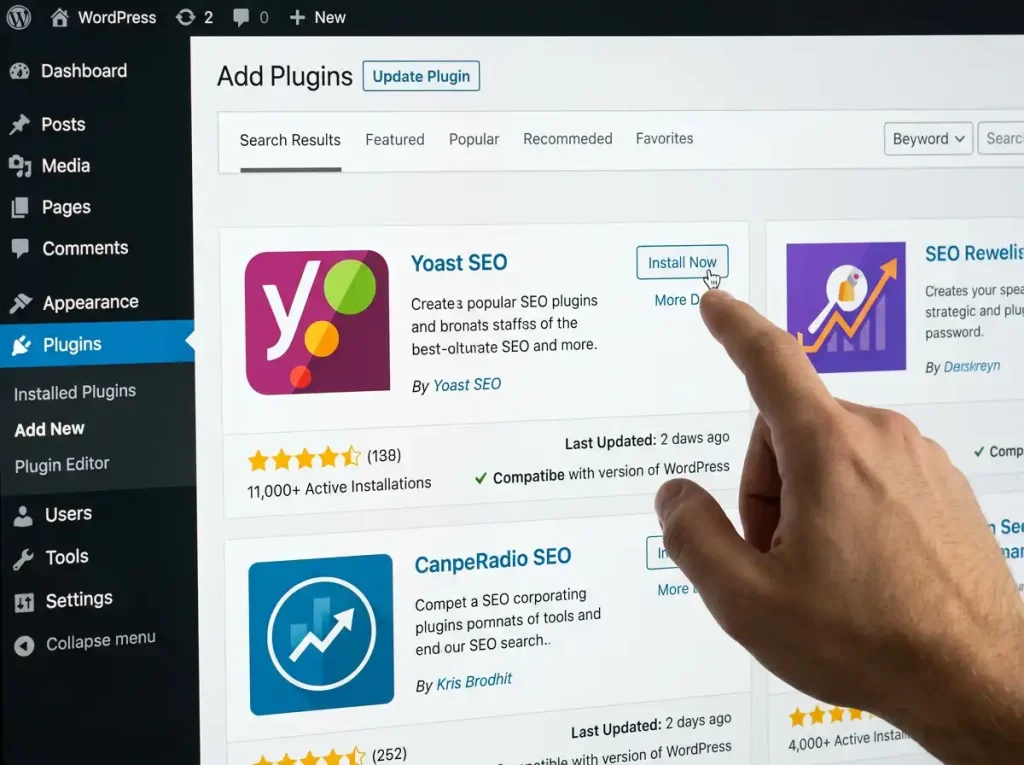
Yoast SEO is one of the popular WordPress SEO plugins. Ideal for novices, bloggers, web content writers, and online marketers looking for a less complicated way to implement Search Engine Optimization along with guidance on what exact words to use in detail as well.
Users can optimize SEO titles, meta descriptions, readability, schema & breadcrumbs, and XML sitemaps & social previews using Yoast SEO. It is a great addition with a beginner-friendly interface and helps you in content analysis while creating posts.
Best For
- Beginners
- Bloggers
- Content websites
- Small business websites
- Users who need general tips on SEO
Key Features
- Control site and meta-data (title)
- Readability analysis
- Focus keyphrase analysis
- XML sitemaps
- Schema support
- Breadcrumbs
- Social media preview options
- Basic technical SEO settings
Pros
- Easy for beginners
- Popular and widely used
- Good content analysis tools
- Helpful readability suggestions
- Strong documentation and learning resources
Cons
- Some advanced features require premium
- Beginners may find the free version somewhat limited
- Content score is not something to be blindly followed
Who Should Use Yoast SEO?
If you are new to WordPress SEO, then Yoast SEO is a good option since it has a simple plugin and suggests about 9 actionable items. It is most helpful for blogs and content-based sites.
Rank Math
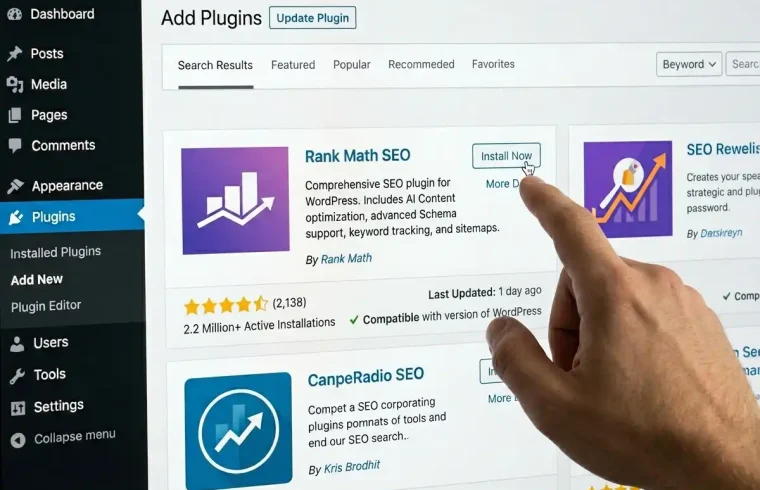
Rank Math is a powerful WordPress SEO plugin that has been designed with an eye towards ease of use and the maximum possible features. This is usually chosen by users who would like to have more within the same plugin.
Rank Math also helps you with content analysis, keyword optimization, XML sitemaps, schema markup, and redirection options along with SEO audit tools and integration features. This can be useful for all sorts of different websites, such as blogs, affiliate websites, business websites, and WooCommerce stores.
Best For
- Bloggers
- Affiliate websites
- Business websites
- WooCommerce websites
- A: For users that want more free features!
Key Features
- Control of the SEO title and meta description
- Multiple keyword optimization options
- XML sitemaps
- Schema markup
- Redirection manager
- 404 monitor
- Internal linking suggestions
- WooCommerce SEO
- SEO analysis tool
Pros
- Modern interface
- Many useful SEO features
- Good for advanced users
- Useful schema options
- Helpful setup wizard
Cons
- Beginners may be overwhelmed by too many options.
- Some features require account connection
- Advanced settings need careful use
Who Should Use Rank Math?
If you want an all-in-one SEO plugin packed with many tools under one dashboard, then Rank Math is a good option. This is ideal for users with more experience and want control over SEO settings.
All in One SEO
All in One SEO (AIOSEO) One more famous WordPress search engine optimization plugin is All in One SEO. It is built for users who need to handle the vital SEO settings, not requiring expert-level developers.
Title and meta settings, XML sitemaps, schema markup, local SEO options, WooCommerce SEO, social media settings, and SEO audit tools are all included in AIOSEO. This is helpful for small businesses, bloggers, local websites, and online shops.
Best For
- Small business websites
- Local business websites
- Bloggers
- WooCommerce stores
- Beginners who want guided setup
Key Features
- Tools for SEO title and meta description
- XML sitemap support
- Schema markup
- Local SEO options
- WooCommerce SEO
- Social media preview settings
- SEO audit checklist
- Robots.txt editor
- Breadcrumbs
Pros
- Beginner-friendly setup
- Good for business websites
- Useful local SEO features
- Good WooCommerce support
- Easy SEO checklist
Cons
- Many advanced features are premium
- In Some Areas Interface May Seem like an Advertisement
- Beginners Are Recommended Not To Enable Features That They Do Not Understand
WHO SHOULD USE ALL-IN-ONE SEO
All in One SEO is a good pick for small business owners, local websites, and WordPress users who want more of a guided SEO setup with some nice core features geared toward businesses.
SEOPress
SEOPress is a powerful SEO plugin designed for WordPress, which gives you on-site SEO metadata, sitemaps, schema, breadcrumbs, social sharing, and advanced controls over your whole site. It is preferred by users who need a less bloated SEO plugin that comes with tons of features.
Use SEOPress for blogs, business websites, agencies, WooCommerce stores & professional WordPress websites. It has a free and premium service.
Best For
- Agencies
- Freelancers
- Business websites
- Bloggers
- Anyone who likes a good clean interface
Key Features
- SEO title and meta description control
- XML and HTML sitemaps
- Schema markup
- Breadcrumbs
- Social media metadata
- Redirections
- WooCommerce SEO
- Google Analytics integration options
- Content analysis
Pros
- Clean interface
- Good feature range
- Useful for agencies and professionals
- Flexible SEO settings
- Premium plans that have good white-label options
Cons
- Some advanced features require premium
- Beginners may take a while to figure out all the settings
- Not as popular for beginners as Yoast or Rank Math
Who Should Use SEOPress?
If you are looking for an SEO plugin with flexibility, a clean interface, and professional SEO options, then SEOPress is a good option. This is particularly useful for agencies, freelancers, and websites that are growing.
The SEO Framework
The SEO Framework is a super lightweight SEO plugin that simply focuses on doing the most important things, as well as automating many tasks quickly and efficiently with simple, clean settings. It is a decent choice for users looking for a simpler and less distracting SEO plugin.
It takes care of a lot of basic SEO aspects automatically and keeps the excesses at bay. That is great for those who require SEO assistance but not lots of popups, upsells, or complex settings.
Best For
- Minimalist websites
- Developers
- Fast websites
- Users who want fewer distractions
- People who prefer automation
Key Features
- Automated SEO settings
- Meta title and description control
- Sitemap support
- Canonical URL support
Social sharing metadata
- Schema support
- Clean interface
- Lightweight performance
Pros
- Lightweight
- Clean and simple
- Good for performance-focused users
- Less distracting interface
- Useful automation
Cons
- Fewer content-writing suggestions
- Not as beginner-guided as Yoast
- Some users may desire increased visual SEO scoring
Who the SEO Framework Is For
If you are looking for an SEO plugin that is clean, lightweight, and does not have too many extra features but has an automated feature available with it, then The SEO Framework option can be the best one.
Squirrly SEO
Well, Squirrly SEO is an SEO plugin with a focus on guidance/content optimization as well as giving suggestions to you. It is helpful for novices who want a guide through the process of optimization of content.
It also includes keyword research tools, SEO audits, content guidance, and optimization recommendations. This could be beneficial for bloggers, small business owners, and content marketers.
Best For
- Beginners
- Content marketers
- Bloggers
- For users that are looking for step-by-step approaches on how to do SEO.
- Small business websites
Key Features
- SEO content guidance
- Keyword suggestions
- SEO audit tools
- On-page optimization suggestions
Social media settings
- Ranking-related tracking options
- Beginner-friendly SEO workflow
Pros
- Helpful for beginners
- Content-focused guidance
- Good for learning SEO
- Useful optimization workflow
- Can support content planning
Cons
- Some features may feel complex
- Advanced tools may require premium
- Might not be needed for users who want simple SEO settings
Who Should Use Squirrly SEO?
If you like a more guided, assistant-style plugin for SEO with step-by-step optimization suggestions while creating content, then Squirrly is another option to consider.
Quick Comparison Table
| SEO Plugin | Best For | Beginner-Friendly | Main Strength |
|---|---|---|---|
| Yoast SEO | Bloggers and beginners | Yes | Content and readability guidance |
| Rank Math | Feature-rich SEO control | Medium | Many tools in one plugin |
| All in One SEO | Small business websites | Yes | Guided setup and business features |
| SEOPress | Agencies and professionals | Medium | Clean and flexible SEO settings |
| The SEO Framework | Lightweight websites | Medium | Simple automation and speed |
| Squirrly SEO | Guided SEO learning | Yes | Step-by-step content guidance |
Top SEO Plugin for Beginners: Which is the Best?
Both Yoast SEO and All in One SEO offer a step-by-step guide that makes it easy for beginners to get started with the setup process, but generally one of these may be easier than the other (Yoast.)
Rank Math is also beginner-friendly, but it comes with a lot of features, so new users need to read the documentation before using every setting.
The SEO Framework is a great option if you are looking for fewer distractions. Squirrly SEO — If you need guided content assistance.
Best SEO Plugin for Bloggers:
Yoast SEO, Rank Math, and SEOPress are the best options for bloggers. SEO title and meta description writing, content analysis, sitemaps, schema, and social previews — these are all covered by those plugins.
If your blog is mostly content-based, opt for a plugin that provides solid writing and keyword guidance.
What Is the Best SEO Plugin for Small Business Sites?
The All in One SEO (AIOSEO), Yoast SEO, Rank Math, and SEOPress plugins are all great for use on small business websites.
Normally, a small business site will need the following:
- Service page optimization
- Local SEO support
- Contact page optimization
- Schema markup
Social preview settings
XML sitemap
- Simple meta title and description management
- WooCommerce support if selling products
If your business relies on local customers, then select a plugin with local SEO functionality.
There are multiple SEO plugins for WooCommerce, but which one is best?
Rank Math, All in One SEO, Yoast SEO, and SEOPress come with different plans for WooCommerce-related SEO.
An eCommerce SEO plugin should assist with the following:
- Product title optimization
- Product meta descriptions
- Product schema
- Category SEO
- Breadcrumbs
- XML sitemaps
- Social sharing previews
- Canonical URLs
Verify what features are available with WooCommerce for free and what requires a premium plan before choosing.
Free vs Premium SEO Plugins
Most SEO plugins for WordPress come with a free version, and we have both premium and paid offerings. The free option is normally adequate for low-traffic blogs and small sites. Inevitably, premium versions come with advanced tools, including redirects, local SEO, WooCommerce SEO, internal linking, and advanced schema, making things easier for everyone along the way (they also include keyword tracking and help you keep track of other fancy things such as priority support).
Choose a free SEO plugin if:
- You are starting a new blog
- You have a small website
- Your only need basic management SEO
- You desire control of title and meta
- You need XML sitemap support
- You are learning WordPress SEO
Pick an advanced SEO plugin if:
- You run a business website
- You need local SEO
- You have a WooCommerce store
- You need redirection tools
- You want advanced schema options
- You want priority support
- Your website: sites leads or sales
While a free SEO plugin may suffice for beginner-level use, the premium plan can be time-saving for business types of websites.
Key Features to Look For _Before Choosing an SEO Plugin
Check out the features before you go to install any SEO plugin. Originally published November 17, 2017 Choosing a point solution plugin?
Easy Setup
We expect our SEO plugin to have a simple setup wizard or an easy-to-understand settings page. However, after installation, a novice should not be lost.
Manage SEO Titles and Meta Descriptions
A plugin would enable you to write and set your own titles and meta descriptions for pages, posts, categories, or products.
XML Sitemap
It also helps search engines find the most important pages on your website. Many good SEO plugins provide sitemap features.
Schema Markup
Schema markup is a type of microdata that makes it easier for search engines to identify the content you have. It is useful for a few kinds of content, including articles, products, reviews, FAQs, and local businesses.
Social Media Preview
Your SEO plugin should allow you to dictate how your content appears when shared on networks such as Facebook, X, and LinkedIn.
Content Analysis
With content analysis, you can optimize the keyword usage, readability, heading structure of your articles along with internal links and meta information.
Redirection Manager
A redirect manager helps when you delete or modify the URL of pages so that it does not break links. Often this feature is offered with the premium versions.
- WooCommerce SEO
For online stores, select a plugin that optimizes product SEO, product schema, breadcrumbs, and categories.
Local SEO
Local SEO: Local SEO features come with your local business and help in adding the business information, location details, and structured data.
Performance
It should not create any performance issues on your website. Do not use multiple SEO plugins together.
Common Mistakes to Avoid
Choosing an SEO Plugin: Topics Of Contents Many rookies screw up with selecting or using a search engine optimization plugin. Avoid these common problems:
- Installing multiple SEO plugins together
- Thinking a plugin guarantees rankings
- Ignoring content quality
- Reusing the same meta description everywhere
- Overusing the focus keyword
- Ignoring website speed
- Not setting up XML sitemap
- Forgetting social preview settings
- Ignoring internal links
- Not updating the plugin
- Applying advanced… Settings without understanding
An SEO plugin is a tool. That means you still require helpful content, keyword research, and a good experience on the site.
Frustratingly, similar to theme determination, choosing the best search engine optimization plugin for WordPress can also be an unending procedure of testing and evaluating.
How to Pick the Best SEO Plugin for WordPress Begin with your website purpose.
Simple Plugin for Beginning Bloggers When starting out as a blogger, pick one that guides you. Get a plugin with local search engine optimization, schema, and strong metadata control if you’re on a commercial site. Choose a WooCommerce SEO plugin if you run an e-commerce store. Pick a lightweight plugin if you care for speed and simplicity.
Ask yourself these questions:
- Is my website a blog, a business website, or an e-commerce experience? Beneficiary of all?
- Do I need local SEO?
- Do I need WooCommerce SEO?
- Should I be looking for simplicity or advanced controls?
- Do I need redirection tools?
- Do I need schema markup?
- Free features or premium support?
- Does the Plugin Slow Down My Website?
The best plugin is the one that most closely fits your real needs for a website.
Bottom Line: Best SEO Plugin for WordPress
Depending on your level of experience, and other factors, a best SEO plugin for WordPress might differ.
For simple content advice, we recommend Yoast SEO for beginners and bloggers. RANK MATH Rank Math is a powerful choice if you want lots of SEO tools in one plugin. Another great tool for websites and guided setup is All in One SEO. SEOPress is a solid option for agencies and anyone wanting more granular control over SEO settings. The SEO Framework is best for users who want lightweight automation; Squirrly SEO is perfect for beginners who want to be guided through the content optimization process.
When you first start out, stick to one SEO plugin and learn how to use it well. Please do not install multiple SEO plugins at once. Concentrate on helpful content, optimizing site speed, reaching internal links, and keeping the website technically clean.
No SEO plugin will rank your website alone but a good one will considerably ease, speed up and structure your optimization.
Frequently Asked Questions about Best SEO Plugin for WordPress
Which are the best SEO plugins for WordPress?
How to Define Your Best SEO Plugin for Your WordPress? Some popular options are Yoast SEO, Rank Math, All in One SEO, SEOPress, The SEO Framework, and Squirrly SEO.
Yoast vs. Rank Math: Which Is THE Best?
Yoast SEO is easy and quite beginner-friendly, while Rank Math is packed with features and advanced options. As is often the case, one choice is better than another, but it depends on your level and what your site needs.
You are limited to whatever the SEO plugin you use allows you. Free: Rank Math cannot be used more than once in a WordPress.
Having two main SEO plugins installed is not recommended, as this gives rise to duplicate meta tags, sitemap conflicts, or technical issues.
Do SEO plugins make you rank on Google?
No, with SEO plugins, you will not rank. They assist with optimization, but ranking is based on content quality, competition, website authority, speed, user experience, and many more.
Conclusion: Which SEO plugin is best for beginners?
Beginner basic options: Yoast SEO, All in One SEO, and Rank Math. Rank Math does well at this also, but I suggest beginners manage the settings correctly.
Best WooCommerce SEO plugin: What Should You Use?
Here are WooCommerce SEO features from Rank Math, All in One SEO, Yoast SEO, and SEOPress. And also check if the features that are important to you are offered on the free or premium plan.
Is a free SEO plugin enough?
But for a basic blog or small website, certainly yes, a free SEO plugin is enough. Premium paid features can be more beneficial for businesses by providing additional support for local SEO, redirects, advanced schema, and incorporating online stores.
Should I be switching SEO plugins later
SEO plugins can be switched later, but the migration should be done very carefully. Be sure to back up your website before you change any important SEO setting.
Conclusion
Selecting the best SEO plugin for WordPress: Final Thought to develop a search-friendly contract name. The perfect plugin allows you to easily manage everything related changing SEO titles, meta descriptionsbasic settings of your site optimization like sitemaps, schema, social previews, etc.
If you are a beginner, go for Yoast SEO or All in One SEO. Rank Math is a solid choice for users who desire lots of features. SEOPress is instrumental for clean and flexible control. If you want lightweight automation, check out The SEO Framework. Squirrly SEO can be useful for guided content optimization.
It’s actually simple: Out of the selection, take one SEO plugin and set it up correctly (that should not be a problem) and then start creating content for users instead. You may be using plugins, but SEO success is not only due to them. It derives from valuable content, well-structured website, fast performance and continuous modification.