Choosing the right WordPress hosting can make a big difference to your website. The right plan can help your site load quickly, stay online, and handle visitors without wasting money. Choosing the wrong plan can lead to slow loading times, security issues, and extra expenses.
Whether you are starting a personal blog, building a business website, or running an online store, you have several hosting options. In this guide, you will learn how WordPress hosting works, how to compare hosting plans, and how to find a suitable option for your budget.
What Is WordPress Hosting?
WordPress hosting is a service that stores your website’s files and database on a server so people can visit your site online. WordPress is a popular content management system (CMS), which is software that lets you create and manage website content without building every page from scratch.
When someone opens your website, the hosting server sends the necessary files and information to their browser. The quality of that service can affect your website’s speed, reliability, security, and ability to handle traffic.
Most WordPress hosting services provide some combination of:
- Server space for website files and images.
- Database support for posts, pages, and settings.
- SSL certificates to help protect information sent between browsers and websites.
- Backup tools for recovering website data.
- Email or domain-related features, depending on the plan.
- Technical support for hosting problems.
- Security and performance tools.
Take a closer look at what’s included before you pick a plan.
Why Does WordPress Hosting Matter?
Your hosting provider affects how your website performs and how much work you must do to maintain it.

1. Website Speed
A fast website gives visitors a smoother experience. Slow pages can frustrate readers and make it harder for customers to complete purchases. A good hosting plan gives your website the resources it needs, along with tools that help pages load faster.
Your theme, plugins, images, and website code also affect speed, so hosting alone cannot guarantee fast loading.
2. Website Uptime
Uptime means the amount of time your website remains available to visitors. If your website frequently goes offline, readers may struggle to access your content and customers may be unable to place orders.
Look for a provider with a clear uptime policy and a way to report service interruptions.
3. Website Security
A hosting company may provide an SSL certificate, server-level security, malware scanning, or protection against certain attacks. These features can reduce some risks, but you still need to update WordPress, themes, and plugins.
Use strong passwords and keep backups in case something goes wrong.
4. Technical Support
Hosting support can save time when your website stops working or you cannot connect to your database. Before purchasing, check the provider’s support hours, available contact methods, and the types of issues its team handles.
Some companies provide 24/7 support, while others offer more limited assistance.
5. Room to Grow
As your business website or online store grows, you may need more storage, memory, and server power. Choose a plan that meets your needs now and lets you upgrade as your website grows.
Types of WordPress Hosting
Every website has different hosting needs. Knowing the main options can help you find a plan that suits your budget and goals.

1. Shared WordPress Hosting
Shared hosting is one of the most affordable ways to get a WordPress website online. Your website shares a server with other websites, making it a good starting point for new blogs, portfolios, and small business sites.
The downside is that you share the server’s resources with other users. If a website on the same server uses too many resources, your site’s performance may be affected.
2. Managed WordPress Hosting
Managed hosting is designed to reduce the technical work involved in running a WordPress site. Depending on the provider, it may include automatic updates, backups, caching, and WordPress-focused support.
It can be useful for business owners and publishers who want to spend less time on server maintenance. These plans may cost more than basic shared hosting.
3. VPS Hosting
VPS hosting gives your website its own share of resources on a physical server. It offers more control than most basic shared hosting plans and can be a good option for websites that need extra power.
However, managing a VPS can be tricky if you have little technical experience. A managed VPS plan may be a better choice if you want help with server maintenance.
4. Dedicated Hosting
With dedicated hosting, you get an entire physical server for your website. This gives you greater control over server settings and resources.
It can be a good fit for busy websites or businesses with specific hosting needs. The main downside is the cost, as dedicated hosting is usually more expensive than shared hosting and may require technical skills to manage.
5. Cloud Hosting
Cloud hosting runs your website using computing resources across a cloud infrastructure. Depending on the provider, you may be able to add resources as your website attracts more visitors.
It can work well for growing websites, but the pricing and setup may be harder to understand than those of a basic WordPress hosting plan.
If you’re new to WordPress, shared hosting or an entry-level managed plan is often enough to get started. You can move to a more advanced option when your website needs more resources or control.
Best WordPress Hosting: What Should You Look For?
The best WordPress hosting for you depends on your budget, website type, expected traffic, and technical experience. A plan that works well for a personal blog may not have enough resources for a busy online store.
Before choosing a provider, take a look at these features.

Server Performance
Your hosting plan should have enough resources to run your website smoothly. Storage, memory, server technology, and caching tools can all affect how quickly your pages load.
SSL Certificate and Security
Choose a hosting plan that offers an SSL certificate, regular backups, and suitable security features.
It allows your site to use HTTPS, which helps keep information sent between the browser and server secure.
Many hosting providers include an SSL certificate for free, but check what’s covered before signing up.
WordPress Installation
Setting up WordPress is easier when your hosting provider offers one-click installation. You can get your website running without manually uploading files or creating a database.
It’s also worth checking whether the provider offers a staging site.
Customer Support
Choose a provider with support that matches your experience level. Beginners may benefit from WordPress-specific help, while experienced users may prefer direct access to server settings.
Read recent customer reviews, paying attention to how the company handles billing questions, outages, migrations, and technical problems.
Renewal Pricing
The advertised price may apply only to your first billing period. Your renewal cost could be higher.
Compare the introductory price, regular renewal price, billing period, refund policy, and any extra fees. This helps you understand the real cost of keeping your website online.
Cheap WordPress Hosting: How to Save Money
Cheap WordPress hosting can be a sensible choice when you are starting with a limited budget. You do not need an expensive server to publish articles or build a simple business website.

However, a low price does not always mean good value.
What to Check Before Buying Cheap Hosting
- Backups: Find out how often backups run and whether restoring them costs extra.
- Email: Confirm whether professional email accounts are included.
- Migration: Check whether moving your existing website is free or paid.
- Support: Confirm what help is available with your plan.
A cheap plan can become expensive if you must pay for essential features separately.
Hostinger Web Hosting: https://globalvior.com/hostinger-web-hosting/
Is Cheap Hosting Suitable for SEO?
Yes, a low-cost plan can support an SEO-focused website. Google does not require you to buy premium hosting to rank in search results.
Your website still needs useful content, good page structure, mobile-friendly design, and reliable performance. Hosting is one part of the overall website experience.
For a new content website like a blog, start with a suitable entry-level plan and monitor performance as traffic grows.
Learn cPanel: A Complete Guide to Website and WordPress Hosting
https://globalvior.com/learn-what-is-cpanel/
Free WordPress Hosting: Is It Worth Trying?
Free WordPress hosting lets you create a website without paying a regular hosting fee. It can be useful for learning WordPress, testing ideas, or creating a temporary project.

However, free hosting often comes with limits. Common restrictions include:
- Limited storage and computing resources.
- Fewer backup and security options.
- Restricted plugin or theme access on some platforms.
- Limited technical support.
- Subdomains instead of a custom domain.
- Fewer options for handling high traffic.
The exact restrictions depend on the service you choose.
Free WordPress.com Hosting vs. Self-Hosted WordPress
These are two different ways to run a WordPress website.
WordPress.com offers a hosted platform with different plan options and features. WordPress.org provides the WordPress software that you can install on a compatible hosting account.
With self-hosted WordPress, you choose a hosting provider and manage your website within that environment. This usually gives you greater control, although you also take responsibility for more maintenance.
Which Option Should You Choose?
- Choose a free hosted option if you want to learn the basics without spending money.
- Consider paid hosting if you need greater control over plugins, website files, backups, or business features.
- Choose a plan that supports your actual goals rather than paying for features you will not use.
Before committing to a free service, check its current terms and whether you can export your content if you decide to move later.
WordPress Domain Hosting: Do You Need a Separate Domain?
WordPress domain hosting usually refers to the services needed to connect a domain name to a WordPress website and make the site available online.
A domain is your website’s address, such as example.com. Hosting is the server space where your website operates. They work together, but they are different services.

Can You Buy a Domain and Hosting Together?
Yes. Many providers sell both services in one package. Some hosting plans include a free domain for an initial period or under specific conditions.
Before purchasing, check:
- Whether the domain is included and which extensions qualify.
- Whether the offer applies only to the first year.
- How much domain renewal costs.
- Whether domain privacy is included where available.
A free domain offer does not always mean the domain will remain free forever.
How to Migrate WordPress Site to a New Host (2026 Guide)
https://globalvior.com/migrate-wordpress-site/
Can Your Domain and Hosting Be With Different Companies?
Yes. You can register a domain with one company and host your WordPress website with another. You then connect them using DNS settings.
DNS, or Domain Name System, directs a domain name to the correct online services.
Keeping the services separate can give you flexibility, but beginners may find an all-in-one package easier to manage.
WordPress Hosting Plans: What Do You Get for Your Money?
WordPress hosting plans vary by provider, so compare the features rather than choosing based on price alone.
| Plan type | Best suited for | Main consideration |
|---|---|---|
| Free hosting | Learning and testing | Limited features and control |
| Entry-level shared hosting | New blogs and small sites | Shared server resources |
| Higher-tier shared hosting | Growing websites | Check resource limits carefully |
| Managed WordPress hosting | Publishers and businesses | Higher price in some cases |
| VPS hosting | Websites needing more control | May require technical skills |
| Cloud or dedicated hosting | Specialized or demanding sites | Cost and administration |
How Much Should You Spend?
There is no single price that suits every website. Hosting costs depend on the provider, plan, billing period, location, and included services.
A simple way to set your budget is to decide what your website needs first.
For example, a new blog may need one website, a custom domain, SSL, backups, and enough resources for regular publishing. A busy online store may need stronger performance, more frequent backups, and additional security tools.
Compare the full annual cost, including domain renewals and any paid extras.
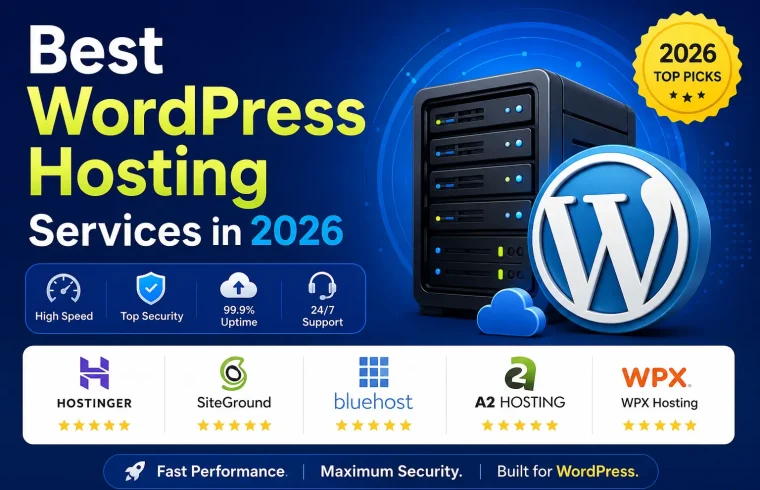
WordPress Hosting Services Worth Comparing
Hostinger
Hostinger offers shared hosting and WordPress-focused plans. It is worth comparing if you want an entry-level package with a guided setup process.
Website: https://www.hostinger.com/
SiteGround
SiteGround offers WordPress hosting services with management and performance features.
Website: https://www.siteground.com/
WordPress.com
WordPress.com provides a hosted website platform with plans for different needs. Check which plan supports the themes, plugins, and customization options you want.
Website: https://wordpress.com/
DreamHost
DreamHost offers web hosting and WordPress-related services. Compare its available plans, support options, and renewal terms against your requirements.
Website: https://www.dreamhost.com/
These are starting points for research, not a claim that one provider is best for every user.
WordPress Managed Hosting vs. Regular Hosting
Choosing between managed WordPress hosting and regular shared hosting comes down to how much technical work you want to handle.
With regular shared hosting, you may need to manage more updates, troubleshooting, and performance settings yourself.
Managed WordPress hosting may take care of tasks such as backups, caching, updates, and security monitoring. The exact services depend on the plan.
When Is Managed Hosting Worth It?
Managed hosting may be a good fit if:
- You publish content frequently and need dependable backups.
- Your site receives enough traffic to benefit from specialized tools.
- You value WordPress-focused support.
A beginner with a small budget may be better off with shared hosting. A business with demanding needs may find the extra cost worthwhile.
How to Choose Web Hosting: 10 Important Things to Check
https://globalvior.com/how-to-choose-web-hosting/
How to Choose WordPress Hosting Step by Step
Use this process before purchasing a plan.
Step 1: Identify Your Website Type
Decide whether you are building a blog, portfolio, business website, membership site, or online store. Different websites have different needs.
An online store, for example, may require more resources and stronger backup procedures than a basic portfolio.
Step 2: Estimate Your Initial Needs
Think about how many websites you will host, how many images you will upload, and whether you expect traffic to grow.
Start with a reasonable estimate and select a plan that you can upgrade later.
Step 3: Compare Three or More Providers
Review the main features, prices, support, backup policies, and limits.
Do not compare an introductory monthly price with another provider’s regular monthly rate without checking the billing terms.
Step 4: Check WordPress Compatibility
Make sure the plan supports a current WordPress installation and provides the technical requirements needed by your chosen themes and plugins.
Check whether automatic installation and migration tools are available if you need them.
Step 5: Review the Total Cost
Add the hosting fee, domain registration or renewal, email costs, backup upgrades, and any other services you need.
If you are paying for several years upfront to receive a discount, make sure you can afford the full payment.
Step 6: Set Up and Test Your Website
After purchasing, install WordPress, connect your domain, enable HTTPS, and set up backups.
Publish a test page and open your website on both a computer and a phone. Test the main navigation, forms, and other important features.
Step 7: Monitor Performance
Use website analytics and performance tools to see how your site behaves after launch.
If the site becomes slow, check images, plugins, caching, and hosting resource usage before assuming you need a more expensive plan.

Three Practical Examples
These examples are illustrative situations, not verified customer case studies.
Example 1: A New Blogger
Rina wants to publish cooking recipes and share photos. She has a small budget and does not expect heavy traffic at launch.
An entry-level shared hosting plan may be enough. She can focus on publishing useful recipes, compressing images, and learning basic WordPress settings. She can consider upgrading if her website grows beyond the plan’s limits.
Example 2: A Small Business Website
David runs a local repair business. His website needs service pages, a contact form, and a custom domain.
He should compare hosting plans that support SSL, backups, reliable email options, and helpful technical support. A basic plan may be sufficient if the website has modest traffic.
He should also keep a backup of important business information and test his contact form regularly.
Example 3: A Growing Online Store
Maya runs a WordPress store with product pages, customer accounts, and online payments. She needs to pay closer attention to security, backups, resource limits, and support.
Managed hosting or a higher-capacity plan may be worth considering if her current setup cannot handle the workload.
Before upgrading, she should check actual performance data and make sure her store’s plugins and payment system are configured correctly.
Common WordPress Hosting Mistakes to Avoid
A poor hosting decision can waste money or create extra work. Avoid these common mistakes.
Choosing Only by Price
A very low introductory price may hide expensive renewals or missing features. Compare the total cost and the service you will receive.
Ignoring Backup Policies
Do not assume that every provider keeps frequent backups forever. Find out how often backups run, how long they are stored, and how to restore them.
Keep an independent backup when possible, especially for business websites.
Buying Too Much Hosting
A new website rarely needs the same setup as a large store.
Avoid paying for resources you do not currently need. Start with a suitable plan and upgrade when evidence shows that your site needs more capacity.
Ignoring Renewal Dates
Promotional rates may expire after the first billing period. Check renewal prices and set a reminder before the next payment is due.
Installing Too Many Plugins
Install only what your website needs, and remove unused plugins after checking that they are no longer needed.
Conclusion
The right WordPress hosting plan depends on your budget, website goals, and technical needs. Shared hosting can be a practical starting point for a new blog or small business website. Managed hosting may suit people who want more help with WordPress maintenance, while VPS and cloud options can provide more flexibility for websites with greater demands.
Compare the full price, performance features, security, backups, support, and renewal terms before making a decision. Free WordPress hosting can help you learn, while cheap WordPress hosting may offer a useful balance between cost and control.
Monitor your website after launch and upgrade when your site’s actual requirements justify the expense.
Ready to start your website? Compare at least three WordPress hosting services, review their current terms, and choose the plan that fits your goals.
What type of website are you planning to build, and what is your monthly hosting budget?
FAQs About WordPress Hosting
1. What is the best WordPress hosting for beginners?
The best option is one that is affordable, easy to set up, supports WordPress, and provides suitable security and backups. Compare entry-level shared hosting and managed WordPress hosting before choosing.
2. Can I get free WordPress hosting?
Yes. Some services offer free hosting or free website plans. They may limit storage, features, customization, or support. Check the terms before using a free service for a business website.
3. Is cheap WordPress hosting good for SEO?
It can be. A low-cost plan can support an SEO-friendly website if it provides adequate performance and reliability. Your content, site structure, mobile experience, and technical setup also matter.
4. Do you need a domain for WordPress hosting?
You need an address to make your website easy to visit, but you may initially use a provider’s subdomain. A custom domain gives your website its own address, such as example.com.
5. What is the difference between WordPress hosting and web hosting?
Web hosting is the general service of storing and delivering website files. WordPress hosting refers to hosting suitable for WordPress, sometimes with tools and support designed specifically for that software.
6. Is managed WordPress hosting worth the cost?
It may be worth the extra cost if you value WordPress-specific support, automatic backups, maintenance tools, and performance features. Check exactly what the plan includes because services differ by provider.
7. Can I change my WordPress hosting provider later?
Yes. You can move your website to another compatible provider. The process may involve transferring files and the database, updating DNS settings, and testing the new installation. Back up your site before starting.
8. How much does WordPress hosting cost?
The cost varies by provider, plan, billing term, and included features. Compare current introductory and renewal rates, domain fees, and paid extras to estimate your total annual cost.