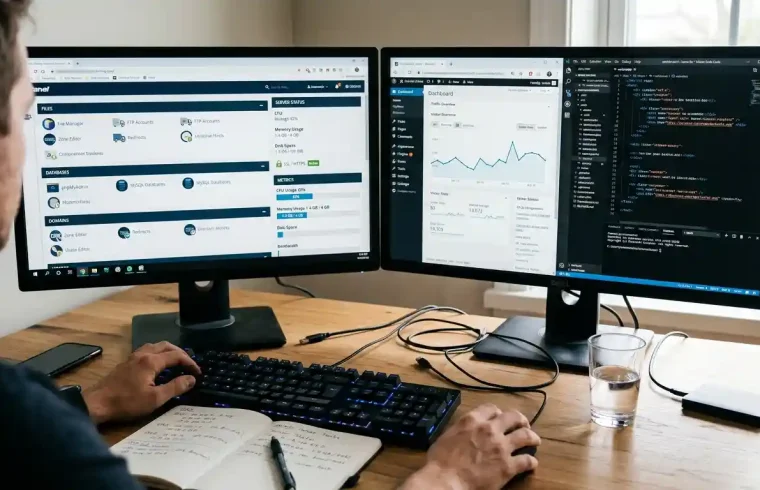
Building a website starts with choosing the right hosting service. You need somewhere to store your website files, a domain visitors can remember, and a hosting environment that works with your chosen platform. Your decision can also affect your budget, website management, and future growth.
Hostinger web hosting is an option for bloggers, small business owners, freelancers, and affiliate marketers who want to create a website without managing their own physical server. It offers several hosting plans, WordPress tools, website management features, and options for projects with different resource needs.
But which plan should you choose? Is WordPress hosting worth considering, and can you get a free domain with your purchase?
This guide explains how Hostinger works, what its plans offer, which features to check, and how to choose a suitable package for your website.
What Is Hostinger Web Hosting?
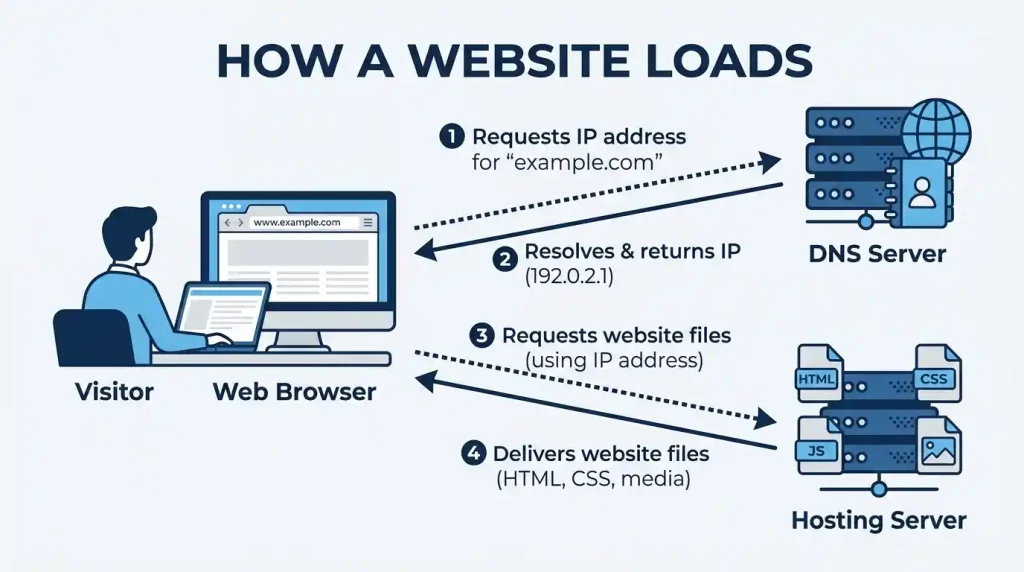
Hostinger web hosting is a service that stores your website’s files and makes them available to visitors through the internet. When someone enters your domain into a browser, the hosting server delivers the requested pages and other resources.
For example, suppose you want to create a technology blog. You register a domain, purchase a hosting plan, install WordPress, choose a theme, and publish your first article. Hostinger supplies the hosting environment that allows your website to operate online.
You can manage your hosting account through its control panel while using WordPress or another supported platform to build your website.
Explore the available options on the official Hostinger web hosting website.
Who Should Consider Hostinger?
Hostinger may be suitable for:
- Bloggers who publish articles and tutorials.
- Small businesses that need a professional website.
- Affiliate marketers who create product reviews.
- Freelancers who want to display their work online.
- Website owners who want to manage hosting and domains through one provider.
The right choice depends on your website’s size, expected traffic, technical requirements, and budget.
Hostinger Web Hosting Plans Compared
Hostinger provides several hosting plans for different types of websites. Their prices and included resources vary by region, subscription period, and promotion.
The US-facing website currently displays the following promotional offers for a 48-month subscription.
| Plan | Advertised monthly price | Best suited for |
|---|---|---|
| Premium | $2.99 | Small websites and beginners |
| Unlimited | $3.99 | Multiple websites and growing projects |
| Cloud Startup | $7.99 | Websites requiring additional resources |
These are promotional prices, not guaranteed monthly billing rates. The subscription is paid upfront, and renewal prices are higher. Verify the current offer on Hostinger’s official website before buying.
1. Premium Hosting
Premium hosting is worth considering for a new blog, portfolio, or small business website.
The advertised plan includes three websites, 20 GB of SSD storage, weekly backups, and a domain free for one year under the offer’s conditions.
It can be a practical starting point if you are launching your first website and do not expect heavy traffic immediately.
Before choosing it, check whether its storage allowance, backup frequency, and website limit meet your needs.
2. Unlimited Hosting
Hostinger’s Unlimited plan is designed for users who need to manage multiple websites. The current offer includes unlimited website hosting subject to applicable terms, 50 GB of NVMe storage, and daily backups.
This option may suit publishers, freelancers, and website owners managing several smaller projects.
Remember that unlimited website hosting does not mean unlimited server resources. Review the plan’s usage conditions before purchasing.
3. Cloud Startup Hosting
Cloud Startup is intended for larger projects that need additional resources.
The advertised plan includes 100 GB of NVMe storage and daily and on-demand backups. It may be worth comparing for a growing business, content-heavy website, or project with higher resource requirements.
A new blog with modest traffic may not need cloud hosting. Choose it when your website’s needs justify the additional cost.
How Much Does Hostinger Web Hosting Cost?
The advertised monthly amount is only part of the cost. Your actual payment depends on the subscription term, promotional offer, and renewal price.
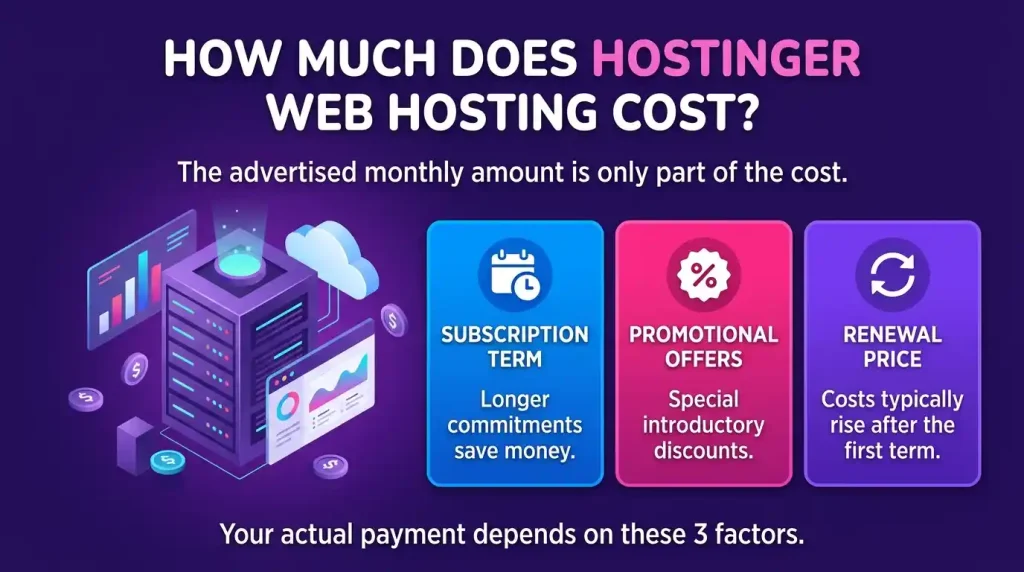
The following figures are displayed on Hostinger’s US-facing website for a 48-month subscription.
| Plan | Initial payment for 48 months | Advertised renewal rate |
|---|---|---|
| Premium | $143.52 | $10.99/month |
| Unlimited | $191.52 | $16.99/month |
| Cloud Startup | $383.52 | $25.99/month |
Source: Official Hostinger hosting prices. Prices may change.
What Should You Check Before Paying?
Initial payment: A promotional monthly rate may be calculated by dividing a larger upfront payment across the subscription period.
Renewal price: Your next subscription may cost more than the introductory offer.
Domain renewal: A domain included for the first year usually needs to be renewed at the applicable rate.
Additional services: Premium themes, plugins, email services, and other tools may add to your expenses.
If you are starting with a limited budget, calculate your expected costs for several years. A low advertised rate is less useful when the total upfront payment is outside your budget.
Does Hostinger Offer a Free Domain?
Hostinger free domain offers are available with certain eligible hosting purchases. The offer generally includes one year of domain registration, subject to the selected plan, subscription term, and available domain extension.
Eligible plans listed in Hostinger’s current documentation include Web Premium, Web Business, and selected cloud hosting packages for qualifying new purchases.
However, not every plan or domain extension qualifies.
Before checking out, confirm that your preferred domain is eligible and check its renewal price. The offer may also have a deadline for claiming the domain.
Read the official Hostinger free-domain guide for the latest eligibility conditions.
A free first-year domain can reduce your initial expenses, but you should still budget for renewal if you plan to keep your website online.
Hostinger WordPress Hosting: Features to Consider
Hostinger WordPress hosting is worth comparing if you intend to build your website with WordPress.
WordPress is free software that lets you publish posts, create pages, customize your website, and install compatible plugins. You pay separately for hosting and your domain, along with optional premium themes or services.
Hostinger provides WordPress hosting options with tools that can simplify installation and website management.
WordPress Installation and Management
Installation tools help you set up WordPress without manually uploading every application file and configuring the database yourself.
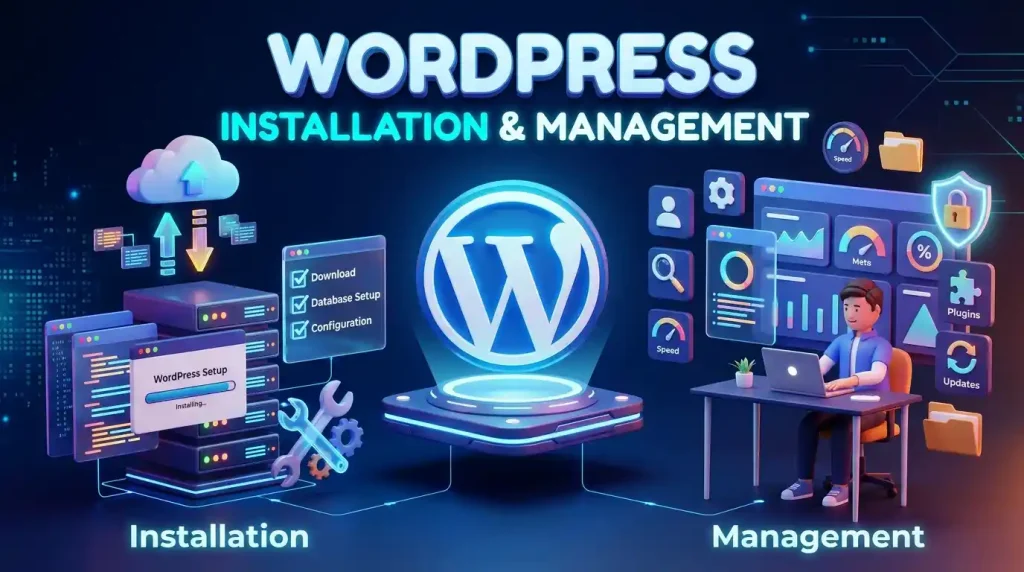
After installation, you can manage your content through the WordPress dashboard.
You can also follow Hostinger’s WordPress installation tutorial for setup instructions.
For a broader comparison of hosting options, read GlobalVior’s guide to WordPress hosting services.
Security and SSL
An SSL/TLS certificate enables HTTPS encryption between your website and visitors. Hostinger lists SSL features among its hosting offerings, although you should check the details of your selected plan.
You should also use strong passwords, update WordPress regularly, and maintain backups of your website files and database.
Speed and Performance
Website performance depends on server resources, caching, image sizes, themes, plugins, and other factors.
Hostinger offers performance tools on supported plans. You can also improve your website by compressing images, choosing a lightweight theme, removing unnecessary plugins, and avoiding scripts that slow down your pages.
Good hosting helps, but it cannot fix every performance problem automatically.
Backups and Support
Backup availability and frequency depend on the hosting package. The currently advertised Premium offer includes weekly backups, while the unlimited offer includes daily backups.
Check the backup policy before buying, including how restoration works.
Hostinger also advertises 24/7 customer support. Review the assistance available for your product and understand which technical problems are covered.
What Are the Advantages and Disadvantages of Hostinger?
Advantages
Affordable introductory offers: Promotional rates can make it less expensive to start a website.
Beginner-friendly tools: The control panel and WordPress installation features simplify common tasks.
Multiple hosting options: You can compare entry-level hosting and cloud hosting according to your requirements.
Free domain offers: Eligible plans can include one year of domain registration.
Website management features: Supported plans provide tools for backups, security, and performance.
Disadvantages
Higher renewal costs: Long-term hosting expenses may be considerably higher than introductory prices.
Different plan limits: Storage, website allowances, backups, and other features vary by package.
Shared resource limitations: Entry-level hosting may not suit every high-traffic website.
Limited server control: Managed hosting may not meet every developer’s technical requirements.
Additional expenses: Paid plugins, themes, and optional services can increase your total cost.
Compare these points with your requirements before selecting a plan.
How to Choose the Right Hosting Plan
The best plan is the one that meets your current requirements without unnecessary spending.
Start by identifying the type of website you want to create.
| Website type | Plan to compare |
|---|---|
| Personal blog | Premium hosting |
| Small business website | Premium or Unlimited |
| Multiple smaller websites | Unlimited |
| Growing content website | Unlimited or Cloud Startup |
| Resource-intensive website | Cloud hosting or another suitable advanced plan |
This table is a starting point. The correct choice depends on actual resource usage, traffic, and included features.
Next, compare storage, website limits, backup frequency, security features, and support. Finally, calculate the initial payment, renewal fee, and domain renewal cost.
For further guidance, read our article on WordPress domain hosting.
How to Set Up a Website With Hostinger
Step 1: Choose a Plan
Visit Hostinger’s official website and compare the available packages. Check the subscription period, full payment, and renewal terms.
Step 2: Register or Connect a Domain
Choose an available domain or claim an eligible free-domain offer. If you already own a domain, follow the provider’s instructions to connect it through DNS settings.
Step 3: Install WordPress
Use the installation tools available in your account. Create a strong administrator password and store it securely.
Step 4: Choose a Theme
Select a responsive theme that suits your website. Avoid unnecessary design effects and plugins that add little value.
Step 5: Create Essential Pages
Add pages such as About Us, Contact Us, and Privacy Policy. If you publish affiliate content, disclose your commercial relationships clearly.
Step 6: Configure Security and SEO
Activate HTTPS, review your backup settings, and keep WordPress updated.
Write clear page titles, organize your headings, add relevant internal links, and submit your sitemap through Google Search Console once your site is ready for indexing.
If you already have a website, read our guide to migrating a WordPress site before moving your files and database.
Frequently Asked Questions
Is Hostinger Web Hosting Good for Beginners?
It is worth considering for blogs, portfolios, and small business websites. Compare plan specifications, full subscription costs, and renewal rates before purchasing.
Is Hostinger Good for WordPress?
Hostinger offers WordPress hosting options and installation tools. Whether it suits your project depends on your traffic, storage needs, and required features.
Can I Host Multiple Websites?
Some Hostinger plans support multiple websites. The allowed number and resource limits depend on the package, so check its current specifications.
Is Hostinger Web Hosting Free?
Hostinger’s standard hosting plans are paid services. Eligible packages may include a domain free for the first year, but hosting itself is not free.
Does Hostinger Guarantee Google Rankings?
No hosting provider can guarantee high Google rankings. Hosting can support website access and performance, but content quality, relevance, technical SEO, and competition also affect search visibility.
Final Verdict
Hostinger web hosting is worth comparing if you want to create a blog, business website, WordPress site, or affiliate marketing project.
Its hosting options and management tools can help beginners launch a website without managing a physical server. However, plan limits differ, introductory prices require careful comparison, and renewal costs can affect your long-term budget.
Check the included resources, backup policy, domain eligibility, upfront payment, and renewal rate before purchasing.
Choose a plan that fits your current needs and gives you a practical way to grow. Visit the official Hostinger website to verify the latest offers.