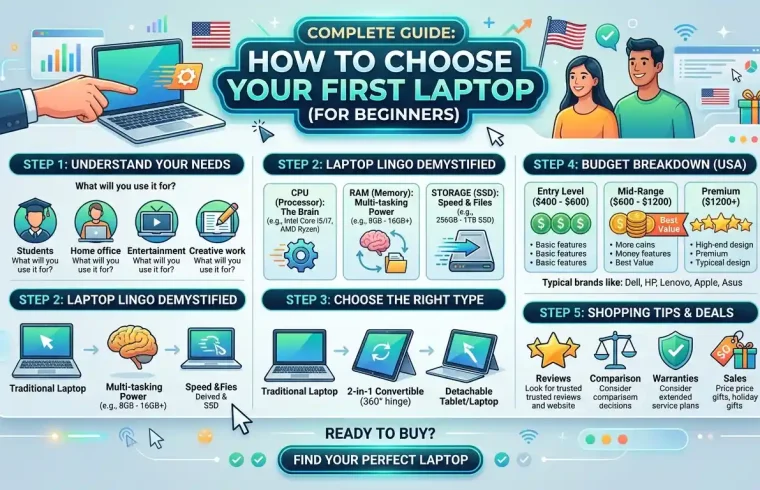
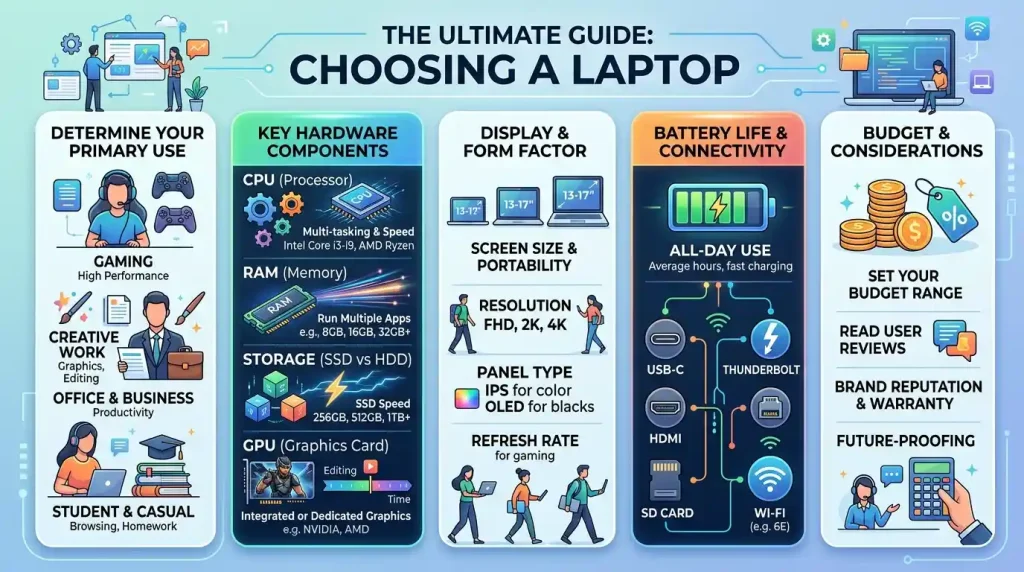
It can become quite confusing how to choose a laptop, as there are several brands and a wide range of laptops, processors, RAM options, storage types, display sizes and price ranges available. This means that if you are going to buy a new laptop, you should not only pay attention to design or price. I think you should check your real needs first. Your intention, your budget, and performance needs for specific tasks you will be doing need to align with the laptop. In this guide you will know how to select a laptop for study, office work, freelancing or gaming; business purposes & content writing; and day-to-day use.
How to choose a laptop: buying summary
| User Type | Recommended Laptop Type |
|---|---|
| Students | Lightweight laptop with good battery |
| Office users | Best Laptop with decent keyboard and decent display |
| Freelancers | Laptop with SSD and enough RAM to the performance |
| Business owners | Business Laptop with battery life and security |
| Gamers | Dedicated Graphics Card Gaming Laptop |
| Designers | A laptop with a solid CPU, strong GPU, good RAM and color-accurate display |
| Programmers | A good processor, RAM, SSD and keyboard are must for a laptop. |
| Casual users | Cheap laptop for browsing, media consumption and light work |
All Facts About Choosing A Laptop That You Should Know
A lot of people purchase a laptop without looking at anything other than price or brand name. This can be a mistake.
In any case, an inexpensive laptop computer just isn’t potent enough to take care of your work. This list includes some of the things an expensive laptop may not have because it is not necessary.
In other words, having knowledge on how to select your laptop allows you to do the following:
- Avoid wasting money
- Purchase laptop from that category which suits you better
- Get better performance
- Choose better battery life
- Avoid slow laptops
- Pick the right display size
- Get enough storage
- Go for a laptop with long battery life.
- Make a smarter buying decision
Most people do not buy a laptop every month, so be careful with your choice.
Step 1: Choose Your Primary Goal
In choosing a laptop, the first thing to decide is why you need it.
Ask yourself:
- Will I use it for study?
- Am I going to use it for the office?
- Am I going to use it for freelancing as well?
- And will I use it for programming?
- Will I use it for gaming?
- Video editing? Would I use it for video editing?
- Will I use it for business?
- If I only use it for a web browser and movies?
What laptop you should buy will depend on your purpose.
Step 2 – select the right CPU
The processor is among the important parts of any laptop computer. It manages the speed at which your laptop can run tasks.
Common processor options include:
- Intel Core i3
- Intel Core i5
- Apple M series chips
- Intel Core i7
- Intel Core Ultra
- AMD Ryzen 3
- AMD Ryzen 5
- AMD Ryzen 7
- AMD Ryzen AI
Compare the latest Intel & AMD processors and choose the right CPU for your laptop.
An entry-level processor can do that for basic usage. For professional tasks, go for a more efficient CPU.
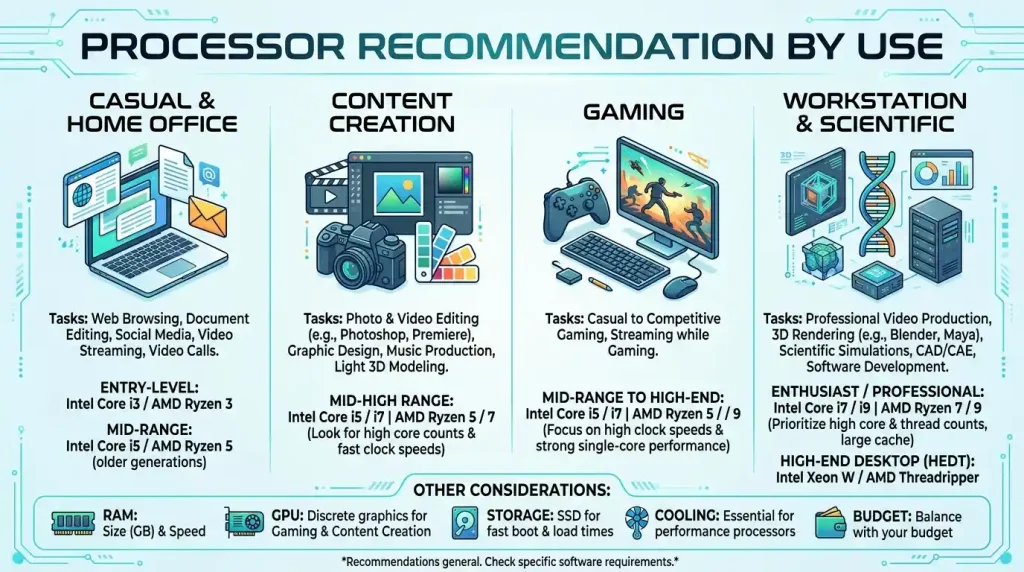
Processor Recommendation by Use
| Use Case | Recommended Processor |
|---|---|
| Basic browsing and movies | Intel Core i3 or Ryzen 3 |
| Student work | Intel Core i5 or Ryzen 5 |
| Office work | Intel Core i5 or Ryzen 5 |
| Freelancing | Intel Core i5, Core i7, Ryzen 5 or Ryzen 7 |
| Programming | Intel: Core i5, Core i7 AMD: Ryzen 5 or Ryzen 7 |
| Video editing | Intel (Core i7, Core Ultra), AMD with Ryzen 7 or higher |
| Gaming | Intel Core i5,Core i7: or Ryzen 5950X/Ryzen 5800X with large graphics cards |
| Mac users | Apple M series chip |
Most users are best served by an Intel Core i5 or AMD Ryzen 5.
Step 3: Verify Whether RAM Is Included
RAM makes your laptop run many apps at once.
If you have less RAM in your laptop, then as soon as you open many browser tabs or other apps or software, the speed of your laptop will reduce.
RAM Recommendation
| RAM Size | Best For |
|---|---|
| 4GB RAM | Very basic use only |
| 8GB RAM | Students, browsing, office work |
| 16GB RAM | Freelancing, programming, multitasking |
| 32GB RAM | Video editing, design, heavy work |
| 64GB RAM | High-quality editing, 3D work, Expert use |
8GB RAM is basically the lowest amount of memory that you can realistically go for. If your budget allows, 16GB RAM is ideal for the future.
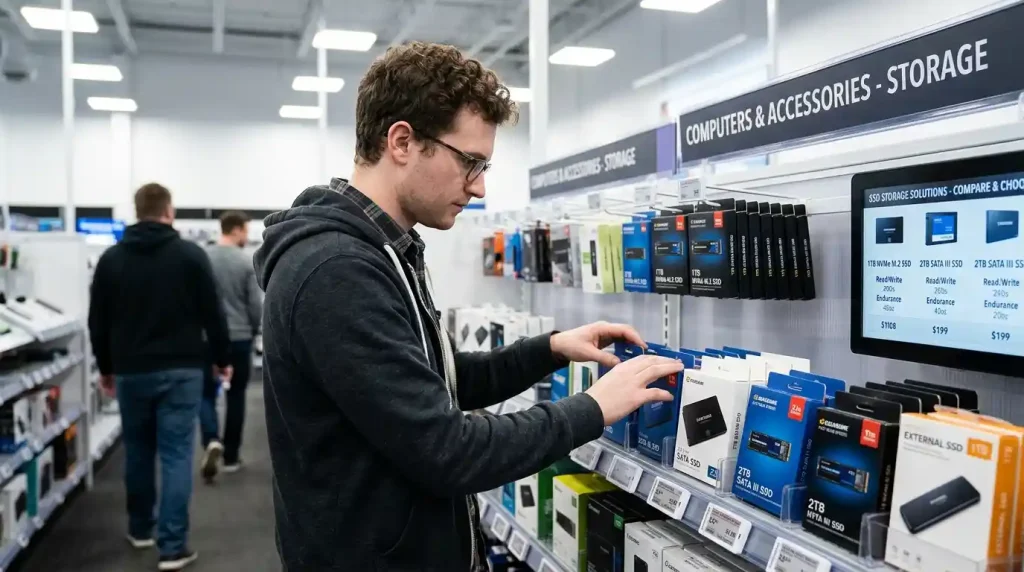
Step 4: Choose SSD Storage
Storage: This is the area where you save your files, applications, photographs, videos and your operating system.
Storage basically has two types:
- HDD
- SSD
SSD is much faster than HDD. An SSD on a laptop means faster boots, faster app launches and a smoother experience.
Storage Recommendation
| Storage Size | Best For |
|---|---|
| 128GB SSD | Very basic use |
| 256GB SSD | Students and light users |
| 512GB SSD | Most users |
| 1TB SSD | Content creators, gamers, professionals |
| 2TB SSD | Powerful video editors and advanced users |
Our recommendation would be a 512GB SSD, so this is best for most people. Choose a 1TB SSD if storing lots of videos, games or larger files.
🚀 Find the Best SSD on AmazonStep 5: Choose A Suitable Display Size
Display comfort and portability depend on the size of laptops.
Common laptop screen sizes are:
- 13-inch
- 14-inch
- 15.6-inch
- 16-inch
- 17-inch
Display Size Guide
| Display Size | Best For |
|---|---|
| 13-inch | Travel, students, portability |
| 14-inch | Balanced use |
| 15.6-inch | Study, work, movies, daily use |
| 16-inch | Creative work, multitasking |
| 17-inch | Gaming, editing, desktop replacement |
If productivity matters, choose a 15 or 16 inch; if portability matters, choose a 13 or 14 inch. For work or entertainment, go with a size of 15.6 inches or larger if you are into bigger screens.
Step 6: Check Display Quality
Do not select a laptop mainly on the basis of display size. Display quality is also important.
Check these display features:
- Resolution
- Brightness
- Color quality
- Refresh rate
- Panel type
- Anti-glare coating
Full HD is the bare minimum recommended for most users when it comes to displays.
If you are a designer, video editor, or content creator, go for a colour-accurate display.
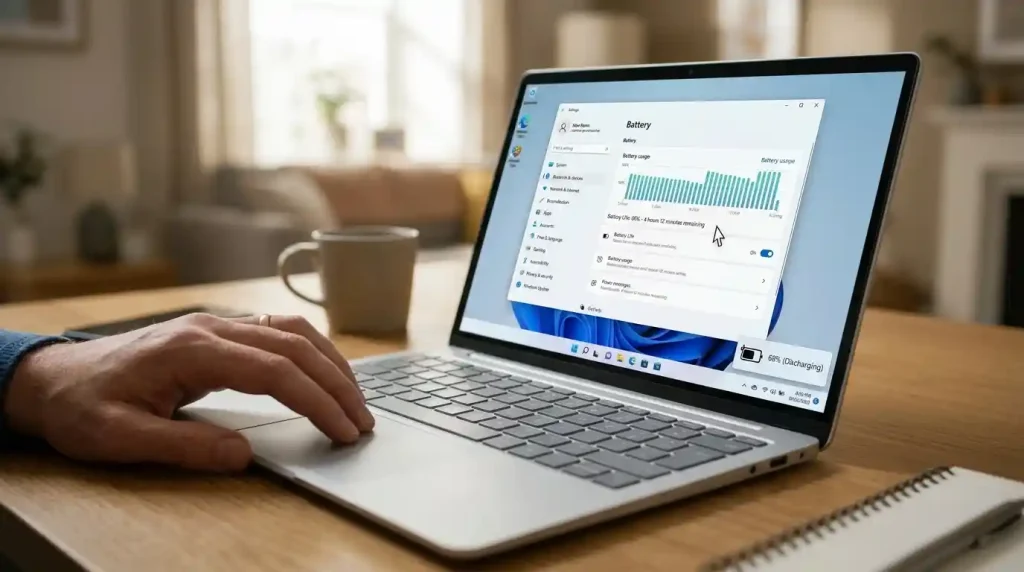
Step 7: Check Battery Life
If you travel around, go to classes, work outside a lot or use your laptop in many different locations, battery duration is essential.
If you use your laptop daily, a good battery backup is essential.
Good battery life is convenient for both students and office users.
Before buying, check:
- Battery capacity
- Real-life battery reviews
- Fast charging support
- Charger size
- Power efficiency of processor
- Display power consumption
Thin laptops offer decent portability, but gaming laptops sell themselves on battery life.
Step 8: Select the Appropriate Graphics Option
Graphics for Gaming, Video Editing, 3D Design, Animation and more creative workSeptember
There are two main types:
- Integrated graphics
- Dedicated graphics
Integrated graphics are part of the processor. However, dedicated graphics cards are independent and more potent.
Graphics Recommendation
| Use Case | Graphics Type |
|---|---|
| Browsing and office work | Integrated graphics |
| Study and online class | Integrated graphics |
| Basic photo editing | Integrated graphics or entry-level GPU |
| Video editing | Dedicated GPU recommended |
| Gaming | Dedicated GPU required |
| 3D design | Dedicated GPU required |
| Motion graphics | Dedicated GPU recommended |
Integrated graphics can be enough, provided you only plan to use your laptop for study, browsing the web, office work, or movies.
Dedicated graphics is a must for gaming or editing.
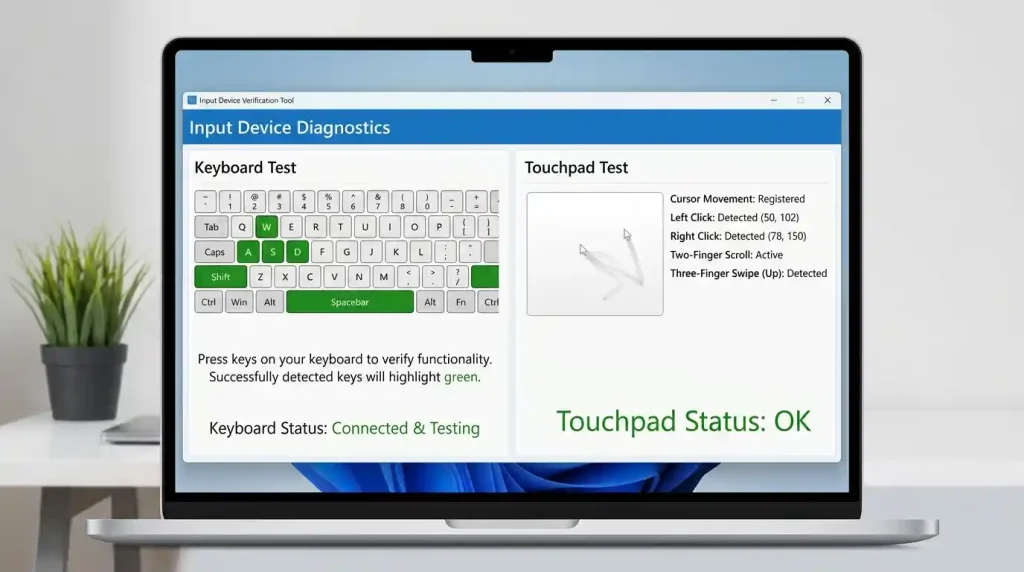
Part 9: Verify Your Keyboard and Touchpad
If you do a lot of typing, then a keyboard is something very important to you.
If you are a student, writer, programmer, blogger or office worker and freelancer, check keyboard quality carefully.
Look for:
- Comfortable key travel
- Good key spacing
- Backlit keyboard
- Full-size keyboard if needed
- Numeric keypad if needed
- Responsive touchpad
A good idea is to try the keyboard before you buy it, if possible.
Step 10: Check Build Quality
Build quality affects durability.
A poorly made laptop that will be low quality and likely not last very long.
Check:
- Hinge quality
- Body material
- Keyboard flex
- Screen flex
- Weight
- Portability
- Cooling design
Choose a lightweight and sturdy laptop if you carry your machine often.
11) Validate port and connectivity
Do verify the ports required before purchasing a laptop.
Common useful ports include:
- USB-A
- USB-C
- HDMI
- Audio jack
- Ethernet port
- SD card reader
- Charging port
- Thunderbolt port
Also check wireless connectivity:
- Wi-Fi
- Bluetooth
Some laptops have fewer ports, in which case it may require a USB hub or adapter.
Step 12: Select an Appropriate Operating System
An OS determines the way you utilise your laptop.
Common options include:
- Windows
- macOS
- ChromeOS
- Linux
Operating System Guide
| Operating System | Best For |
|---|---|
| Windows | Most users, Office, gaming, software compatibility |
| macOS | Apple users, creators, professionals |
| ChromeOS | Basic browsing, students, cloud-based work |
| Linux | Developers and advanced users |
Laptops with Windows are not hard to come by, and they have lots of apps available for them. The MacBook is a classic portable for work, battery life and creation.
Step 13: Decide Your Budget
One of the main considerations when vying for a laptop choice is budget.
You will then have to set your budget before comparing between models.
Laptop Budget Guide
| Budget Level | Best For |
|---|---|
| Low budget | Basic work, browsing, online class |
| Mid-range | Students, office work, freelancing |
| Upper mid-range | Programming, editing, multitasking |
| High budget | Gaming, design, professional work |
| Premium budget | Creative professionals, business users, and power users |
Do not waste your money just because of the name. Only spend on the specs you actually need
Step 14: Check Upgrade Options
RAM and storage upgrades are possible on some laptops. Some laptops do not.
Before buying, check:
- Can RAM be upgraded?
- Can SSD be upgraded?
- How many expandable storage slots are available?
- Is the battery replaceable?
- Is the laptop easy to repair?
So, keep these upgrade options in mind to make your laptop last longer.
Note 15: Warranty and Support Checks
It’s important because laptops can have hardware problems.
Before buying, check:
- Warranty duration
- Service center availability
- International warranty
- Accidental damage protection
- Replacement policy
- Repair cost
- Brand support reputation
Choosing a laptop with an excellent warranty and support can help you avoid problems afterwards.
Best Laptop for Students
Light, Cheap and Good Battery Life Should Be the Notebook Laptops to Go With.
Recommended specs for students:
- Intel Core i5 or Ryzen 5
- 8GB or 16GB RAM
- 256GB or 512GB SSD
- Full HD display
- Good battery life
- Lightweight body
- Good keyboard
- Webcam for online classes
If you are a student not playing games or doing heavy editing, then you do not always need a gaming laptop.
Best Laptop for Office Work
Laptops have a perfect, great performance, smooth for simple and heavy office users.
Recommended specs for office work:
- Intel Core i5 or Ryzen 5
- 8GB or 16GB RAM
- 512GB SSD
- Full HD display
- Good keyboard
- Webcam
- Good battery life
- Lightweight design
Benefits: comfortable keyboard/good screen for office users.
Best Laptop for Freelancing
Freelancers require a laptop based on the work they are doing.
Unless you are an expert at something like Forex trading, writing, SEO, virtual assistance or simple things:
- Intel Core i5 or Ryzen 5
- 8GB or 16GB RAM
- 512GB SSD
If you need design, video editing and development:
- Intel Core i7, Core Ultra, Ryzen 7 or Apple M series
- 16GB or 32GB RAM
- 512GB or 1TB SSD
- Dedicated GPU if needed
Freelancing is an extremely tiring job that demands long working hours, so a laptop they pick must support it.
Best Laptop for Gaming
Gaming laptops need stronger hardware.
Recommended specs for gaming:
- Intel Core i5, Core i7 or a Ryzen 5 and Ryzen 7
- 16GB RAM
- 512GB or 1TB SSD
- Dedicated graphics card
- Good cooling system
- High refresh-rate display
- Strong charger
- Good keyboard
Gaming laptops tend to be heavy and have low battery life.
Best Laptop for Programming
A laptop with a good processor, RAM, SSD, keyboard & display is needed for programmers.
Recommended specs for programming:
- Intel Core i5, Core i7 or Ryzen 5 / Ryzen 7
- 16GB RAM
- 512GB SSD or higher
- Comfortable keyboard
- Full HD or better display
- Good battery life
- Linux support if needed
App development, virtual machines or big projects require 16GB RAM or more.
Best Laptop for Content Creation
Content creators require a laptop that can edit, design and multitask.
Recommended specs for content creators:
- Type of Processor (Intel Core i7, Core Ultra, Ryzen 7 or Apple M series)
- 16GB or 32GB RAM
- 1TB SSD
- Dedicated GPU for video editing
- Color-accurate display
- Good speakers
- Fast ports
- Strong cooling
If you do a lot of video editing, steer clear of the very lowest levels of laptops.
Laptop Buying Checklist
Refer to the list below before buying a laptop:
- Purpose
- Budget
- Processor
- RAM
- SSD storage
- Display size
- Display quality
- Battery life
- Graphics card
- Keyboard
- Touchpad
- Build quality
- Ports
- Operating system
- Upgrade options
- Warranty
- Service center support
- Real user reviews
Use this checklist to save you from getting the wrong laptop.
Common Mistakes to Avoid
When Purchasing A Laptop Avoid These Mistakes
- Only buying because of a brand
- Choosing HDD instead of SSD
- Buying 4GB RAM for heavy use
- Ignoring battery life
- Ignoring display quality
- Hindi: How to use a gaming laptop for basic office use
- Low-budget video editing laptop
- Ignoring warranty
- Not checking ports
- Not checking upgrade options
- Not checking real reviews
You should buy a laptop based on your actual use, not your budget.
Final Thoughts
Knowing how to select the right laptop can help you buy the right machine.
You might have picked the most expensive laptop, which is not necessarily the apple of your eye. The best laptop for you is the one that suits your work, budget, power needs and future goals.
A laptop with an Intel Core i5 or Ryzen 5, 8GB or 16GB RAM, a 512GB SSD, a Full HD display and battery life above all can be a balanced choice for the majority of users.
For a student, go with portability & battery life. If you’re a freelancer or pro, then performance and reliability are your concern. For gamers/editors: processor, graphics, RAM, display and cooling.
Be sure to pick wisely and compare options whilst making a purchase of a laptop that helps your higher goals.
FAQ
How to select a laptop for daily use?
For daily use, pick a laptop with a decent processor (Core i3 or Core i5 are preferred), 8GB RAM as a minimum requirement, SSD storage (HDD is flexible), a full HD display, and good battery life.
Laptop RAM: How much is enough?
In case of using the laptops normally, basic use with 8GB RAM is normal; otherwise, for multitasking, freelancing or programming, I recommend you go with a laptop that has 16GB RAM, as it will help in the longer run.
So is an SSD better than an HDD in a laptop?
SSD is faster than HDD. This allows your laptop to boot up faster and run applications seamlessly.
How to Choose the Best Processor for a Laptop?
An Intel Core i5 or an AMD Ryzen 5 is a good middle ground for the majority of users. For intensive workloads, go with Core i7, Core Ultra, Ryzen 7 or better.
Which Laptop Is Best For Students?
A lightweight, inexpensive student laptop with long battery life, 8GB or 16GB RAM, and SSD storage.
Which laptop is best for gaming?
A gaming laptop should feature a high-support processor, 16GB RAM, SSD storage capacity, and a discrete graphics card alongside sufficient cooling and a high refresh rate display.
So, the question is, is a MacBook better than a Windows laptop?
MacBook is advantageous for users looking for macOS, battery longevity, and the Apple ecosystem. Windows laptops have broader software support, gaming, and budget devices.
How much storage is enough for a laptop? 256GB SSD
A 256GB SSD is only enough for basic use, while a 512GB SSD is better for most users.
Pros Of A Laptop With Dedicated Graphics
If you game, do video editing, 3D design/animation or heavy creative work, buy a laptop with dedicated graphics.
List of things to check before purchasing a laptop
Review of processor, RAM, SSD, display, battery level (lifespan), graphics capabilities, keyboard, build quality, ports, warranty, upgrades, and reviews by actual users