
A good gaming laptop does not have to cost well over $1,500.
The budget gaming market has improved significantly, and shoppers can now find capable machines with dedicated graphics, modern processors, fast displays, and upgradeable components without crossing the four-figure mark.
The best gaming laptops under 1000 are designed to deliver smooth 1080p performance in popular games such as Fortnite, Valorant, Apex Legends, Call of Duty, GTA V, and Forza Horizon. Many of them can also handle newer AAA titles when the graphics settings are adjusted to a sensible level.
The challenge is not finding a gaming laptop in this price range. The real challenge is choosing the right configuration. Two laptops with the same model name may include completely different processors, graphics cards, displays, or memory capacities.
This guide covers seven popular gaming laptop families from Acer, Lenovo, ASUS, HP, Dell, MSI, and Gigabyte. It also explains the most important specifications to check before making a purchase.
Important: Prices and hardware configurations can change at any time. Check the exact processor, graphics card, RAM, storage, screen, and warranty information before ordering.
Best Gaming Laptops Under 1000: Quick Comparison
| Gaming Laptop | Best For | Recommended GPU | Display to Look For |
|---|---|---|---|
| Acer Nitro V 15 | Overall value | RTX 4050 or better | 144Hz Full HD |
| Lenovo LOQ 15 | Performance and build | RTX 4050 or RTX 4060 | 144Hz Full HD |
| ASUS TUF Gaming A15 | Durability | RTX 4050 | 144Hz Full HD |
| HP Victus 15 | Students and casual gaming | RTX 4050 | 144Hz Full HD |
| Dell G15 | Cooling and extended gaming | RTX 4050 or RTX 4060 | 120Hz or 165Hz |
| MSI Katana 15 | Competitive gaming | RTX 4050 or RTX 4060 | 144Hz Full HD |
| Gigabyte G5 | Performance for the price | RTX 4050 or RTX 4060 | 144Hz Full HD |
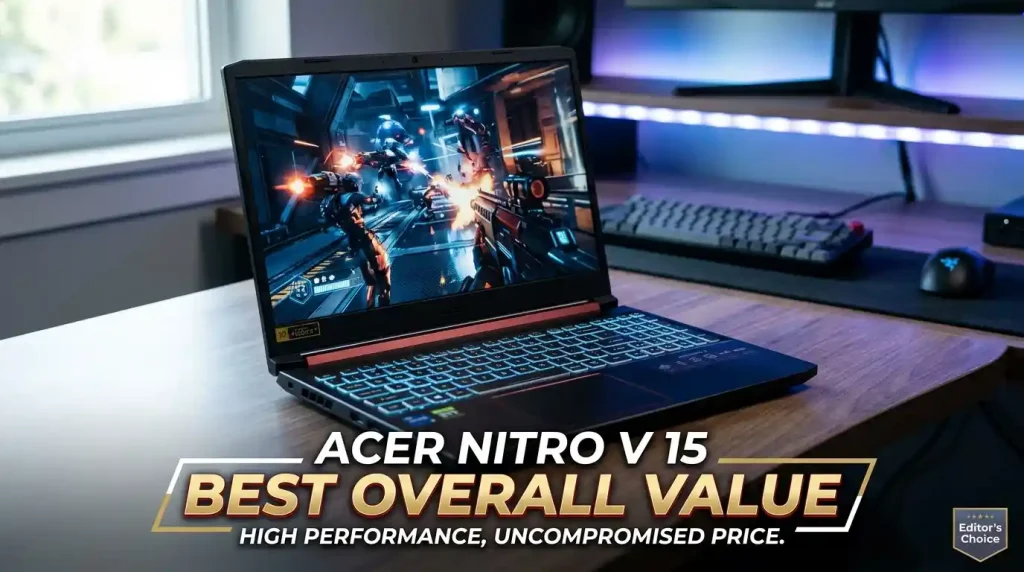
1. Acer Nitro V 15 — Best Overall Value
The Acer Nitro V 15 is a practical choice for buyers who want dependable gaming performance without paying for premium materials or luxury features.
Depending on the configuration, it may include a recent Intel Core or AMD Ryzen processor paired with NVIDIA GeForce RTX graphics. Models equipped with an RTX 4050 are particularly attractive for budget-focused 1080p gaming.
The high-refresh-rate Full HD display helps games feel smoother, while upgradeable memory and storage make it easier to improve the laptop later. This is useful for buyers who initially choose a lower-cost configuration and plan to add more RAM or SSD capacity in the future.
Key Features
- Modern Intel Core or AMD Ryzen processor options
- Dedicated NVIDIA GeForce RTX graphics
- Full HD high-refresh-rate display
- Upgradeable memory and storage
- Backlit keyboard
- HDMI and multiple USB connections
Why It Stands Out
The Nitro V 15 delivers a sensible mix of graphics performance, cooling, upgradeability, and price. It works well as both a gaming machine and an everyday laptop for work, study, browsing, and entertainment.
Things to Consider
The chassis is mainly made from plastic, so it may not feel as refined as a premium model. The fans can also become clearly audible when the processor and graphics card are under heavy load.
🎮 Acer Nitro V 15 — Best Overall Value
If you’re looking for the best gaming laptop under $1,000, the Acer Nitro V 15 is one of the smartest choices available. With powerful RTX graphics, a fast 165Hz display, and excellent 1080p gaming performance, it delivers premium gaming without the premium price.
🔥 Popular choice among budget gamers — grab yours before the price changes!
🛒 Check Latest Price on AmazonAs an Amazon Associate, we may earn from qualifying purchases at no extra cost to you.
Best for: Buyers who want balanced performance at a competitive price. check it out for more info please visit: https://globalvior.com/category/tech-gadgets/laptops-pcs/
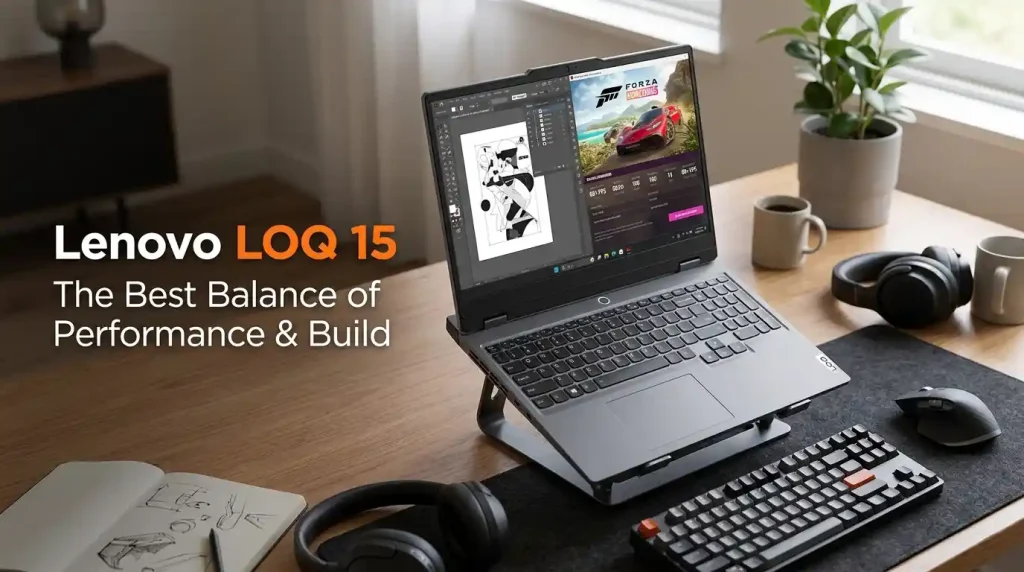
2. Lenovo LOQ 15 — Best Balance of Performance and Build
Lenovo created the LOQ series as a more affordable alternative to its Legion gaming laptops. The LOQ 15 keeps many of the practical features gamers need while avoiding some of the extra cost associated with higher-end designs.
It is commonly available with Intel Core or AMD Ryzen processors and NVIDIA RTX graphics. During major sales, certain RTX 4060 configurations may fall below the $1,000 mark, making them especially appealing.
The keyboard is comfortable for both gaming and typing, and the overall design is cleaner than many aggressive-looking gaming laptops. This allows the LOQ 15 to fit into classrooms, offices, or professional settings without attracting too much attention.
Key Features
- Intel Core and AMD Ryzen processor options
- NVIDIA RTX 40-series graphics
- Capable thermal system
- Comfortable full-size keyboard
- Upgradeable RAM and storage
- High-refresh-rate screen options
Why It Stands Out
The Lenovo LOQ 15 is suitable for more than gaming. Its combination of processing power and dedicated graphics can also support video editing, programming, graphic design, and other demanding tasks.
Things to Consider
Battery life may be average, especially when performance settings are enabled. Screen brightness and colour quality can also vary between configurations, so the display specifications deserve close attention.
Best for: Users who want gaming power in a clean and professional design.
⚡ Lenovo LOQ 15 — Best Performance & Build
🎮 Powerful RTX graphics, premium build, and incredible value. If you want a gaming laptop that lasts, Lenovo LOQ 15 is hard to beat.
🔥 Check Today’s Best Price3. ASUS TUF Gaming A15 — Best for Durability
The ASUS TUF Gaming A15 is built for buyers who value a sturdy design. It typically combines an AMD Ryzen processor with NVIDIA GeForce graphics and a high-refresh-rate display.
Its appearance is gaming-focused without being overly flashy, and the chassis is designed to handle regular travel and daily use. The port selection is also practical for connecting a mouse, keyboard, monitor, headset, or external storage device.
Several configurations include upgradeable RAM and SSD storage. That flexibility can extend the useful life of the laptop and make future upgrades more affordable.

Key Features
- AMD Ryzen processor
- NVIDIA GeForce RTX graphics
- Durable construction
- High-refresh-rate Full HD display
- Upgradeable RAM and SSD
- Large battery on selected models
Why It Stands Out
The TUF Gaming A15 provides a strong combination of gaming performance, durability, and upgrade options. It is also capable of handling schoolwork, office applications, and creative software.
Things to Consider
The laptop may feel bulky compared with a regular productivity notebook. Display brightness and colour accuracy can differ between versions, so buyers should not assume that every A15 uses the same panel.
Best for: Students, travellers, and users who need a durable gaming laptop.
4. HP Victus 15 — Best for Students and Casual Gamers
The HP Victus 15 takes a simpler approach to gaming laptop design. It does not look as bold or aggressive as many competitors, which makes it suitable for school, work, and everyday use.
Available configurations may include Intel Core or AMD Ryzen processors together with NVIDIA GeForce RTX graphics. For a smoother experience, a model with 16GB of RAM is preferable. An 8GB version may still be worth considering when the memory can be upgraded.
The understated design makes the Victus 15 an appealing option for users who want a single laptop for assignments, entertainment, meetings, and gaming.
Key Features
- Clean and minimal appearance
- Intel or AMD processor choices
- Dedicated NVIDIA graphics
- High-refresh-rate screen options
- Upgradeable RAM and storage
- Comfortable keyboard layout
Why It Stands Out
The HP Victus 15 is one of the more versatile choices among the best gaming laptops under 1000. It can move easily between gaming, study, content consumption, and general productivity.
Things to Consider
Some lower-cost versions include only 8GB of memory. The screen hinge may also allow a small amount of movement when the laptop is touched or repositioned.
Best for: Students and casual gamers who prefer a multipurpose laptop.
5. Dell G15 — Best for Cooling and Longer Gaming Sessions
The Dell G15 is larger and heavier than many budget gaming laptops, but that size can provide room for a more capable cooling system.
It is usually offered with Intel Core or AMD Ryzen processors and NVIDIA RTX graphics. The larger chassis makes it better suited to users who keep their laptop on a desk rather than carrying it every day.
Its cooling design can help maintain steadier performance during long gaming sessions, streaming, editing, or other demanding workloads.
Key Features
- Powerful Intel or AMD processor options
- NVIDIA GeForce RTX graphics
- Effective thermal management
- Full-size keyboard
- High-refresh-rate display choices
- Upgradeable memory and storage
Why It Stands Out
The Dell G15 can function as a desktop replacement for gamers who need sustained performance. It also has enough power for multitasking, streaming, and content creation.
Things to Consider
Portability is not its strongest quality. The laptop is relatively heavy, and battery life may be limited when compared with standard non-gaming notebooks.
Best for: Gamers who care more about cooling and stable performance than low weight.
6. MSI Katana 15 — Best for Competitive Gaming
The MSI Katana 15 focuses on delivering gaming performance at an accessible price. It is commonly paired with a fast display and NVIDIA RTX graphics, making it suitable for competitive games that benefit from higher frame rates.
Titles such as Valorant, Fortnite, Counter-Strike 2, and Apex Legends can take advantage of a 144Hz display when the hardware produces enough frames per second.
Certain sale configurations may include an RTX 4060. However, buyers should compare more than the GPU name. The graphics power limit, cooling system, display quality, RAM configuration, and processor can all affect real-world performance.
Key Features
- Intel Core processor options
- NVIDIA GeForce RTX graphics
- 144Hz or faster display
- Gaming-oriented keyboard
- Upgradeable RAM and storage
- Strong 1080p performance
Why It Stands Out
The Katana 15 is aimed at players who prioritise frame rates and internal hardware over premium materials. It can be a strong option when priced below comparable competitors.
Things to Consider
The chassis and battery life may feel basic. Some display options may also have limited brightness or colour reproduction.
Best for: Competitive gamers who place performance ahead of premium build quality.
7. Gigabyte G5 — Best Performance per Dollar
The Gigabyte G5 is often considered by buyers who want the strongest hardware they can find within a limited budget.
Depending on the specific version, it may include an RTX 4050 or RTX 4060 graphics card. Its straightforward design keeps attention on the internal components rather than on premium styling.
The G5 can be a good choice for gaming at home, especially when a sale brings a higher-specification configuration into the sub-$1,000 category.
Key Features
- Intel Core processor
- NVIDIA RTX 40-series graphics options
- Full HD high-refresh-rate display
- Upgradeable internal components
- Multiple connection ports
- Competitive pricing
Why It Stands Out
The Gigabyte G5 often provides impressive specifications for its price. Buyers who focus primarily on gaming performance may find it especially attractive during promotional events.
Things to Consider
Fan noise may become noticeable during demanding workloads. Battery life, speakers, and chassis quality may also be less impressive than those of more expensive alternatives.
Best for: Shoppers seeking as much gaming performance as possible for their money.
What to Look for in a Gaming Laptop Under $1,000
Choosing the right laptop becomes easier when you understand how each component affects gaming performance.
Graphics Card
The graphics card is usually the most important component in a gaming laptop.
Suitable options in this price range include:
- NVIDIA GeForce RTX 4050
- NVIDIA GeForce RTX 4060 when available on sale
- NVIDIA GeForce RTX 3050 when the price is considerably lower
An RTX 4050 is a reasonable target for modern 1080p gaming. It supports useful technologies such as DLSS and can run many current games at medium or high settings.
An RTX 4060 generally provides stronger performance and may remain capable for a longer period. However, finding one below $1,000 often depends on discounts and clearance sales.
Processor
A recent Intel Core i5, Intel Core i7, AMD Ryzen 5, or AMD Ryzen 7 processor should be sufficient for most games.
The model name alone does not tell the full story. A newer Core i5 can sometimes perform better than an older Core i7. Processor generation, cooling, power limits, and the paired graphics card all matter.
RAM
For modern gaming, 16GB of RAM is the preferred starting point.
An 8GB laptop may still be acceptable when the memory is upgradeable, but 8GB can quickly become limiting when a game, browser, communication software, and background applications are open together.
Dual-channel memory can also improve performance in some games and applications.
Storage
A 512GB NVMe SSD should be considered the practical minimum.
Modern games can take up a significant amount of space, and the operating system also uses part of the drive. A laptop with an additional SSD slot offers more flexibility for future expansion.
A 1TB model is worth considering when the price difference is reasonable.
Display
A suitable gaming display should ideally include:
- 1920 × 1080 or 1920 × 1200 resolution
- A refresh rate of at least 120Hz
- A preferred refresh rate of 144Hz or 165Hz
- An IPS-level panel
- Acceptable brightness and color quality
A high-refresh-rate screen makes movement look smoother and can be particularly useful in competitive games.
Cooling
Good cooling helps the processor and graphics card maintain their expected performance.
Look for visible air vents, multiple fans, and adjustable performance modes. Reviews can also help reveal whether a laptop becomes excessively hot or loses performance during longer sessions.
Some fan noise is normal when a gaming laptop is working hard.
Upgradeability
Upgradeable components can make a budget laptop more useful over time.
Before purchasing, check:
- The maximum supported RAM
- The number of memory slots
- The number of available SSD slots
- Whether any components are soldered
- Whether opening the chassis affects the warranty
RTX 4050 vs. RTX 4060
For many buyers, an RTX 4050 laptop provides a sensible balance between cost and 1080p gaming performance.
It can handle competitive titles easily and run many demanding games with adjusted settings. DLSS can also improve performance in supported games.
An RTX 4060 is the stronger option when it fits within the same budget. It generally offers more graphics performance and may provide a better experience in demanding titles.
However, not every RTX 4060 laptop performs identically. GPU power limits, thermal design, processor performance, and memory configuration can create noticeable differences between models.
Can a Gaming Laptop Under $1,000 Run AAA Games?
Yes, a properly selected gaming laptop below $1,000 can run many AAA games at 1080p.
The ideal settings will depend on the game and hardware. Some titles may run well at high settings, while more demanding releases may require medium settings, DLSS, or another upscaling feature.
For a well-rounded experience, look for:
- RTX 4050 or RTX 4060 graphics
- 16GB of RAM
- A recent Intel Core or AMD Ryzen processor
- Dual-channel memory
- Effective cooling
- A high-refresh-rate display
Ultra settings are not always necessary for an enjoyable experience. A well-optimised combination of medium and high settings can provide attractive visuals and smoother performance.
How to Find Better Gaming Laptop Deals
Gaming laptop prices often change during major sales events.
Good times to compare prices include:
- Amazon Prime Day
- Black Friday
- Cyber Monday
- Back-to-school sales
- Holiday promotions
- Manufacturer clearance events
- Retailer-specific discount periods
Stores such as Best Buy, Walmart, Newegg, Currys, and manufacturer websites may offer temporary discounts.
Do not compare prices without comparing specifications. A lower-priced version may use an older processor, weaker graphics card, smaller SSD, less RAM, or an inferior display.
Common Buying Mistakes
Choosing a Laptop Based Only on the Processor
A Core i7 badge does not automatically make a laptop better for gaming than a Core i5 model.
In most gaming situations, the graphics card has a greater impact. The processor generation and cooling system should also be considered.
Accepting 8GB of Non-Upgradeable RAM
Eight gigabytes may be restrictive for newer games and multitasking.
An 8GB model is easier to recommend when it has an accessible memory slot and supports an affordable upgrade to 16GB.
Ignoring GPU Power Limits
Two laptops can use the same graphics card and still perform differently.
Cooling capacity, power limits, processor choice, and memory configuration can all influence frame rates.
Buying a 60Hz Display
A standard 60Hz display may be acceptable for casual use, but it cannot show the full benefit of higher frame rates.
A 120Hz, 144Hz, or 165Hz panel provides a noticeably smoother experience in compatible games.
Expecting Full Gaming Performance on Battery
Gaming laptops use a large amount of power under load.
Most models reduce performance when they are disconnected from the charger. For the best frame rates, the laptop should normally remain connected to its power adapter.
Frequently Asked Questions
What Is the Best Gaming Laptop Under $1,000?
The Acer Nitro V 15 and Lenovo LOQ 15 are strong all-round options because they combine capable graphics, practical cooling, upgradeable components, and high-refresh-rate displays.
The better choice depends on the exact configuration and current selling price.
Is $1,000 Enough for a Good Gaming Laptop?
Yes. A budget of $1,000 can provide a good 1080p gaming laptop with an RTX 4050, 16GB of RAM, SSD storage, and a fast display.
During sales, some RTX 4060 models may also become available within this budget.
Is 16GB of RAM Enough for Gaming?
Sixteen gigabytes is enough for most modern games, web browsing, communication software, and normal multitasking.
Users working with large video projects, virtual machines, or professional creative applications may benefit from 32GB.
Is an RTX 3050 Gaming Laptop Still Worth Buying?
An RTX 3050 can still run esports titles and many older games.
However, an RTX 4050 is generally a better purchase when the price difference is small because it offers newer features and stronger overall performance.
Can Budget Gaming Laptops Be Upgraded?
Many budget gaming laptops allow RAM and storage upgrades.
The available options differ by model, so buyers should check official documentation or reliable teardown information before purchasing.
Can a Gaming Laptop Be Used for Work and Study?
Yes. Gaming laptops can handle programming, video editing, graphic design, engineering software, school assignments, and everyday office tasks.
Their main disadvantages are usually greater weight, more fan noise, and shorter battery life than standard productivity laptops.
Final Verdict
The best gaming laptops under 1000 prove that enjoyable PC gaming does not always require a premium budget.
The Acer Nitro V 15 is a strong choice for overall value, while the Lenovo LOQ 15 offers an appealing combination of performance and build quality. The ASUS TUF Gaming A15 is worth considering for durability, and the HP Victus 15 works well for students and casual gamers.
The Dell G15 is better suited to buyers who prioritise cooling and extended performance. The MSI Katana 15 and Gigabyte G5 are also compelling choices for shoppers focused on frame rates and hardware value.
Before making a decision, compare the exact graphics card, processor, RAM, storage, display, cooling system, and upgrade options. The model name matters, but the configuration matters much more.