Choosing the right domain and hosting is one of the first steps towards building a successful website. However, beginners often confuse a domain name with web hosting or assume that every WordPress website needs the same type of hosting.
Understanding WordPress domain hosting makes it easier to choose a suitable setup, control your website costs, and avoid common mistakes. Whether you want to create a blog, business website, portfolio, or affiliate marketing website, the right combination of a domain name and hosting gives you a foundation to grow.
In this guide, you will learn how domains and hosting work, how self-hosted WordPress differs from WordPress.com, what managed WordPress hosting offers, and how to choose the best website hosting for WordPress based on your needs.
Table of Contents
- What Is WordPress Domain Hosting?
- How a Domain Name and Web Hosting Work Together
- WordPress.org vs. WordPress.com Hosting
- What Is Managed WP Hosting?
- How to Choose the Best Website Hosting for WordPress
- Shared vs. Managed vs. VPS Hosting
- Important Hosting Features to Check
- How to Buy a Domain and Hosting for WordPress
- Common Domain and Hosting Mistakes
- Frequently Asked Questions
1. What Is WordPress Domain Hosting?
WordPress domain hosting refers to the domain name and hosting service used to make a WordPress website available online.
A domain name is your website’s address, such as ‘webhosting’. Web hosting is the service that stores your website’s files, database, images, and other content so visitors can access them through a browser.
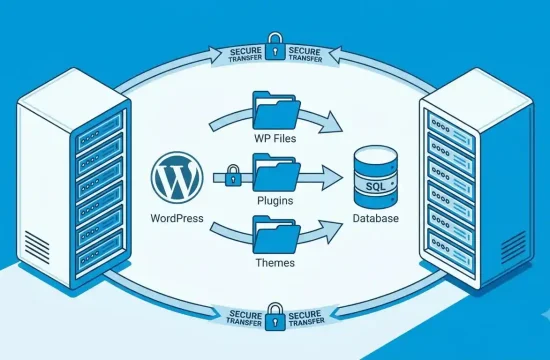
WordPress is the software you use to build and manage the website. With a self-hosted WordPress website, you install the software on a hosting account that supports it.
For example, imagine you want to create a website about web hosting reviews.
- Domain name: The address visitors type into their browsers.
- Web hosting: The server space where your website operates.
- WordPress: The content management system you use to publish articles and manage pages.
These three components work together, but they are not the same thing.
You can often purchase your domain and hosting from the same provider for convenience. You can also buy them from separate companies and connect the domain to your hosting account.
2. How a Domain Name and Web Hosting Work Together
Think of your website as a physical business.
Your domain name is like the business address, while web hosting is like the building where the business operates. WordPress is the system you use to arrange the space, display information, and serve your visitors.
When someone enters your domain into a browser, the domain’s DNS settings help direct the request to the correct hosting service. The server then delivers the website to the visitor.
Here is what each component does:
Domain name
Your domain gives visitors a memorable way to find your website. A good domain is easy to spell, relevant to your brand, and simple to remember.
Before registering one, check its availability, renewal price, registration conditions, and whether the name creates trademark or branding concerns.
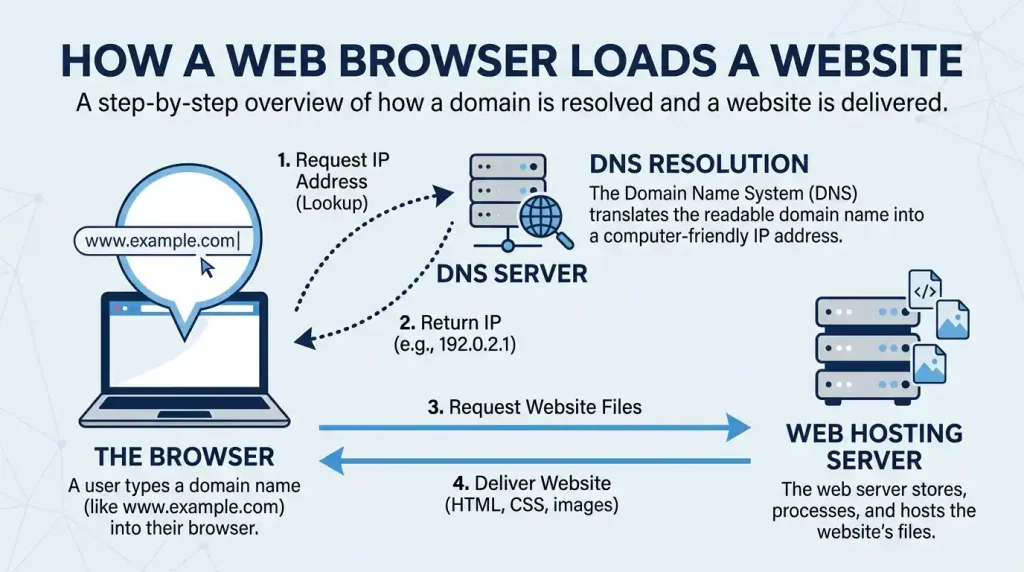
Web hosting
Your hosting provider supplies the server environment needed to run your website. Depending on the plan, it may also provide backups, SSL certificates, email services, caching, security tools, and technical support.
WordPress software
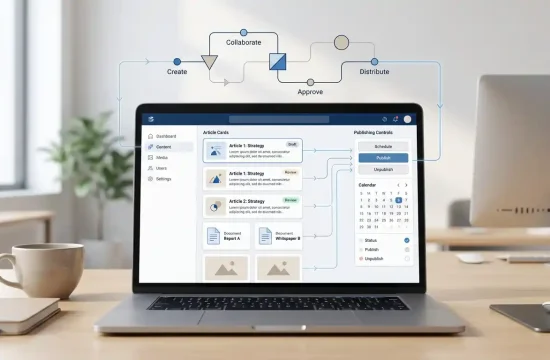
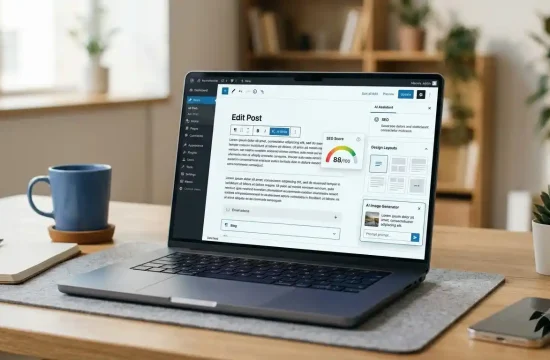
WordPress helps you publish articles, create pages, install themes, and extend your website with plugins. The software itself is free and open source, but your domain, hosting, premium themes, and some plugins may cost money.
For a useful overview of the software, visit the official WordPress.org website.
3. WordPress.org vs. WordPress.com Hosting
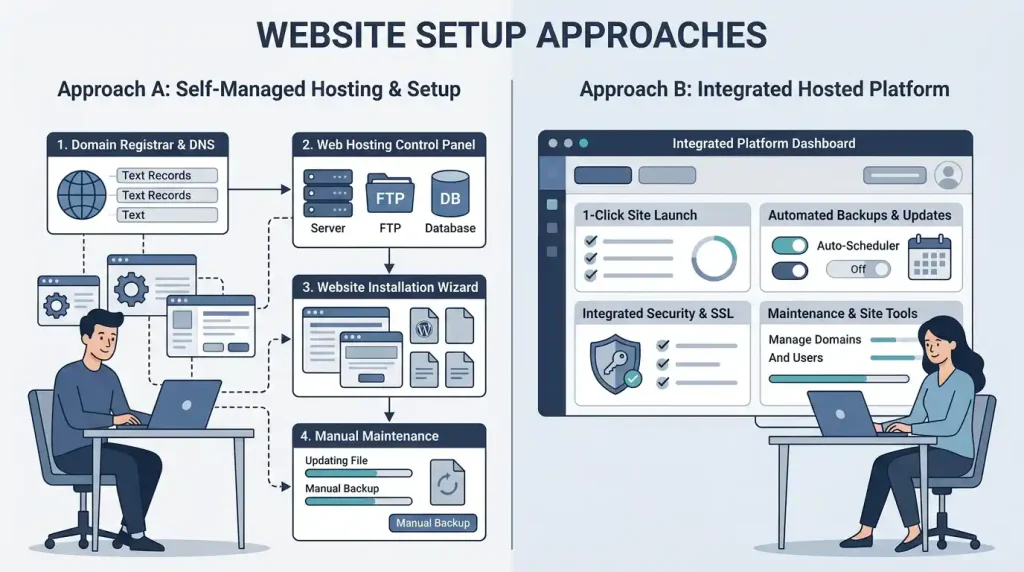
One of the most important decisions is choosing between self-hosted WordPress and WordPress.com hosting. Although they use the WordPress software, the hosting arrangements and level of control differ.
| Feature | Self-hosted WordPress | WordPress.com |
|---|---|---|
| Hosting | You choose and pay a hosting provider | Hosting is included in the platform |
| Domain | Usually purchased separately or bundled with hosting | A custom domain depends on the plan and offer |
| Technical maintenance | You and your host share responsibility | Many technical tasks are managed by the platform |
| Themes and plugins | Broad flexibility, subject to your host and software setup | Available features depend on the plan and platform rules |
| Server control | More control, depending on your hosting plan | Less direct server-level control |
| Suitable for | Users who want flexibility and provider choice | Users who prefer an integrated hosting experience |
Self-hosted WordPress
With self-hosted WordPress, you download or install WordPress through a hosting provider. You choose the domain, hosting package, themes, and plugins.
This approach is often attractive for bloggers, publishers, and affiliate marketers who want flexibility over website design, content, and monetization. You must still manage important tasks such as updates, backups, security, and hosting renewals, unless your provider handles some of them.
WordPress.com hosting
WordPress.com is a hosted service. It includes hosting, and the platform manages many technical aspects of running your website. The features available to you depend on the plan you choose.
This can be convenient if you prefer a more integrated experience instead of managing separate hosting arrangements. Before subscribing, check the current plan details for custom domains, plugin installation, storage, support, and other features you need.
Read the official WordPress.com vs. WordPress.org guide before deciding.
Which should you choose? If you want to select your own hosting company and have greater flexibility over your setup, self-hosted WordPress may be a good fit. If you prefer hosting and website management in one platform, consider WordPress.com hosting.
Neither option is automatically best for every website.
4. What Is Managed WP Hosting?
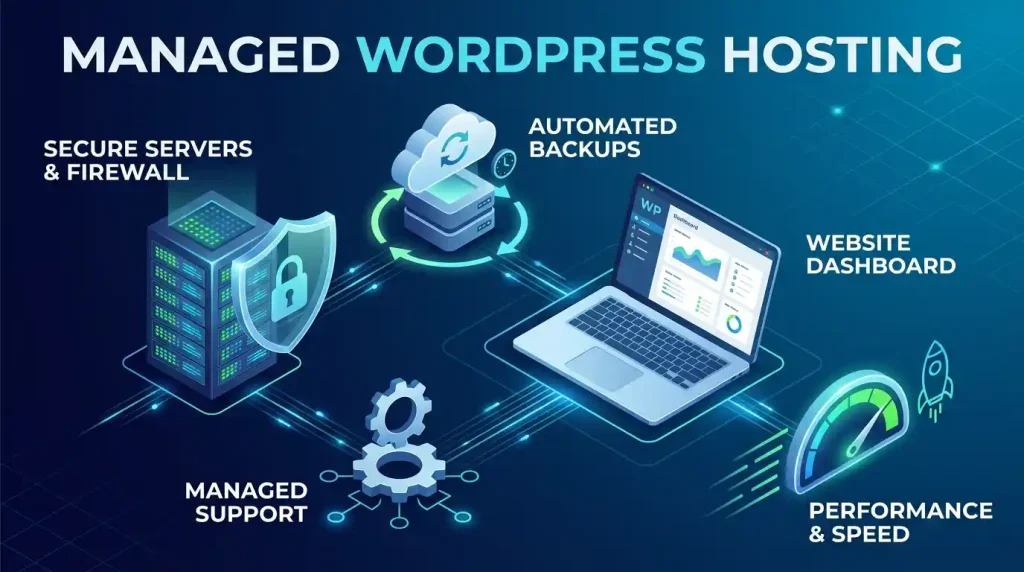
Managed WP hosting, commonly called managed WordPress.com hosting, is a hosting service designed specifically for WordPress websites.
The provider takes responsibility for some routine technical tasks. Depending on the service and plan, these may include WordPress updates, backups, security monitoring, caching, performance optimization, and technical support.
Benefits of managed WordPress hosting
Less technical maintenance: Managed services can reduce the time you spend handling server-related tasks.
WordPress-focused support: Some providers offer support teams familiar with WordPress themes, plugins, and common website issues.
Performance tools: Certain plans include server-level caching or other features designed to improve website responsiveness.
Backup and recovery options: Some services provide automated backups and restoration tools. Check the retention period and restoration process before buying.
Possible disadvantages
Managed hosting may cost more than basic shared hosting. Some plans also impose limits on resource usage, plugin choices, staging environments, or certain server configurations.
Remember that the word “managed” does not mean you can ignore your website completely. You should still use strong passwords, review user permissions, maintain your content, and confirm that your backups work.
Managed hosting is worth considering if you value convenience and support. For a very small website with a limited budget, a reliable basic hosting plan may be sufficient.
5. How to Choose the Best Website Hosting for WordPress
The best website hosting for WordPress is not necessarily the most expensive package. It is the service that provides the resources, reliability, security, support, and flexibility your website needs at a price you can sustain.
Use these factors when comparing providers.
1. WordPress compatibility
Check that the hosting service supports the current recommended WordPress environment. WordPress.org currently recommends PHP 8.3 or greater, MariaDB 10.11 or greater, MySQL 8.0 or greater, and HTTPS support.
Requirements can change, so consult the official WordPress hosting requirements before purchasing.
2. Performance and resource limits
Look beyond marketing claims. Compare storage, CPU or resource limits, memory limits where stated, caching options, and the provider’s policies for handling traffic increases.
A lightweight theme, optimised images, a suitable caching setup, and efficient plugins can also influence your website’s performance.
3. Security and SSL
Your hosting plan should support HTTPS and provide a practical way to enable an SSL/TLS certificate. Also investigate malware protection, account isolation, access controls, and security support.
An SSL certificate helps encrypt information exchanged between the browser and website. It does not replace software updates, strong passwords, or other security practices.
4. Backups and restoration
Check how often backups run, how long they are retained, and whether restoring a backup costs extra. A backup that cannot be restored when needed is of limited value.
For an important website, consider maintaining an independent backup copy as well.
5. Customer support
Find out which support channels are available and whether WordPress-specific assistance is included. Review the support hours, response process, and any limits on what the team will troubleshoot.
Do not assume every provider includes free migration, plugin troubleshooting, or hands-on website management.
6. Pricing and renewal terms
Compare the introductory price with the renewal price. Check the billing period, refund policy, domain renewal cost, taxes, and the price of optional services.
A very low advertised monthly price may require a long upfront commitment. Choose a plan based on its full cost and features, not only its promotional offer.
7. Scalability
If your website grows, you may need more storage, processing resources, or a different hosting environment. Look at the provider’s upgrade options and understand whether migration is necessary when moving to a larger plan.
6. Shared vs. Managed vs. VPS Hosting
Hosting types differ in how server resources are allocated and how much technical responsibility falls on the website owner.
| Hosting type | Main advantage | Main consideration |
|---|---|---|
| Shared hosting | Often an economical starting point | Resources are shared with other customers |
| Managed WordPress hosting | Many WordPress maintenance tasks may be handled for you | Can cost more and may have plan restrictions |
| VPS hosting | More isolated resources and greater configuration control than typical shared hosting | Requires more technical knowledge unless managed |
Shared hosting
Shared hosting can suit a new blog, portfolio, or small business website with modest requirements. Multiple customer accounts use resources on the same server, although the degree of isolation and resource allocation varies by provider.
Before choosing it, check account limits, backup features, performance policies, and upgrade options.
Managed WordPress hosting
This is useful if you want WordPress-specific tools and prefer the provider to handle more of the technical maintenance. Compare the actual features included rather than relying on the “managed” label alone.
VPS hosting
A virtual private server gives your website a more defined allocation of server resources and generally offers more configuration options. It may be appropriate for resource-intensive websites or users who need additional control.
However, an unmanaged VPS can require server administration skills. Beginners should compare the total workload and support arrangements before choosing one.
Beginner tip: Start with a plan that meets your actual needs. You can upgrade when your website’s traffic or technical requirements justify it.
7. Important Hosting Features to Check
Before paying for a hosting plan, review this checklist:
- Free or included SSL: Confirm how HTTPS is activated and renewed.
- Automated backups: Understand frequency, retention, and restoration procedures.
- WordPress installation: Check whether the provider offers a simple installer or managed setup.
- Security tools: Review malware protection, account security, and update responsibilities.
- Storage and resource limits: Make sure the plan supports your intended content and traffic.
- Email hosting: Confirm whether professional email addresses are included or sold separately.
- Migration support: Check the conditions and cost of moving an existing website.
- Support availability: Verify the channels, hours, and scope of assistance.
- Renewal pricing: Review the long-term cost before committing.
- Cancellation and refund policy: Understand the applicable terms.
You do not need every advanced feature on day one. Prioritize the features that protect your website and help you maintain it reliably.
8. How to Buy a Domain and Hosting for WordPress
Follow these steps to set up your first self-hosted WordPress website.

Step 1: Choose a domain name
Select a short, memorable name that fits your topic or brand. Check availability with a domain registrar and review registration and renewal terms.
Avoid choosing a name solely because it contains a keyword. Your domain should make sense for the brand you want to build.
Step 2: Select a hosting provider
Compare at least a few suitable plans. Review WordPress compatibility, resources, backups, security, customer support, and renewal pricing.
Do not buy a high-tier plan unless you need its additional features.
Step 3: Register or connect the domain
You can often register a domain through your hosting provider or use a separate registrar. If you buy the domain separately, you will need to connect it using the provider’s instructions, such as updating nameservers or DNS records.
DNS changes may take time to become visible everywhere.
Step 4: Install WordPress
Use your hosting dashboard’s WordPress installer if one is available. Otherwise, follow the official WordPress installation guide.
Create strong administrator credentials and avoid using easily guessed passwords.
Step 5: Enable HTTPS
Activate the SSL/TLS certificate and confirm that your website loads securely over HTTPS. Check your hosting provider’s instructions if the certificate does not activate automatically.
Step 6: Configure the website
Choose a suitable theme, set your site title, create essential pages, and install only the plugins you need.
If you are still choosing a theme, read our guide to WordPress themes. You can also learn more about WordPress SEO before publishing your first articles.
Step 7: Set up backups and security
Enable available backups, keep WordPress and its extensions updated, use strong passwords, and limit administrator access to trusted users.
Step 8: Test before publishing
Check your website on mobile and desktop, test important links and forms, review page loading, and confirm that your domain and HTTPS work correctly.
You can then publish your first pages and begin improving the site over time.
9. Common Domain and Hosting Mistakes
Choosing only by the cheapest price
A low introductory price does not always mean the lowest long-term cost. Review renewal fees, resource limits, backup policies, and essential add-ons before purchasing.
Ignoring domain renewal
A domain must be renewed to remain registered to you. Keep your contact details current, enable renewal reminders, and understand the registrar’s renewal and expiration policies.
Forgetting backups
Even a well-maintained website can experience errors, accidental deletions, or security incidents. Confirm that you have a reliable backup and know how to restore it.
Installing too many plugins
Unnecessary or poorly maintained plugins can increase complexity and create security or compatibility problems. Install reputable extensions and remove those you no longer use.
Expecting hosting alone to improve SEO
Hosting affects technical aspects of a website, but it cannot guarantee search rankings. Useful content, crawlability, page experience, internal linking, and appropriate SEO configuration also matter.
For additional guidance, see our article about WordPress speed optimization.
Confusing WordPress.com with self-hosted WordPress
These options have different hosting arrangements and plan features. Confirm which one you are buying before paying for a domain or hosting package.
10. Frequently Asked Questions
1. Do I need a domain and hosting for WordPress?
For a self-hosted WordPress website, you generally need a domain name and a hosting service. Some providers bundle them together, while others let you purchase them separately. WordPress.com includes hosting as part of its platform.
2. Can I buy a domain without hosting?
Yes. You can register a domain name without immediately purchasing hosting. You can connect it to a website or hosting service later. Remember that a registered domain alone does not provide a complete hosted website.
3. Is managed WP hosting worth it for beginners?
It can be worthwhile if you want help with technical maintenance, backups, security tools, and WordPress-focused support. However, the benefits vary by provider and plan. Compare the included features and cost before deciding.
4. Is WordPress.com hosting different from regular web hosting?
Yes. WordPress.com is a hosted platform that includes WordPress hosting. With a typical self-hosted WordPress setup, you choose an independent hosting provider and take responsibility for more of the website configuration and maintenance, depending on your plan.
5. What is the best website hosting for WordPress?
There is no single best provider for every website. Compare compatibility, performance, support, backups, security, renewal prices, resource limits, and upgrade options. Choose the service that fits your needs and budget.
6. Can I change my WordPress hosting provider later?
Yes. You can migrate a self-hosted WordPress website to another provider. The process may involve moving website files and the database, updating DNS settings, and testing the site. Check whether your new provider offers migration assistance.
7. Does WordPress hosting include a free domain?
Some hosting packages include a domain registration offer, often for a limited initial period. Others charge separately. Check the offer’s eligibility, duration, renewal price, and conditions before purchasing.
8. Does better hosting guarantee higher Google rankings?
No. Suitable hosting can support performance, availability, and security, but it does not guarantee better rankings. Search visibility also depends on content quality, relevance, technical SEO, competition, and other factors.
Final Thoughts
Choosing the right wordpress domain hosting setup begins with understanding what your website needs. A domain gives your website a recognizable address, hosting makes the website available online, and WordPress provides the tools to build and manage it.
For a new website, prioritize compatibility, security, reliable backups, helpful support, and transparent pricing. Consider managed WP hosting if you want more technical tasks handled for you, or explore WordPress.com hosting if you prefer an integrated platform.
Take time to compare the full cost and features before committing. A suitable setup will give you a practical foundation for publishing content, improving your website, and growing your online presence.
Ready to build your website? Start by choosing a domain that fits your brand and a hosting plan that supports your current goals. You can upgrade as your website grows.