Best WordPress Themes for Different Types of Websites
Choosing a WordPress theme sounds simple until you start looking at the options. One theme promises a beautiful blog, another offers dozens of ready-made layouts, and another focuses on speed. Before long, it becomes difficult to tell which one is actually right for your website.
The truth is that you do not need the most expensive theme or the one with the longest feature list. You need a theme that suits your goals, looks good on mobile devices, works with your preferred editor, and gives you room to grow.
In this guide, we will explore some of the best WordPress themes for blogs, business websites, affiliate projects, portfolios, and online stores. You will also learn how free and premium themes differ, what to check before installing one, and how to avoid common mistakes.
Whether you are creating your first blog or building a website for a business, this guide will help you narrow down your choices without making the process unnecessarily complicated.
Table of Contents
- What Makes a Good WordPress Theme?
- Best WordPress Themes to Consider
- Which Theme Is Best for Your Website?
- Free vs. Premium WordPress Themes
- How to Choose an SEO-Friendly Theme
- How to Install a WordPress Theme
- Common Theme Selection Mistakes
- Frequently Asked Questions
What Makes a Good WordPress Theme?
A good theme does more than make your website look attractive. It determines much of your site’s layout, typography, navigation, and overall visual style. Some themes also provide ready-made templates or additional design controls.
Before choosing one, consider these five factors.
Speed and performance: A theme should not add unnecessary complexity to your website. A simple design with well-optimised assets is often easier to maintain than a layout packed with animations and decorative effects.
Mobile responsiveness: Your website should remain readable and easy to navigate on phones, tablets, and desktop screens. Check the mobile menu, headings, buttons, images, and content spacing.
Customisation: Look for practical controls for your logo, colours, fonts, headers, footers, and page layouts. You should not need to rebuild the entire website just to make a small design change.
Compatibility: Make sure the theme works with your WordPress editor and the plugins you actually need. If you plan to use WooCommerce or a page builder, check the relevant compatibility documentation.
Ongoing maintenance: Review the theme’s update history, support resources, documentation, and developer information. A theme that is difficult to maintain can become a problem as your website grows.
No theme can guarantee high search rankings. Good technical foundations help, but useful content, sound SEO, accessibility, and a good visitor experience matter too.
Best WordPress Themes to Consider
The themes below serve different purposes. This is a practical shortlist based on their intended use and available product information, not a claim that every theme has been independently tested under identical conditions.
1. Astra – Best for Flexible Website Design
Astra is a popular multipurpose theme to consider if you want to build different kinds of websites without committing to a highly specialised design.
It can suit blogs, business websites, portfolios, and online stores. Depending on your setup, starter templates and customisation options can help you establish a layout without designing every page from scratch.
Why consider Astra?
- Suitable for several website types
- Offers customisation options for common design elements
- Provides starter website designs
- Can work with different WordPress page-building workflows
What to keep in mind: Some templates, design controls, or advanced features may require a paid version or additional products. Check the exact features available in the version you plan to use.
Best for: Beginners, freelancers, small businesses, and website owners who want flexibility.
Official website: https://wpastra.com/
2. GeneratePress: Best for a Simple, Lightweight Approach
GeneratePress is worth considering if you prefer a clean foundation and want control over your site’s design without starting with a complicated layout.
It can be a good fit for content-focused websites where readability and a straightforward structure matter more than decorative effects. Bloggers and publishers may appreciate having a theme they can shape around their content.
Why consider GeneratePress?
- Focuses on a relatively clean design foundation
- Suitable for blogs and content-heavy websites
- Can support a minimalist visual style
- Offers a free version and additional premium capabilities
What to keep in mind: A simple theme may require more design work if you want a highly customised homepage or a complex visual layout. Check which controls are included in the version you choose.
Best for: Bloggers, publishers, and site owners who prefer a simple, content-first website.
Official website: https://generatepress.com/
3. Blocksy – Best for Modern Design and Customisation
Blocksy is a theme worth exploring if you want a contemporary design with practical customisation options. It can suit blogs, business sites, and selected e-commerce projects.
It is particularly worth considering if you want to adjust your website’s appearance without making every design decision through custom code.
Why consider Blocksy?
- Offers a modern design approach
- Provides controls for common website elements
- Can suit multiple website categories
- Has a free version alongside premium options
What to keep in mind: Do not choose a theme based only on its demo. Check whether the layout you like is available in the free version, whether it depends on additional plugins, and whether it supports your intended editor.
Best for: Bloggers, affiliate website owners, and small businesses looking for design flexibility.
Official website: https://creativethemes.com/blocksy/
4. Kadence Best for Customisable Content Websites
Kadence is another option for people who want a flexible website design without necessarily relying on a large page-builder setup.
It may suit bloggers, service businesses, and content publishers who want control over their typography, layout, header, and other visible elements.
Why consider Kadence?
- Offers a flexible design workflow
- Can work well for blogs and business sites
- Provides a free version and additional paid features
- Is worth evaluating for block-editor-based websites
What to keep in mind: Some advanced controls and starter designs may be limited to paid offerings. Review the current feature list before making your decision.
Best for: Bloggers, consultants, and business owners who want customisation options.
Official website: https://www.kadencewp.com/
5. Never Best for Clean Business and Blog Websites
Neve is a theme to consider if you want a clean, adaptable design for a business website, personal blog, or small project.
A straightforward layout can make it easier to keep navigation clear and present information without overwhelming visitors. As with any theme, the final result depends on the templates, plugins, images, and settings you use.
Why consider Neve?
- Designed for multiple website types
- Offers customisation features
- Can suit blogs and business websites
- Provides free and premium options
What to keep in mind: Check whether the specific layout and features you need are included in your chosen plan. A demo’s appearance may depend on starter content and additional plugins.
Best for: Small businesses, personal websites, and new bloggers.
Official website: https://themeisle.com/themes/neve/
6. OceanWP – Best for Feature-Rich Website Projects
OceanWP is worth considering if you want a theme with a range of customisation options and support for different types of websites.
It may be useful for site owners who want to explore several layout styles or create a website with more specialised design requirements.
Why consider OceanWP?
- Offers a range of customisation possibilities
- Can suit business and e-commerce projects
- Provides free and paid options
- Has an established theme ecosystem
What to keep in mind: More features do not automatically mean a better website. Review the available extensions, paid requirements, and settings carefully. Enable only the features you need and test your website after making changes.
Best for: Users who want additional design flexibility and are comfortable managing theme settings.
Official website: https://oceanwp.org/
7. Storefront – Best Starting Point for WooCommerce Stores
If your main goal is to sell products through WooCommerce, Storefront is a useful theme to investigate. It is designed specifically around WooCommerce, making it more relevant to store owners than a general blogging theme.
For a shop, the design must support more than a beautiful homepage. Product pages, categories, cart interactions, checkout, and mobile navigation all need to work smoothly.
Why consider a storefront?
- Built for WooCommerce-oriented websites
- Provides a store-focused design foundation
- Can be a starting point for a relatively straightforward shop
- Is useful to compare against multipurpose e-commerce themes
What to keep in mind: A basic store design may need further customisation to match your brand. Test the entire buying process, including checkout, before launching.
Best for: New WooCommerce store owners who want a shop-focused starting point.
Official website: https://woocommerce.com/storefront/
8. Twenty Twenty-Five – Best for the WordPress Block Editor
If you want to work mainly with the default WordPress block editor, consider an official Twenty Twenty-Five theme or another current theme designed for block-based site editing.
Block themes can allow you to customise supported templates and site areas through the WordPress Site Editor. This can be appealing if you prefer using WordPress’s native tools instead of relying heavily on a separate page builder.
Why consider a block theme?
- Works with WordPress’s block-based editing approach
- Can offer site-wide design controls through the Site Editor
- May reduce the need for a separate page builder for certain layouts
- Provides a way to explore native WordPress design tools
What to keep in mind: Not every block theme offers the same templates or controls. Check the theme’s requirements and confirm that its editing workflow suits your needs.
Best for: Beginners and site owners who want to use the native WordPress editing experience.
Official themes directory: https://wordpress.org/themes/
Which WordPress Theme Is Best for Your Website?
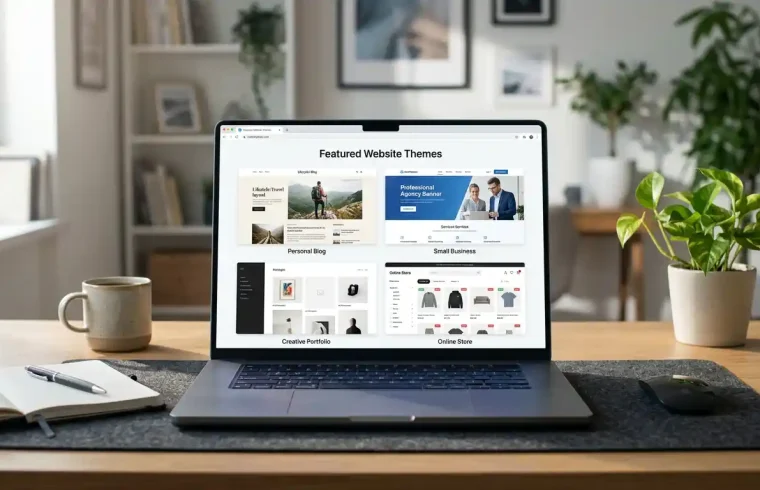
The right choice depends on what you want your website to do. A personal blog and an online store may share some design needs, but they do not need identical features.

| Website type | Themes to consider | Why |
|---|---|---|
| Personal blog | GeneratePress, Astra, Neve | Useful starting points for readable content |
| Affiliate website | Blocksy, Astra, GeneratePress | Flexible layouts for reviews and comparison content |
| Small business | Astra, Kadence, Neve | Suitable options for service pages and contact information |
| Portfolio | Astra, Blocksy, Kadence | Flexible layouts for presenting projects |
| WooCommerce store | Storefront, Astra, OceanWP | Options to evaluate for product and shop layouts |
| Block-editor website | Twenty Twenty-Five or another block theme | Designed around native block-based editing |
These are starting recommendations, not absolute rankings. The best theme is the one that meets your requirements with the least unnecessary complexity.
For example, if you are creating an affiliate website, focus on clear product comparisons, readable reviews, category navigation, and mobile-friendly tables. If you are building a local business website, prioritize service pages, contact details, location information, and a clear way for customers to get in touch.
Free vs. Premium WordPress Themes
One of the first questions new site owners ask is whether they need to pay for a theme.
The short answer is no. A free theme can be enough for a professional-looking website, particularly if you are starting a blog or a simple business site.
When a Free Theme Makes Sense
Free WordPress themes can be a sensible choice when you have a limited budget, want a simple layout, or are still learning how WordPress works.
You can explore the official WordPress Themes Directory to find themes and review their descriptions, update information, and available features.
A free theme may be all you need if you want to publish articles, create basic pages, display images, and use standard navigation.
When a Premium Theme Is Worth Considering
Premium themes may be useful when you need specific design controls, additional templates, more advanced layouts, or bundled support and updates.
However, paid does not automatically mean better. Some websites need only a small number of customization options, while others benefit from more advanced controls.
Before purchasing, check exactly what is included, how updates work, whether support is time-limited, and whether the demo depends on paid plugins.
Quick Comparison
| Feature | Free theme | Premium theme |
|---|---|---|
| Initial cost | Usually no purchase cost | Requires payment |
| Basic layouts | Often available | Often includes more options |
| Advanced customization | Varies by theme | May offer additional controls |
| Support | Depends on the developer and support channel | May include paid support |
| Updates | Check the theme’s update history | Check the product’s update policy |
| Best for | Beginners and simple websites | Sites needing specific additional features |
Start with the least complicated option that meets your needs. You can upgrade later if you identify a real limitation.
How to Choose an SEO – Friendly WordPress Theme
An SEO-friendly theme should help you create a site that is easy to navigate, accessible, and technically sound. It should not be chosen simply because its sales page promises better rankings.
1. Prioritize a Clear Structure
Your website should have logical navigation, readable headings, and a layout that makes it easy for visitors to find information.
For a blog, that might mean clear categories and a readable article layout. For a store, it includes understandable product categories and a straightforward path from a product page to checkout.
2. Check Mobile Usability
Open the theme’s demo on a phone-sized screen, not just a desktop monitor. Make sure the text remains readable, the menu works, buttons are easy to tap, and images do not create awkward horizontal scrolling.
A responsive theme helps the layout adapt to different screen sizes, but you should still test your own content after installation.
3. Keep the Design Lightweight
A theme with many visual effects, large images, and additional scripts may require more performance optimization than a simpler design. The theme is only one part of page speed, so also pay attention to hosting, caching, image size, fonts, and plugins.
For more practical advice, read GlobalVior’s guide to WordPress speed optimization.
4. Check Compatibility Before Installing Plugins
If you need WooCommerce, a page builder, a form plugin, or an SEO plugin, check the relevant compatibility information. Avoid choosing a theme that forces you to install a long list of unnecessary extensions just to reproduce its demo.
5. Support Useful SEO Practices
A theme should allow you to create sensible page titles, readable content, logical headings, and accessible navigation. An SEO plugin can help manage many metadata tasks, but no theme can guarantee that a page will rank.
If you are new to optimization, start with GlobalVior’s guide on how to do WordPress SEO.
For Google’s perspective, read its guidance on creating helpful, reliable, people-first content.
How to Install a WordPress Theme
Once you have selected a theme, installing it through the WordPress dashboard is usually straightforward.
Step 1: Open the Appearance Menu
Log in to your WordPress dashboard and navigate to Appearance → Themes.
Step 2: Add a Theme
Click Add New Theme to browse the available themes. If the theme is in the official directory, search for its name.
Step 3: Check the Details
Before installing, review the theme’s description, features, update history, and compatibility information. Make sure it matches the website you intend to build.
Step 4: Install and Preview
Click Install and use the preview option when available. Check the layout and confirm that it suits your content.
Step 5: Activate the Theme
When you are ready, click Activate. If your site is already live, consider testing changes on a staging site first, especially when switching between substantially different themes.
Step 6: Customize the Design
Depending on the theme, go to Appearance → Customize or Appearance → Editor. Add your logo, choose colors and typography, adjust the header and footer, and configure your navigation.
Step 7: Check the Website
Open several pages on desktop and mobile. Review menus, images, article layouts, forms, and store functionality. If anything looks wrong, consult the theme documentation before adding more plugins to fix it.
Common WordPress Theme Mistakes to Avoid
Choosing a theme only because the demo looks impressive. A demo may use premium features, sample content, and additional plugins. Make sure you understand what is required to recreate it.
Installing too many plugins to reproduce a layout. Extra plugins can increase maintenance and complexity. Look for a theme that already fits your essential requirements.
Ignoring mobile layouts. A homepage that looks great on desktop may be awkward on a phone. Test navigation, typography, buttons, and images at different screen sizes.
Assuming a premium theme guarantees better SEO. Search visibility depends on many factors, including content quality, technical setup, and relevance to the search query.
Changing themes without checking what will be affected. Some themes add shortcodes, custom layouts, or theme-specific features. Switching themes can affect the appearance of existing content, so back up your site and test important pages first.
Choosing a theme that is difficult to maintain. Check whether documentation is available and whether the theme receives updates. A website should be manageable after the initial design is complete.
Frequently Asked Questions
Which WordPress theme is best for beginners?
Astra, Neve, Blocksy, and other flexible themes can be worth considering. The best choice depends on the layout you need and how comfortable you are with WordPress customization. Start with a simple demo rather than one that requires many extra plugins.
Are free WordPress themes good enough for a professional website?
Yes. A well-maintained free theme can support a professional blog, portfolio, or business website. Review its features, update history, compatibility, and customization options before choosing it.
What are the best WordPress themes for blogs?
GeneratePress, Astra, Blocksy, Kadence, and Neve are options to explore. Look for a readable article layout, clear navigation, useful category pages, and good mobile presentation.
Which WordPress themes are suitable for small businesses?
Astra, Kadence, and Neve are worth evaluating for business websites. Make sure your chosen theme can present your services, contact information, testimonials where appropriate, and calls to action clearly.
Do WordPress themes affect SEO?
They can influence aspects of the website experience, such as layout, mobile usability, and performance. However, a theme alone does not guarantee higher rankings. Content quality, technical SEO, and the usefulness of your pages also matter.
Should I choose a lightweight WordPress theme?
A lightweight theme can be a good starting point, particularly if performance matters to your site. Still, actual speed depends on your hosting, plugins, images, fonts, caching, and other implementation choices.
Can I change my WordPress theme later?
Yes, but switching themes can change your layouts, menus, widgets, and other design elements. Back up your site, check for theme-specific features, and test important pages before making the change on a live website.
Is a premium WordPress theme worth the money?
It can be if the extra features, templates, support, or customization options solve a real problem. If a free theme already meets your requirements, paying for a premium version may not be necessary.
Final Thoughts
There is no single theme that is perfect for every WordPress website. The right choice depends on your goals, the features you need, and how much time you want to spend customizing your design.
If you want a flexible starting point, explore Astra, Blocksy, or Kadence. If you prefer a simpler content-focused design, consider GeneratePress. For a WooCommerce store, investigate Storefront alongside other compatible options. If you prefer native WordPress editing, look at current block themes in the official directory.
Before you commit, preview the theme on mobile, check its documentation, review any extra costs, and make sure it works with your essential plugins. A clean, maintainable website that serves its visitors well is more valuable than a complicated design full of features you never use.
Choose the theme that fits your website today while leaving enough room for it to grow tomorrow.