For bloggers, small business owners, developers, agencies, and online store owners, staying updated with WordPress news has never been more critical.
WordPress has evolved far beyond a simple blogging platform and now serves as a full-fledged website-building ecosystem supporting business websites, eCommerce stores, membership sites, online courses, portfolios, news sites, and enterprise-grade publishing.
Following the latest WordPress news helps website owners make informed decisions regarding updates to the core, plugin installations, theme selection, hosting options, security measures, and performance optimisation. Even seemingly minor updates, like a change to the block editor or a small security patch, can impact how a website functions.
In 2026, WordPress continues evolving towards a block-based, performance-oriented, and collaborative website-building experience. Staying up-to-date with WordPress news ensures that your site remains secure, optimised, and ready for new features.
Why WordPress News Matters
Many website owners only focus on WordPress when something goes wrong. Plugin errors, layout issues, or broken features often drive action. Smart website owners, however, follow WordPress news proactively to prevent problems.
Keeping up with WordPress news allows you to:
- Prepare for major WordPress releases
- Apply critical security updates promptly
- Ensure theme and plugin compatibility
- Implement performance improvements
- Utilize new design tools in the block editor
This proactive approach benefits not just developers, but also small business owners, bloggers, marketers, freelancers, and agencies who rely on WordPress for traffic, leads, and conversions.
WordPress in 2026: Continuous Evolution
WordPress is constantly evolving. Recent WordPress news highlights its growth towards the following:
- Visual and block-based editing
- Full Site Editing (FSE)
- Reusable patterns and global styles
- Better theme customization tools
Previously, page builders and custom code were necessary for complex layouts. Today, WordPress’s native tools allow users to build websites efficiently without advanced coding knowledge.
Developers remain crucial, focusing on performance, custom blocks, advanced functionality, security, integrations, and scalable website architecture. For regular users, WordPress offers greater control without losing flexibility.
WordPress 7.0: The Future of the Platform
One of the most significant stories in WordPress news is WordPress 7.0. This update introduces enhanced collaboration tools, improved media management, tighter design control, and advanced block workflows.
Why This Matters to Website Owners
- Collaborative editing allows teams to work simultaneously on content, layouts, and templates without overwriting each other’s work.
- Improved media tools simplify uploading, managing, and optimising images and videos.
- Responsive design tools ensure that websites look great on desktops, tablets, and mobile devices.
Staying informed via WordPress news about these features helps businesses, agencies, and editors leverage new capabilities efficiently.
The Block Editor Remains Central
The block editor, originally introduced as Gutenberg, continues to dominate WordPress news. Its block-based system allows users to build pages and posts visually with:
- Paragraphs, headings, and images
- Buttons, columns, and galleries
- Navigation menus, forms, embeds
- Patterns and reusable templates
This enables bloggers to design attractive layouts without additional plugins and businesses to create landing pages faster. Agencies benefit from reusable blocks for consistent design, and developers can build custom blocks tailored to specific business needs.
Full Site Editing (FSE) and Theme Customization
Full Site Editing (FSE) allows users to modify headers, footers, templates, and global styles directly in WordPress. Previously, such edits required theme customisations, CSS, or page builders. Now, block themes provide greater visual control.
- Small business owners can update headers, buttons, or typography without a developer.
- Site backups and staging environments are recommended to avoid impacting live pages.
- Consistent block-based design ensures brand integrity and usability.
WordPress Security News: Why Updates Are Critical
Security remains a top priority in WordPress news. Because WordPress powers millions of websites, it is a frequent target for malware, bots, and hackers. Security issues often arise from outdated plugins, weak passwords, abandoned themes, or insecure hosting.
Best Practices According to WordPress News
- Keep WordPress core updated
- Update plugins and themes regularly
- Remove unused plugins and themes
- Use strong passwords
- Enable two-factor authentication
- Choose secure hosting and SSL certificates
- Schedule regular backups
- Install a trusted security plugin
- Limit login attempts
Security is an ongoing responsibility, and WordPress news helps website owners act quickly on vulnerabilities.
Plugin News: The Expanding WordPress Ecosystem
Plugins are one of the primary reasons WordPress remains popular. WordPress news often highlights plugin updates that improve functionality, fix bugs, and patch security vulnerabilities.
Tips from WordPress News for Plugin Management
- Update plugins regularly
- Remove unused plugins
- Check plugin compatibility before updates
- Consider developer reputation and support activity
Careful plugin management ensures better site performance, security, and reliability.
Performance Updates: Speed Matters
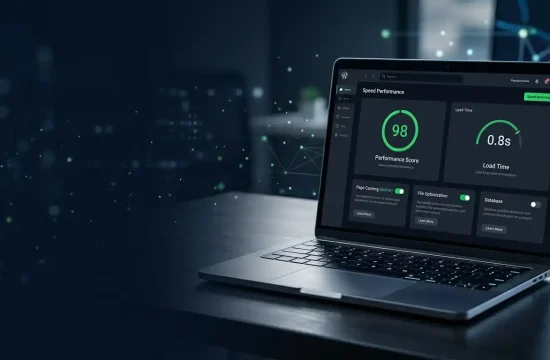
Website speed is a key focus of WordPress news. Factors influencing performance include hosting, themes, plugins, images, caching, CDN, and code structure.
Performance Tips from WordPress News
- Use fast WordPress hosting
- Choose lightweight themes
- Optimize images
- Enable caching and CDN
- Minimize unnecessary plugins
- Optimize the database and scripts
Performance-focused updates in WordPress news are crucial for bloggers, eCommerce stores, and sites relying on organic traffic.
WordPress SEO News: Staying Competitive
WordPress is SEO-friendly, but site owners must optimise content and structure. WordPress news often includes updates affecting SEO, including:
- Core updates
- Structured data changes
- Mobile responsiveness
- Theme and plugin compatibility
SEO Tips for 2026
- Write user-focused, high-quality content
- Use clear headings and metadata
- Compress images
- Add internal links and schema markup
- Maintain fast loading speed
- Update old content
- Build topic clusters around primary keywords
Focusing on SEO ensures your site ranks well and remains visible.
AI Integration: WordPress Meets Artificial Intelligence
AI is becoming integrated into WordPress tools for content creation, SEO analysis, chatbots, and personalisation. WordPress news highlights AI-enabled plugins for faster workflows.
Use Cases for AI
- Drafting blog posts
- Writing product descriptions
- Generating FAQs
- Creating meta descriptions
- Enhancing customer support
- Personalizing user experience
- Analyzing analytics
AI is an assistant, not a replacement—human oversight ensures quality, accuracy, and brand voice.
WordPress Hosting News
Hosting significantly impacts WordPress performance. WordPress news emphasises managed WordPress hosting, cloud solutions, backups, security, staging environments, and developer tools.
Choosing the Right Hosting
- Fast server performance
- High uptime
- Free SSL
- Regular backups
- Malware protection
- Easy WordPress installation
- Helpful support
- CDN integration
- Transparent pricing
Managed hosting is recommended for high-traffic or resource-intensive websites.
WooCommerce and eCommerce News
WooCommerce remains a critical WordPress plugin. WordPress news highlights updates affecting checkout, payment gateways, shipping, subscriptions, and inventory.
Best Practices from WordPress News
- Keep WooCommerce updated
- Test updates on staging environments
- Optimize product images
- Use trusted payment plugins
- Secure customer data
- Monitor checkout performance
- Maintain regular backups
E-commerce sites rely heavily on timely WordPress updates for smooth operations.
Theme and Design Trends
WordPress news often reports trends in themes:
- Block theme support
- Lightweight and minimal design
- Mobile-first layouts
- Accessibility improvements
- Pattern libraries
- Global style controls
Choose themes that are fast, updated regularly, and compatible with modern WordPress features.
Accessibility in WordPress News
Accessibility ensures that websites are usable for all users, including those with disabilities. WordPress news emphasises best practices:
- Alt text for images
- Proper heading hierarchy
- Keyboard navigation
- High color contrast
- Clear forms and buttons
Accessible websites enhance usability, SEO, and user experience.
How to Follow WordPress News
Reliable sources include:
- Official WordPress news pages
- Release notes
- Make WordPress blogs
- Developer updates
- Plugin and theme developer blogs
- Security-focused blogs
- WordPress community newsletters
Checking these sources weekly or monthly ensures you stay informed without being overwhelmed.
Conclusion
WordPress news is more than software updates. It’s about understanding the platform’s direction and leveraging new features for security, performance, SEO, and user experience. Website owners, bloggers, developers, agencies, and businesses benefit from staying informed to ensure their WordPress sites are safe, fast, and competitive.