In this complete guide, you will learn what cheap business email hosting is, why it matters, which features to look for, how to set it up, what mistakes to avoid, and how to choose the right affordable email hosting option for your business.
Introduction
Email is one of the most important communication tools for any business. Whether you run a small online shop, local service business, blog, agency, portfolio website, or startup, a professional email address can help your brand look more trustworthy.
Many new website owners search for cheap business email hosting because they want a professional email address without paying high monthly costs. A business email like contact@yourbusiness.com looks much more professional than a free email account such as yourbusiness@gmail.com.
A professional business email can help you build customer trust, communicate with clients, manage support requests, and create a stronger brand identity. The good news is that business email hosting does not always have to be expensive. There are affordable options for beginners, freelancers, and small businesses.
What Is Business Email Hosting?
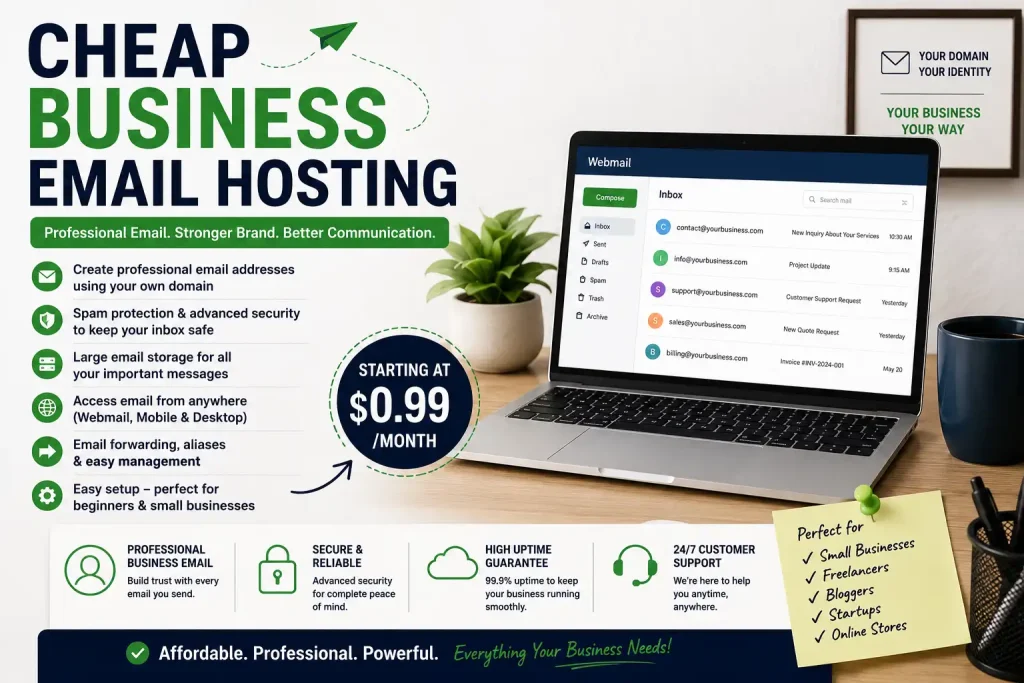
Business email hosting is a service that allows you to create professional email addresses using your own domain name.
For example, if your domain is
You can create email addresses like
- contact@yourbusiness.com
- info@yourbusiness.com
- support@yourbusiness.com
- sales@yourbusiness.com
- billing@yourbusiness.com
These email addresses use your own business domain, so they look professional and branded. This is different from free email services where your email ends with Gmail, Yahoo, Outlook, or another provider’s domain.
Business email hosting usually includes tools to send, receive, store, and manage emails. It may also include spam filtering, webmail access, email forwarding, security records, and mailbox storage.
What Is Cheap Business Email Hosting?
Cheap business email hosting means an affordable email hosting service that allows you to use domain-based business emails without paying a high price.
This type of hosting is useful for:
- Small businesses
- Freelancers
- Bloggers
- Startups
- Local service providers
- Online store owners
- Agencies
- Portfolio website owners
- New website owners
Cheap does not always mean low quality. A good low-cost email hosting plan should still provide reliable email delivery, enough storage, spam protection, security features, and easy access from desktop and mobile devices.
However, not every low-priced plan is a good deal. Some cheap plans may have limited storage, poor support, missing security features, or high renewal prices. That is why comparing features is important before choosing a service.
Why Business Email Hosting Matters
A professional business email can make a big difference in how people see your brand. Your email address is often one of the first things customers notice when they contact your business.
1. It Builds Trust
An email from contact@yourbusiness.com looks more trustworthy than a random free email address. It shows that your business is more official, organized, and serious.
This is especially important when sending
- Business proposals
- Invoices
- Customer support replies
- Order confirmations
- Partnership requests
- Service quotations
- Appointment confirmations
A professional email address can make your communication look more reliable.
2. It Makes Your Brand Look Professional
Having a business email gives your brand a professional look. Even if your business is small, a domain-based email can make your company appear more credible.
For example:
Professional: support@rahimtech.com
Less professional: rahimtechsupport@gmail.com
The first email looks cleaner, more branded, and more trustworthy.
3. It Improves Brand Recognition
Your domain name appears in every email you send. This means your email address also promotes your website and brand.
When customers repeatedly see your domain in your email address, they are more likely to remember your business.
4. It Helps Organize Communication
Business email hosting allows you to create different emails for different purposes.
For example:
- info@yourdomain.com for general inquiries
- support@yourdomain.com for customer help
- sales@yourdomain.com for sales inquiries
- billing@yourdomain.com for payments and invoices
- admin@yourdomain.com for internal work
This makes communication more organized and easier to manage.
5. It Supports Business Growth
As your business grows, you may need more email accounts for team members or departments. Business email hosting lets you create professional email addresses for employees, teams, and business functions.
For example:
This helps your business look more structured and professional.
Business Email Hosting vs Free Email
Most beginners start with free email services. Free email is fine for personal use, but it is not always ideal for business communication.
Free Email Example
Business Email Example
A free email is easy to create, but it does not support your brand strongly. It may also look less professional when communicating with customers, clients, or business partners.
Key Differences
| Feature | Free Email | Business Email Hosting |
|---|---|---|
| Branding | Uses provider name | Uses your domain |
| Professional look | Basic | Strong |
| Trust level | Lower for business | Higher |
| Custom addresses | Limited | Flexible |
| Team emails | Not ideal | Better |
| Business identity | Weak | Strong |
If you are serious about your website or business, a custom business email is usually a better choice.
Who Needs Cheap Business Email Hosting?
Cheap business email hosting is useful for many types of users and businesses.
Small Business Owners
Small businesses need professional communication. Whether you run a shop, agency, restaurant, coaching service, repair service, or online business, a branded email can improve trust.
Freelancers
Freelancers can use business email for proposals, invoices, client updates, project communication, and follow-up messages. A professional email helps clients take your service more seriously.
Bloggers
Bloggers can use custom email for brand partnerships, guest post requests, advertising inquiries, affiliate communication, and reader messages.
Online Stores
Online stores need business email for customer support, order updates, return requests, payment messages, and product inquiries.
Agencies
Marketing agencies, web design agencies, SEO agencies, and creative agencies can use multiple business email accounts for team members, departments, and client communication.
Startups
Startups can use professional email for investor communication, user support, hiring, product updates, and team coordination.
Portfolio Website Owners
Designers, developers, writers, photographers, and consultants can use custom business email to look more professional when contacting clients.
Features to Look for in Cheap Business Email Hosting
Before choosing a cheap business email hosting service, check the features carefully. Low pricing is helpful, but the service should still be reliable.
1. Custom Domain Email Support
The most important feature is the ability to use your own domain name. Your email should look like this:
Without custom domain support, it is not true business email hosting.
2. Mailbox Storage
Email storage matters if you receive many emails or attachments. Some cheap plans offer limited storage, so check how much storage you get per mailbox.
If you send and receive documents, images, invoices, or files, choose a plan with enough storage.
3. Number of Email Accounts
Some plans include only one email account. Others allow multiple email accounts.
Before buying, think about how many email addresses you need.
For example:
If you have a team, each person may need a separate email address.
4. Spam Protection
Spam protection is very important. A good email hosting service should help block unwanted and harmful emails.
Spam filtering can protect your inbox from the following:
- Fake messages
- Scam emails
- Promotional spam
- Suspicious attachments
- Phishing attempts
5. Security Features
Business email security is important. Look for support for email authentication records such as SPF, DKIM, and DMARC. These records help protect your domain and improve email deliverability.
Security features can help reduce the following:
- Email spoofing
- Phishing risk
- Spam delivery problems
- Unauthorized use of your domain
6. Webmail Access
Webmail allows you to check your email from a browser. This is useful when you are using a shared computer or public device or do not have an email app installed.
A simple webmail interface can make email easier for beginners.
7. Mobile and Desktop Support
A good business email service should work with common mobile and desktop email apps. This allows you to access email from your phone, tablet, or computer.
8. Email Forwarding
Email forwarding allows you to send emails from one address to another.
For example, you can forward the following:
to:
This is useful if you want to manage all messages from one inbox.
9. Email Aliases
An email alias is an extra email address that delivers messages to the same inbox.
For example, you can create the following:
All of them can deliver to one main inbox.
10. Customer Support
Good support is important, especially for beginners. If your email stops working, you need quick help.
Check whether the provider offers:
- Live chat
- Email support
- Help center articles
- Ticket support
- Setup guides
11. Uptime and Reliability
Your business email should work consistently. If your email service goes down often, you may miss important customer messages.
Choose a reliable provider with stable service.
12. Renewal Price
Some services look cheap at first but become expensive later. Always check renewal pricing before purchase.
A good deal should be affordable not only in the first month or first year but also in the long run.
Types of Business Email Hosting
Business email hosting comes in different types. The best option depends on your needs and budget.
1. Email Hosting With Domain Registrar
Some domain registrars also offer email hosting. This can be convenient because your domain and email are managed from the same account.
This option is useful for beginners who want simple management.
2. Email Hosting With Web Hosting
Some web hosting plans include email hosting. If you already have a website hosting plan, you may be able to create business email addresses from your hosting control panel.
This can be affordable, but the quality depends on your hosting provider.
3. Standalone Email Hosting
Standalone email hosting focuses only on email. This is a good choice if you want reliable business email without changing your website hosting.
4. Cloud Business Email
Cloud-based business email often includes extra tools such as calendars, contacts, cloud storage, and collaboration features. It may cost more, but it can be useful for growing teams.
How Much Does Cheap Business Email Hosting Cost?
The cost of cheap business email hosting depends on the provider, number of users, storage, features, and billing period.
Some plans may cost a small amount per month per mailbox. Others may charge yearly. Some web hosting plans include basic email accounts with the hosting package.
When comparing prices, do not only look at the monthly fee. Also check:
- Renewal price
- Number of mailboxes
- Storage per mailbox
- Spam protection
- Security features
- Support quality
- Setup difficulty
- Upgrade costs
The cheapest plan is not always the best one. Choose the plan that gives you enough features for a fair price.
How to Choose the Right Cheap Business Email Hosting Service
Choosing an email hosting service for the first time can feel confusing. Here is a simple step-by-step method.
Step 1: Decide How Many Emails You Need
Start by listing the email addresses you need.
For example:
If you work alone, one or two accounts may be enough. For a team, count how many people need separate mailboxes.
Step 2: Assess Your Storage Requirements
Think about how many emails and attachments you expect to receive.
If you only receive basic inquiries, a small mailbox may be enough. If you receive many files, invoices, or documents, choose more storage.
Step 3: Check Security Features
Make sure the provider supports important email security records such as SPF, DKIM, and DMARC. These are important for email deliverability and domain protection.
Step 4: Compare Renewal Prices
Avoid selecting a plan based only on low first-year pricing. Check what you will pay after renewal.
Step 5: Check Ease of Setup
If you are new to this, choose a provider with clear guidance and easy DNS setup.
Step 6: Check Support Options
If your email is down, good support can save a lot of time. Beginners should choose a provider that offers useful guides and responsive support.
Step 7: Think About Growth
Your business may grow later. Choose a provider that allows you to add more mailboxes or upgrade storage easily.
How to Set Up Cheap Business Email Hosting
The setup process can vary depending on the provider, but the basic steps are usually similar.
Step 1: Buy a Domain Name
First, you need a domain name. Choose a domain relevant to your business or brand.
Example:
yourbusiness.com
A good domain should be
- Short
- Easy to spell
- Easy to remember
- Related to your brand
- Professional-looking
Step 2: Select an Email Hosting Plan
Choose a business email hosting plan based on your budget and needs.
Check:
- Number of email accounts
- Storage
- Spam protection
- Security features
- Support
- Renewal price
Step 3: Create Your Email Address
After buying email hosting, create your first business email address.
Common first email addresses include:
For most small websites, contact@yourdomain.com is usually a good first option.
Step 4: Update DNS Records
To make your business email work, you may need to update DNS records in your domain account.
Common email DNS records include:
- MX records
- SPF records
- DKIM records
- DMARC records
- TXT records
These records help your domain send and receive email correctly.
Step 5: Test Sending and Receiving
After setup, send test emails to make sure everything is working.
Test:
- Sending email
- Receiving email
- Replying to email
- Email delivery to inbox
- Email access from mobile or desktop
Step 6: Connect Email With Your Device
You can connect your business email with an app on your phone or computer. Most providers support popular email clients.
This makes it easier to manage business communication.
What Business Email Addresses Should You Create First?
You may not need many email addresses when you are just starting. Focus on the most important ones first.
contact@yourdomain.com
This is a good general email address for website contact forms and customer inquiries.
info@yourdomain.com
This is useful for general business information and basic questions.
support@yourdomain.com
This is helpful if you offer customer service or product support.
sales@yourdomain.com
This is useful if you receive sales leads, quotations, or service requests.
billing@yourdomain.com
This is helpful for invoices, payments, and account-related communication.
Start with one or two addresses and add more in the future as your company grows.
Cheap Business Email Hosting for Small Businesses
Budget-friendly business email hosting can be very useful for small businesses. Even if your business is new, a proper email can help build customer trust.
For example, compare these:
rahimstore@gmail.com
contact@rahimstore.com
The second email appears more professional and credible. It also helps customers remember your website.
Small businesses can use business email for the following:
- Customer support
- Order updates
- Appointment bookings
- Product inquiries
- Service quotes
- Invoices
- Team communication
- Supplier communication
A professional email can help your business look more reliable and structured.
Cheap Business Email Hosting for Freelancers
Freelancers often communicate directly with clients. A professional email can help create a better first impression.
For example:
or
This is much more professional than a free personal email.
Freelancers can use business email for:
- Sending proposals
- Sharing invoices
- Client updates
- Portfolio contact
- Project delivery
- Follow-up messages
A custom email address is a smart investment if you want clients to trust you.
Cheap Business Email Hosting for Bloggers
Business email hosting can also be useful for bloggers. Whether you are reaching out to a brand, sponsor, guest writer, or reader, a professional email can help.
For example:
or
A branded email can make your blog look more serious and credible.
Bloggers can use business email for:
- Brand collaborations
- Guest post requests
- Newsletter contact
- Reader questions
- Sponsorship inquiries
- Affiliate communication
If your blog is growing into a brand, business email hosting can help.
Cheap Business Email Hosting for Online Stores
Online stores need clear customer communication. A professional business email address gives customers more confidence when purchasing from your store.
Useful store emails include:
These email addresses help manage customer communication.
Online stores can use business email for:
- Order confirmations
- Shipping updates
- Return requests
- Product questions
- Payment issues
- Customer support
A clean business email can improve customer trust and support experience.
Email Security Tips for Small Businesses
Email security is very important. Business emails can receive spam, phishing attempts, and fake messages. You should protect your email account from the beginning.
Use a Strong Password
Use a password that is difficult to guess. Avoid using your business name, birthday, or simple words.
Enable Two-Factor Authentication
If your email provider supports two-factor authentication, turn it on. This adds an extra layer of security.
Set Up SPF, DKIM, and DMARC
These email authentication records help prevent domain misuse and improve the chances of your emails reaching the inbox.
Do Not Click Suspicious Links
Be careful with unknown links and attachments. Many scams happen through fake emails.
Keep Recovery Information Updated
Make sure your recovery email and phone number are up to date. This helps you recover your account if you lose access.
Train Your Team
If you have employees, teach them how to identify suspicious emails and avoid phishing attempts.
How Business Email Helps With Branding
Business email is not just a communication tool. It is also part of your branding.
When you send an email, your domain name appears in the address. This makes it easier for people to remember your website and business.
For example:
This promotes the brand “Green Leaf Studio” every time the email appears in an inbox.
Business email also gives a consistent look to your brand across the following:
- Website
- Contact page
- Social media
- Business cards
- Invoices
- Proposals
- Newsletters
- Advertisements
Good branding makes your business look professional and memorable.
Business Email and Website Trust
Trust is important online. If a website appears incomplete or unprofessional, visitors may be reluctant to contact it.
A domain-based business email helps establish trust because it shows that your website has a real domain and a professional communication system.
For stronger trust, your website should also include:
- About page
- Contact page
- Privacy Policy page
- Terms and Conditions page
- Disclaimer page
- Clear navigation
- Professional design
- Mobile-friendly layout
Business email is one part of a reliable web presence.
Is Cheap Business Email Hosting Good for AdSense Websites?
Cheap business email hosting can be useful for AdSense-style websites because it gives your site a more professional appearance. However, having email hosting does not guarantee AdSense approval.
AdSense approval mainly depends on website quality, original content, user experience, navigation, and policy compliance.
Before applying for AdSense, your site should have:
- Original and helpful articles
- Clear website menu
- About page
- Contact page
- Privacy Policy page
- Disclaimer page
- Mobile-friendly design
- Fast loading speed
- No copied content
- No thin pages
- Easy-to-read layout
A professional email like contact@yourdomain.com can help build trust, especially on your contact page, but high-quality content is still the most important factor.
Common Mistakes to Avoid
Choosing Only the Cheapest Plan
The cheapest option is not always the best. It may lack storage, support, or security features.
Ignoring Renewal Costs
Some providers offer low starting prices but raise the price on renewal. Always check long-term costs.
Not Checking Storage Limits
If your mailbox storage is not enough, you may quickly run out of space.
Not Setting Up Email Security
If you do not set up SPF, DKIM, or DMARC, your email may face delivery problems. Your domain may also become more vulnerable to spoofing.
Using a Free Email Address for Business
Free email is simple, but it does not create the same professional image as a domain-based business address.
Creating Too Many Email Accounts
Do not create too many email accounts if you do not need them. Start simple and expand later.
Forgetting Domain Renewal
Your website and business email can stop working if your domain expires. Always track renewal dates.
Using Weak Passwords
A weak password can put your business email at risk. Use strong passwords and enable two-factor authentication whenever possible.
Tips to Save Money on Business Email Hosting
You can save money while still using reliable business email hosting.
Start With One Email Account
If you are a beginner, start with one professional email like contact@yourdomain.com. Add more accounts later.
Use email aliases.
Aliases help you create multiple addresses without paying for multiple inboxes.
Compare Yearly Plans
Some providers give discounts for yearly billing. Check monthly and yearly costs before purchasing.
Avoid Unnecessary Features
Do not pay for advanced collaboration tools if you only need basic business email.
Check Renewal Price
Always verify the renewal cost before buying.
Use Existing Hosting Email
If your web hosting plan already includes email, you may be able to use it instead of purchasing separate email hosting.
How to Make Your Business Email Look More Professional
After setting up business email, you can make it look better with a few simple steps.
Use a Clear Email Signature
Include a basic email signature with:
- Your name
- Business name
- Website URL
- Contact number
- Social links if needed
Use a Professional Display Name
Use a proper display name instead of showing only the email address.
Example:
Rahim Store Support
Reply quickly.
A professional email is useful, but response time also matters. Try to respond to customer emails quickly.
Keep Email Tone Clear
Use polite and simple language. Avoid confusing or overly casual messages in business communication.
Organize Inbox With Folders
Use folders or labels to organize customer messages, invoices, support requests, and business communication.
Business Email Setup Checklist
Before using your business email, go through this checklist:
- Buy a domain name
- Choose an email hosting plan
- Create main business email address
- Add MX records
- Add SPF record
- Add DKIM record
- Add DMARC record if available
- Test sending email
- Test receiving email
- Connect email with mobile or desktop application
- Add email address to your website Contact page
- Create email signature
- Save login and recovery information securely
- Use two-factor authentication if available
This checklist can help you avoid common setup problems.
Final Thoughts
Cheap business email hosting is a smart choice for small businesses, freelancers, bloggers, online stores, and startups that want a professional business email address without spending too much money.
A professional business email like contact@yourdomain.com increases trust, improves branding, and organizes communication. It makes your business look more professional than using a free personal email account.
Before choosing a plan, compare storage, number of email accounts, security features, spam protection, support quality, and renewal pricing. Do not choose only the lowest price. Select a plan that gives you the right balance of affordability, reliability, and useful features.
If you are serious about building an online presence, cheap business email hosting is one of the best first steps you can take to build a professional and credible brand.
FAQ
What is cheap business email hosting?
Cheap business email hosting is an affordable service that lets you create professional emails using your own domain name, such as contact@yourdomain.com.
Why do I need business email hosting?
You need business email hosting if you want a branded email account that uses your domain name. It makes your business look more credible and professional.
Is business email better than free email?
Yes, business email is better for professional use because it uses your own domain name and helps build trust with customers and clients.
Can I use business email without a website?
Yes, you can use business email without a website. You only need a domain name and an email hosting service.
What is the best first business email address?
For beginners, contact@yourdomain.com or info@yourdomain.com is usually a good first business email address.
Is cheap business email hosting safe?
Cheap business email hosting can be safe if the provider offers spam protection, secure login, and support for SPF, DKIM, and DMARC.
How many business email accounts do I need?
If you are starting alone, one or two email accounts may be enough. If you have a team, create separate accounts for team members or departments.
Can I add business email to my mobile phone?
Yes, most business email hosting services allow you to connect email to mobile and desktop apps.
Does business email help with SEO?
Business email does not directly improve search rankings, but it helps with trust, branding, and professionalism, which supports your online presence.
Does an AdSense website need business email?
A professional business email can make your website look more credible. However, AdSense approval mainly depends on original content, navigation, policy pages, and website quality.
Can I create multiple emails for one domain?
Yes, most email hosting plans let you create multiple email addresses using the same domain.
What happens if my domain expires?
If your domain expires, your website and business email may stop working. Always renew your domain on time.
What are MX records?
MX records are DNS records that tell the internet where to send emails for your domain.
What are SPF and DKIM?
SPF and DKIM are email authentication records that help improve email delivery and protect your domain from misuse.
Should I use email aliases?
Yes, email aliases are useful when you want multiple email addresses to deliver to one inbox. They can help save money and keep communication organized.