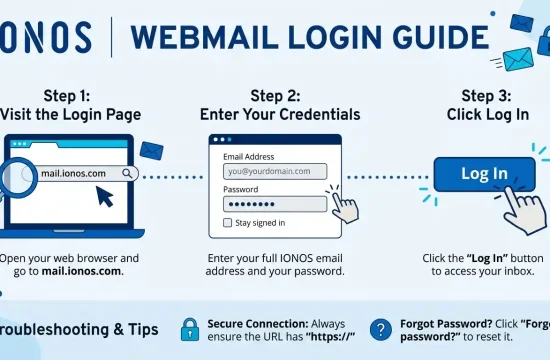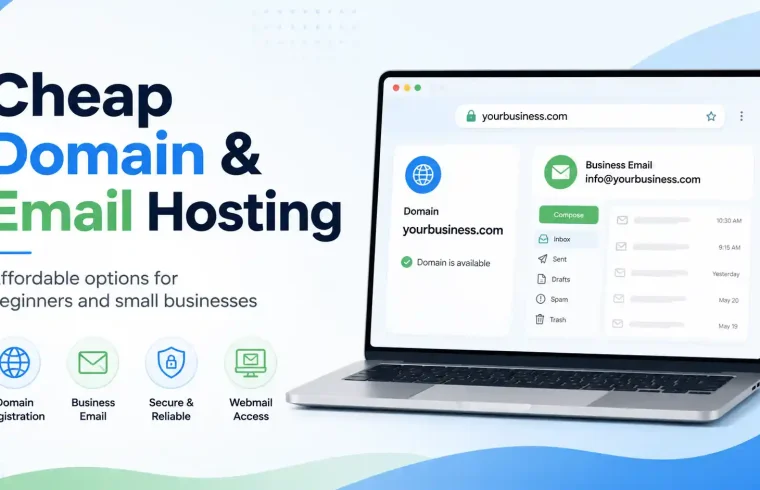
In this guide, you will learn what cheap domain and email hosting means, why it matters, what features to look for, and how to choose the right option for your website or business.
Introduction
If you want to start a professional website or small business online, you usually need two important things: a domain name and email hosting. A domain name gives your website a professional address, while email hosting allows you to create a business email address using your own domain.
Many beginners, freelancers, bloggers, startups, and small business owners search for cheap domain and email hosting because they want a professional online presence without spending too much money. The good news is that affordable options are available, but you need to know what to check before choosing a provider.
A professional email like contact@yourbusiness.com looks more trustworthy than a free email like yourbusiness@gmail.com. It helps your brand look serious, organised, and reliable.
What Is Domain and Email Hosting?
Before choosing a cheap domain and email hosting plan, it is important to understand what domain and email hosting mean.
What Is a Domain Name?
A domain name is your website address. For example:
yourbusiness.com
This is the name people type into a browser to visit your website. A good domain name should be short, simple, easy to remember, and relevant to your brand or business.

What Is Email Hosting?
Email hosting is a service that lets you create and use professional email addresses connected to your custom domain name.
For example:
info@yourbusiness.com
support@yourbusiness.com
sales@yourbusiness.com
Business email hosting allows you to send and receive emails from your own branded email address instead of using a free personal email account.
Why Do You Need a Custom Business Email?
A custom business email can make your brand look more professional. Whether you run a blog, online store, agency, local business, or personal brand, a domain-based email can increase trust.
1. It Looks More Professional
A business email like hello@yourbrand.com looks more professional than a free personal email account. It shows that you care about your brand and online identity.
2. It Builds Trust
Customers are more likely to trust emails sent from branded domains. This is especially important for invoices, support messages, client communication, order updates, and business proposals.
3. It Improves Brand Identity
Every email you send can promote your domain name. This helps people recognise and remember your brand more easily.
4. It Keeps Communication Organized
With email hosting, you can create different email addresses for different purposes, such as:
This makes business communication more organised and professional.
What Is Included in Cheap Domain and Email Hosting?
Cheap domain and email hosting usually means an affordable package that includes a domain name and an email service. Some providers offer domain registration and email hosting together, while others sell them separately.
A typical package may include:
- Domain registration
- Professional email accounts
- Email storage
- Webmail access
- Spam protection
- Email forwarding
- DNS management
- SSL or security options
- Customer support
Features can vary depending on the provider and plan. Always check the details carefully before buying.
Benefits of Cheap Domain and Email Hosting
Affordable domain and email hosting can be useful for beginners and small businesses that want a professional online presence.
1. Lower Startup Cost
When you are starting a new website or business, saving money is important. Cheap domain and email hosting helps you create a professional online identity with a lower budget.
2. Professional Online Presence
A domain name and branded email address can make your business look more established, even if you are just starting.
3. Easy Brand Promotion
Both your domain and email address promote your brand. For example, when someone receives an email from contact@yourbrand.com, they can easily remember your website.
4. Better Communication
Business email hosting helps you manage customer enquiries, support requests, proposals, and business communication more professionally.
5. Suitable for Small Websites
If you run a small website, blog, portfolio, or local business page, an affordable domain and email hosting plan may be enough in the beginning.
Cheap Domain and Email Hosting vs Free Email
Many beginners use free email services when starting out. Free email is useful for personal use, but it may not be the best choice for business communication.
Free Email Example
Custom Business Email Example
A custom business email looks more professional and brand-focused. It also gives customers more confidence when contacting you.
Free email may be good for personal communication, but if you want to build a serious website or business, a domain-based email is usually better.
Key Features to Check Before Buying
Not every cheap plan is a good deal. Some low-cost services may have limited storage, weak support, or high renewal prices. Before choosing cheap domain and email hosting, check these important features.
1. Domain Renewal Price
Some domains are cheap in the first year but become expensive during renewal. Always check both the first-year price and the renewal price.
2. Number of Email Accounts
Check how many email accounts are included. Some plans allow only one email address, while others allow multiple email accounts.
3. Email Storage
Email storage is important if you receive many emails or attachments. Make sure the storage limit is enough for your needs.
4. Spam Protection
Good email hosting should include spam filtering. This helps protect your inbox from unwanted emails.
5. Webmail Access
Webmail allows you to check your email from a browser. This is useful when you are not using an email app.
6. Email Forwarding
Email forwarding lets you send emails from one address to another. For example, you can forward info@yourdomain.com to your personal inbox.
7. DNS Management
DNS settings are important for connecting your domain with your website and email service. Choose a provider that gives clear DNS control.
8. Security Features
Look for basic security features such as SSL support, spam filtering, account protection, SPF, and DKIM support.
9. Customer Support
Good support is important, especially for beginners. If your email stops working, you need quick help.
10. Upgrade Options
Your business may grow later. Choose a provider that allows you to upgrade email storage, number of accounts, and hosting features.
Best Uses for Cheap Domain and Email Hosting
Cheap domain and email hosting is useful for many types of websites and businesses.
Small Business Websites
Local shops, service providers, consultants, and small agencies can use a branded domain and email to look more professional.
Freelancers
Freelancers can use custom email addresses for client communication, proposals, invoices, and project updates.
Bloggers
Bloggers can use professional emails for brand partnerships, guest posts, sponsorships, and contact forms.
Online Stores
Small e-commerce websites can use business email for customer support, order updates, refund requests, and general enquiries.
Portfolio Websites
Designers, developers, writers, photographers, and creators can use custom email to build a professional personal brand.
Startups
Startups can use domain-based emails for team communication, business operations, investor contact, and customer support.
How to Choose the Right Domain Name
Your domain name is the foundation of your online identity. Choose it carefully.
Keep It Short
Short domains are easier to remember, type, and share.
Make It Easy to Spell
Avoid complicated words, unusual spelling, or confusing letters.
Avoid Numbers and Hyphens
Numbers and hyphens can confuse visitors. A clean domain is better for branding.
Match Your Brand
Your domain should match your business name, blog name, or personal brand.
Think Long-Term
Choose a domain that can grow with your business. Avoid names that are too narrow if you plan to expand later.
How to Set Up Domain and Email Hosting
The setup process may vary by provider, but the basic steps are usually similar.
Step 1: Choose a domain name.
Find a domain name that matches your brand or business. Check availability and choose an appropriate extension, such as .com, .net, .co, or another relevant option.
Step 2: Buy the Domain
Register the domain with a trusted domain registrar or hosting provider.
Step 3: Choose Email Hosting
Select an email hosting plan based on your needs. Compare storage, number of email accounts, spam protection, security features, and price.
Step 4: Create an Email Address
Create your professional email address, such as the following:
Step 5: Update DNS Records
You may need to update DNS records such as MX, SPF, DKIM, or TXT records. These records help your email work correctly and improve email delivery.
Step 6: Test Your Email
Send and receive test emails to make sure everything is working properly.
Common Mistakes to Avoid
Choosing Only by First-Year Price
A low first-year price may look attractive, but renewal costs can be higher. Always check long-term pricing.
Ignoring Email Storage
If your storage is too small, your inbox may fill up quickly. Choose a plan with enough storage.
Not Setting Up Security Records
Email security records such as SPF and DKIM help improve delivery and reduce the chance of emails going to spam.
Using a Long or Confusing Domain
A complicated domain can hurt branding and make it harder for people to contact you.
Not Creating Important Email Addresses
At minimum, you may want to create emails like the following:
Forgetting to Renew the Domain
If your domain expires, your website and email may stop working. Turn on renewal reminders or auto-renewal if available.
Is Cheap Domain and Email Hosting Good for AdSense Websites?
Yes, cheap domain and email hosting can be suitable for AdSense-style content websites if your site has high-quality content and follows advertising policies.
However, hosting and email alone do not guarantee approval. Your website should have useful content, clear navigation, and important pages.
Before applying for AdSense, make sure your site includes:
- Original and helpful articles
- About page
- Contact page
- Privacy Policy page
- Disclaimer page
- Clear menu and categories
- Mobile-friendly design
- Fast loading speed
- No copied or thin content
A custom domain and professional email can make your site look more credible, but content quality is still the most important factor.
Cheap Domain and Email Hosting for Small Business
For small businesses, affordable domain and email hosting can be a smart investment. Even if you do not need a large website at first, having a professional domain and email address can improve your business image.
Compare these two email addresses:
rahimshop@gmail.com
contact@rahimshop.com
The second one looks more professional and brandable. It may also help customers feel more confident when contacting your business.
Small businesses can use domain-based email for the following:
- Customer support
- Sales inquiries
- Appointment booking
- Order updates
- Business proposals
- Team communication
Domain and Email Hosting Without Website Hosting
You do not always need full website hosting to use a custom email address. Some users only buy a domain and email hosting before launching a website.
This can be useful if:
- Your website is not ready yet
- You only need a professional email
- You use a separate site builder
- You use free hosting for your website
- You want business email first
Later, you can connect the same domain to a website when you are ready.
Final Thoughts
Cheap domain and email hosting is a good option for beginners, freelancers, bloggers, and small businesses that want a professional online identity without spending too much money.
A domain name gives your website a clear address, while email hosting gives you a branded email address such as contact@yourdomain.com. Together, they help your brand look more trustworthy, organised, and professional.
Before choosing a plan, check the renewal price, email storage, number of accounts, security features, and support quality. Do not choose only the cheapest option without understanding the limitations.
If you are new online, affordable domain and email hosting can be a smart first step towards building a professional website, brand, or small business.
FAQ
What is cheap domain and email hosting?
Cheap domain and email hosting means an affordable service that lets you register a domain name and create professional email addresses using that domain.
Do I need email hosting for my domain?
If you want a professional email like contact@yourdomain.com, then you need email hosting or an email service connected to your domain.
Is business email better than free email?
Yes, business email looks more professional and trustworthy than free personal email, especially for brands, businesses, and websites.
Can I buy a domain without website hosting?
Yes, you can buy a domain without website hosting. You can also use the domain only for email hosting.
Can I use one domain for both a website and email?
Yes, one domain can be used for both your website and your professional email addresses.
Is cheap email hosting safe?
Cheap email hosting can be safe if the provider offers reliable security, spam protection, and DNS/email authentication support.
What email address should I create first?
For most websites or businesses, contact@yourdomain.com or info@yourdomain.com is a good first email address.