If you use Rackspace for your business email, you can usually check your messages directly through its webmail login page. You don’t need to install an email application to read, send, or organize messages. You just need your email address, password, and the correct login page for your account.
Rackspace webmail login: https://email.rackspace.com/
Rackspace Email and Microsoft 365 email can have different login pages, so choosing the right one can save time when you’re trying to access your inbox.
This guide explains how to access Rackspace hosting webmail, troubleshoot common login problems, configure email on your devices, and understand the difference between Rackspace Email and Microsoft 365.
What Is Rackspace Hosting Webmail?
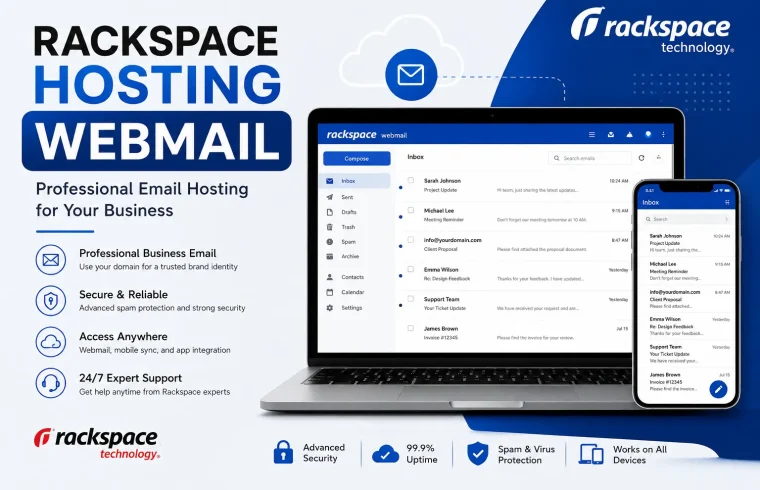
Rackspace hosting webmail is a browser-based interface for accessing an email account hosted through Rackspace. You can open it from a computer, tablet, or phone without installing a separate desktop email client.
Rackspace Email webmail lets users send and receive messages, manage contacts, create signatures, configure forwarding, and set up filters. Depending on the account, it may also include calendar and task features.
Businesses often use a custom email address connected to their domain. For example, a company might use support@example.com or sales@example.com. These are illustrative addresses; your actual email address depends on your business.
Using a custom domain can make it easier for customers to recognize a business’s email address. Rackspace provides the email service, while the business uses its own domain name.
If you’re new to website ownership, read GlobalVior’s guide to WordPress domain hosting to understand how domains and hosting fit into a website setup.
How to Access Rackspace Hosting Webmail
The quickest way to reach Rackspace webmail is through the official login page.
Step 1: Open the official login page
Visit https://email.rackspace.com/. Avoid login links from unexpected emails, advertisements, or unfamiliar websites.
Step 2: Enter your email address
Type your complete Rackspace email address into the email field. If your business email is alex@example.com, enter that full address rather than just alex.
Step 3: Enter your password
Enter the password associated with your mailbox. Passwords are case-sensitive, so check whether Caps Lock is enabled if the login fails.
Step 4: Sign in to your inbox
Select the login button and wait for the mailbox to load. Once signed in, you can read messages, compose new emails, manage folders, and access the settings available to your account.
If the page redirects you to a different sign-in screen or your credentials don’t work, check which Rackspace email product your organization uses.
How to Use Rackspace Webmail
Once you have signed in, take a moment to learn where the main features are. This can make everyday email tasks easier, especially if you have recently moved from another provider.
Reading and sending messages
Open a message in your inbox to read it. To send a new email, select the compose option, enter the recipient’s address, add a subject, and write your message.
Before sending business email, double-check the recipient’s address and any attached files. This is particularly useful when communicating with customers or sending invoices.
Managing contacts
Rackspace webmail includes contact management features. You can save frequently used email addresses and organize contact information rather than typing every address from memory. Depending on your account, you may also be able to import or export contacts.
Setting up an email signature
A signature can include your name, job title, business name, and contact details. In Rackspace webmail, open the settings menu and look for the composing or signature options.
Keep the signature short and check how it looks when you send a message. If you manage a company mailbox, follow your organization’s rules for logos, phone numbers, and legal notices.
cPanel: A Complete Guide to Website and WordPress Hosting: https://globalvior.com/learn-what-is-cpanel/
Creating filters and forwarding messages
Filters can help organize incoming messages automatically. For example, you might want newsletters to go into a separate folder.
Before enabling it, confirm that the destination account is correct and that forwarding is allowed by your organization. Automatic forwarding to an unfamiliar address can expose private business information.
For more details, see the official Rackspace Webmail documentation.
Rackspace Webmail Login Problems and How to Fix Them
If Rackspace hosting webmail isn’t opening or you can’t sign in, start with the simplest checks. A login failure doesn’t always mean your account has been compromised or the email service is down.

1. Check your email address and password
A typing error is one of the first things to rule out. Make sure you entered the full email address and check for extra spaces. If you copied the password from a password manager, confirm that it belongs to the correct mailbox.
If you still can’t sign in, use the password recovery option available for your account or contact your email administrator.
2. Reset a forgotten password
If you have forgotten your Rackspace email password, use the supported recovery process for your account. Some mailboxes may offer self-service recovery using multi-factor authentication, while other accounts may require help from an administrator.
If you manage your company’s email, you may be able to reset a user’s mailbox password through the relevant administration tools.
Never share your password or verification code with someone who contacts you unexpectedly claiming to be support staff.
3. Clear your browser cache and cookies
Sometimes an old browser session or stored site data can interfere with a login page.
Try these steps:
- Open a private or incognito browser window.
- Visit the official Rackspace webmail login page.
- Enter your credentials and try again.
- If that works, clear the browser’s cached data and cookies for the affected site.
- Restart the browser and sign in again.
Clearing cookies may sign you out of other websites, so make sure you can access those accounts before clearing all browser data.
4. Check your internet connection
Open another trusted website to see whether your internet connection is working. If other websites also fail to load, restart your router or test a different network.
If Rackspace webmail loads but stops responding after you sign in, try another supported browser and temporarily disable extensions that might interfere with the page.
5. Check whether the service is experiencing an outage
If your credentials are correct but the login page still fails, check the Rackspace Login & Support page for system status and support options.
If an outage is reported, wait for the service to recover before repeatedly changing passwords or modifying email settings.
6. Check your mailbox storage
A mailbox that reaches its storage limit may have trouble receiving new messages. If you can sign in but incoming email has stopped, check your mailbox storage and remove unnecessary messages if appropriate.
If the mailbox is managed by your employer, ask the administrator to check its quota and available storage. Rackspace provides guidance through its official email documentation.
7. Contact Rackspace support
If the previous steps don’t resolve the problem, visit the Rackspace Login & Support page.
When reporting the issue, explain what happens when you sign in and include any error message. Don’t send your password or authentication codes.
How to Set Up Rackspace Email in Outlook and on Mobile Devices
You don’t have to open a browser every time you want to check your business email. Depending on your Rackspace product, you can configure your mailbox in Outlook or a compatible mobile email application.
The setup process differs between Rackspace Email and Microsoft 365, so confirm your account type before following configuration instructions.
Set up Rackspace Email in Outlook
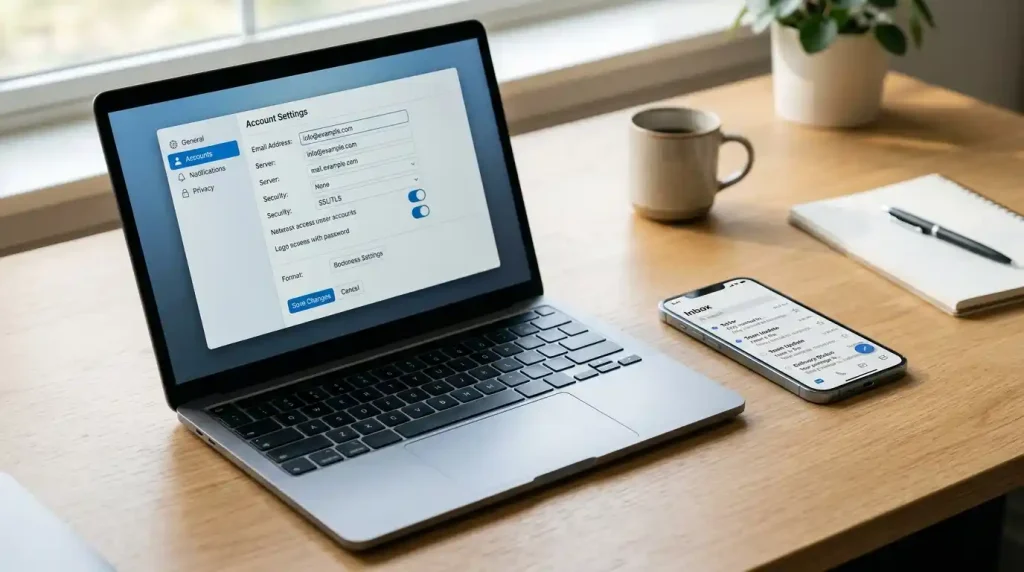
For a standard Rackspace Email mailbox, you may be able to configure Outlook using IMAP and SMTP settings.
The following settings are documented for standard Rackspace Email. Confirm them against your account’s current setup instructions before saving them.
| Setting | Value |
|---|---|
| Incoming protocol | IMAP |
| Incoming server | secure.emailsrvr.com |
| Incoming port | 993 |
| Incoming encryption | SSL/TLS |
| Outgoing server | secure.emailsrvr.com |
| Outgoing port | 465 |
| Outgoing encryption | SSL/TLS |
| Username | Your full email address |
These settings are for standard Rackspace Email, not necessarily Microsoft 365 or every legacy email configuration. See the official Rackspace Email Settings guide for the current configuration details.
To configure the account:
- Open Outlook and go to its account settings.
- Choose the option to add an email account.
- Enter your full Rackspace email address.
- If automatic setup fails, select manual setup and choose IMAP when supported.
- Enter the incoming and outgoing server details supplied for your mailbox.
- Enter your email password and complete any authentication steps.
- Send a test message and confirm that you can receive a reply.
If Outlook rejects the settings, check the latest instructions for your particular mailbox rather than trying random server names or ports.
Set up Rackspace email on a phone
On Android or iPhone, open your preferred email app and select the option to add an account.
Enter your full email address and follow the prompts. If manual configuration is required, use the incoming and outgoing settings supplied by Rackspace for your account.
For a Microsoft 365 mailbox managed through Rackspace, the correct approach may be to select Microsoft 365 or Exchange in the email app and sign in through Microsoft’s authentication page.
Rackspace provides setup instructions through its Hosted Email Help Tool.
Rackspace Webmail vs. Microsoft 365 Email
Rackspace Email and Microsoft 365 email are different services, even though both can be used for business communication. The correct login page depends on the service attached to your mailbox.
| Feature | Rackspace Email | Microsoft 365 email |
|---|---|---|
| Web access | Rackspace webmail | Outlook on the web |
| Typical login | https://email.rackspace.com/ | https://outlook.office.com/ |
| Email application | Compatible clients such as Outlook | Outlook and compatible clients |
| Account management | Rackspace Email administration | Microsoft 365 administration, with provider-specific support |
| Additional tools | Depends on the Rackspace plan | Some Microsoft 365 plans come with additional apps, but the available tools depend on the subscription. |
Rackspace’s documentation lists separate access options for Rackspace Webmail and Microsoft 365. If your email account uses Microsoft 365, you can check your inbox through Outlook on the web.
Are Office 365 and Microsoft 365 email services the same?
Microsoft previously used the Office 365 name for many of its productivity subscriptions. The newer Microsoft 365 name covers a range of plans, with features that vary by subscription.

People still search for “Office 365 email,” so it can be useful to include that phrase naturally in an article. However, the name alone doesn’t tell you which login method your account requires.
If your company purchased Microsoft 365 through Rackspace, follow the sign-in instructions associated with that account. Don’t assume every email address hosted by Rackspace should use the same portal.
Rackspace Webmail vs. Other Webmail Services
Several providers offer browser-based email access. If you’re researching email hosting or helping someone with a different account, these are the main distinctions to understand.
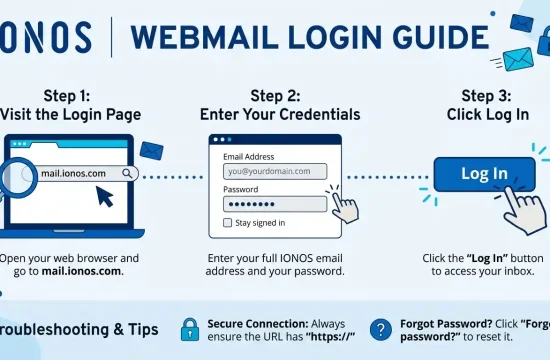
IONOS webmail
If your email is hosted by IONOS, you can sign in through its webmail service to read and send messages. Its login process and account management tools differ from Rackspace’s.
If you use IONOS, start at the official IONOS website and choose the email login option. Rackspace credentials won’t automatically work with an IONOS mailbox.
one.com webmail
one.com also provides webmail for its customers. If your email address is hosted by one.com, use the provider’s own login page and account details.
Visit the official one.com website to find its current webmail access options.
Which email service should you use?
Choose the service connected to your existing mailbox. If your company already uses Rackspace Email, you don’t need to switch providers just because another service has a different login interface.
If you’re setting up email for a new domain, compare pricing, mailbox storage, security features, administration tools, and support options before choosing a provider.
For a better understanding of how domains and hosting work together, read GlobalVior’s WordPress domain hosting guide.
How to Keep Your Rackspace Email Account Secure
Business email can contain invoices, customer details, password-reset links, and private conversations. Protecting the mailbox is important even if you use it only occasionally.
Follow these practical steps:
- Use a strong, unique password. Don’t reuse the same password across your email, hosting account, and social media profiles.
- Enable multi-factor authentication when available. Use the authentication options supported by your account.
- Check login addresses carefully. Bookmark the official Rackspace login page rather than relying on links in unexpected messages.
- Review forwarding rules. An unfamiliar forwarding address may indicate that someone has changed your account settings.
- Watch for phishing emails. Be cautious with messages that ask you to verify your password urgently or open an unexpected attachment.
- Keep your recovery details current. Make sure you can access the recovery method associated with your mailbox.
- Sign out on shared computers. Avoid saving your password on devices used by other people.
Administrators should also review account permissions and security settings periodically.
If you need help with your mailbox, check the Rackspace Email documentation for setup instructions and troubleshooting advice.
Frequently Asked Questions
1. What is the official Rackspace hosting webmail login URL?
The standard Rackspace Email webmail login is https://email.rackspace.com/. If your organization uses Microsoft 365 through Rackspace, you may need to sign in through Outlook on the web instead.
2. Why can’t I log in to Rackspace webmail?
Check your email address and password first. Then try a private browser window, clear site cookies if needed, and check Rackspace’s service status. If the problem continues, use the supported password recovery process or contact your administrator.
3. Can I access Rackspace webmail from my phone?
Yes. You can access standard Rackspace webmail through a mobile browser. You may also configure a compatible email application, provided you use the correct settings for your account.
4. Is Rackspace webmail the same as Outlook?
No. Rackspace webmail is the browser interface for Rackspace Email. Outlook is an email application and also the name associated with Microsoft’s webmail service. Some Rackspace customers use Microsoft 365, which is why their login experience may involve Outlook.
5. What are the Rackspace IMAP and SMTP settings?
Common settings for standard Rackspace Email are secure.emailsrvr.com for both incoming IMAP and outgoing SMTP, with IMAP port 993 and SMTP port 465, using SSL/TLS. Confirm the current settings for your mailbox before configuring an application.
6. How do I recover my Rackspace email password?
Use the recovery option on the official login page if it’s available for your account. If self-service recovery isn’t supported, contact your email administrator or Rackspace support for help.
7. Can I use Rackspace email with a custom domain?
Yes. Rackspace Email supports business mailboxes associated with a domain. The domain’s DNS records must be configured correctly for the service to work. Your administrator or Rackspace’s setup documentation can help you check the required records.
8. Where can I get help if Rackspace email stops working?
Start with the Rackspace Login & Support page. You can also consult the Rackspace Email documentation for help with delivery, connections, passwords, and storage.
Final Thoughts
Rackspace hosting webmail gives you a straightforward way to access your business inbox through a browser. For most users, the first step is simply visiting the correct login page and entering their mailbox credentials.
If you can’t sign in, check your password, browser, internet connection, and service status before changing account settings. If you use Microsoft 365 through Rackspace, make sure you’re following the login instructions for that specific service.
If the problem continues, check Rackspace’s help guides or contact its support team for advice specific to your account.