SiteGround WordPress Hosting Review 2026 – Is It the Best Hosting for WordPress?
One of the biggest decisions when building a WordPress website is choosing the right hosting provider. A fast and reliable hosting service is essential for improving your website speed, SEO rankings, user experience, and overall online success.
One of the most popular hosting providers in the WordPress industry is SiteGround. Known for excellent performance, strong security, premium support, and WordPress optimization, SiteGround has become a trusted name among bloggers, businesses, developers, and affiliate marketers.
In this complete guide, we will discuss everything about SiteGround WordPress Hosting, including features, pricing, performance, pros and cons, security, speed, setup process, and whether it is worth your money in 2026.
If you are planning to launch a WordPress website, this article will help you decide whether SiteGround is the right hosting provider for your needs.
What Is SiteGround WordPress Hosting?
SiteGround WordPress Hosting is a specialized hosting service optimized specifically for WordPress websites.
Unlike regular hosting providers, SiteGround focuses heavily on:
- WordPress speed optimization
- Website security
- Managed updates
- Automatic backups
- Easy WordPress installation
- Performance caching
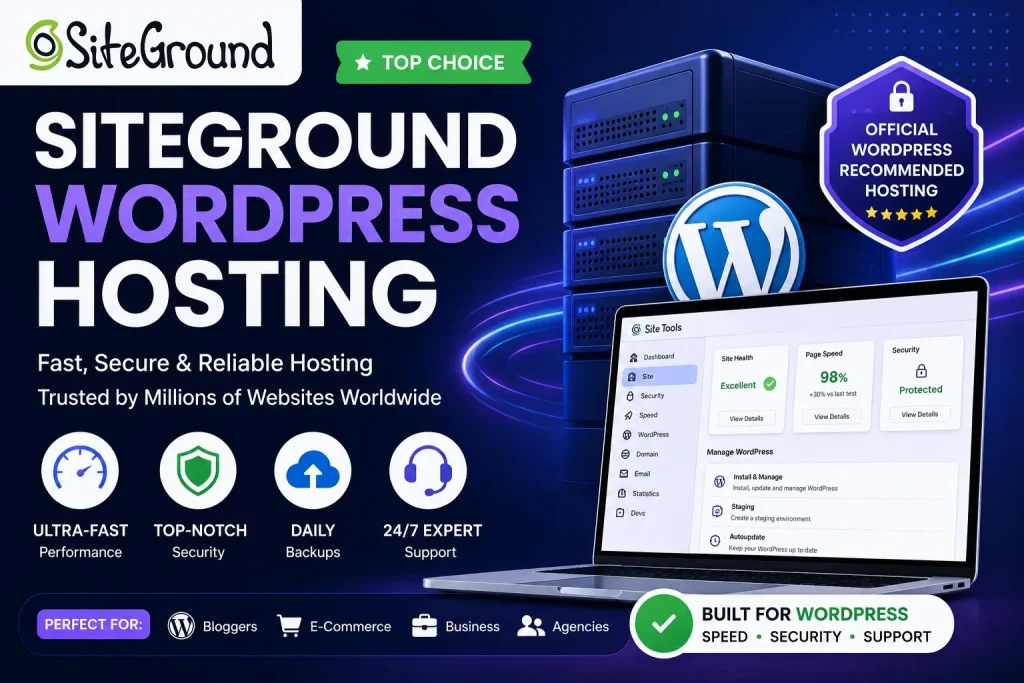
SiteGround hosting is officially recommended by WordPress.org, making it one of the most trusted hosting providers for WordPress users.
Why SiteGround Is Popular for WordPress Hosting
Many website owners choose SiteGround because of its balance between performance, support, and security.
Here are some major reasons why SiteGround is popular in 2026.
1. Official WordPress Recommendation
SiteGround is one of the few hosting companies officially recommended by WordPress.org.
This gives users additional confidence in its reliability and performance.
2. Excellent Website Speed
SiteGround uses advanced technologies such as the following:
- Google Cloud infrastructure
- SSD storage
- SuperCacher technology
- CDN integration
- HTTP/3 support
- PHP optimization
These technologies help websites load extremely fast.
3. Strong Security Features
Security is a major concern for WordPress users. SiteGround offers multiple security layers, including:
- AI anti-bot systems
- Daily backups
- Free SSL certificates
- Malware protection
- Web application firewall
4. Beginner-Friendly Dashboard
SiteGround provides an easy-to-use Site Tools dashboard instead of traditional cPanel.
The interface is modern, clean, and beginner-friendly.
5. Excellent Customer Support
SiteGround is famous for fast and professional customer support available 24/7.
Users can contact support through:
- Live chat
- Ticket system
- Help center
Main Features of SiteGround WordPress Hosting
SiteGround offers many premium hosting features designed specifically for WordPress websites.
Managed WordPress Hosting
SiteGround handles many technical tasks automatically.
This includes:
- WordPress installation
- Automatic updates
- Security monitoring
- Caching configuration
- Backup management
This makes it ideal for beginners.
Free SSL Certificate
Every hosting plan includes a free SSL certificate.
SSL helps:
- Secure user data
- Improve SEO rankings
- Build customer trust
Websites without SSL may appear unsafe in browsers.
Daily Automatic Backups
SiteGround automatically creates backups every day.
This helps protect your website from:
- Hacking
- Plugin errors
- Accidental file deletion
- Update issues
Restoring backups is very easy.
Free CDN Integration
SiteGround integrates with CDN services to improve loading speed worldwide.
Benefits include:
- Faster global loading
- Reduced server load
- Better user experience
Advanced Caching Technology
SiteGround’s SuperCacher system improves website performance significantly.
Caching helps websites load faster by reducing server processing time.
Free Website Migration
SiteGround offers free website migration tools.
You can transfer your website from another hosting provider without technical difficulties.
SiteGround Hosting Plans
SiteGround provides multiple hosting plans suitable for different website types.
StartUp Plan
Best for beginners and small websites.
Features Include:
- 1 website
- Free SSL
- Daily backups
- Free CDN
- Managed WordPress
This plan is suitable for new blogs and personal websites.
GrowBig Plan
One of the most popular SiteGround plans.
Includes:
- Multiple websites
- Better performance
- More storage
- Advanced caching
- Staging tools
Ideal for affiliate marketers and growing websites.
GoGeek Plan
Designed for larger websites and advanced users.
Features Include:
- Priority support
- More server resources
- Advanced developer tools
- Better performance optimization
Great for business websites and high-traffic blogs.
SiteGround WordPress Performance
Website speed directly affects SEO and user experience.
SiteGround performs exceptionally well because of:
- Google Cloud infrastructure
- SSD storage
- Optimized PHP
- Built-in caching
- CDN integration
Fast websites usually experience:
- Lower bounce rates
- Better rankings
- Higher conversions
SiteGround Speed Test Results
Many independent speed tests show excellent SiteGround performance.
Average benefits include:
- Fast page loading
- Stable server response
- Reliable uptime
- Smooth traffic handling
Performance is one of SiteGround’s biggest strengths.
SiteGround Uptime Reliability
Website downtime can hurt traffic and business revenue.
SiteGround maintains strong uptime performance using the following:
- Google Cloud servers
- Infrastructure optimization
- Real-time monitoring
Reliable uptime is essential for SEO and user trust.
SiteGround Security Features
Security is critical for WordPress websites because WordPress is a common target for hackers.
SiteGround includes several advanced security systems.
AI Anti-Bot System
SiteGround uses AI technology to block malicious attacks automatically.
This protects websites from:
- Brute-force attacks
- Spam bots
- Suspicious login attempts
Web Application Firewall
A custom firewall helps block security threats before they reach your website.
Automatic Updates
Outdated plugins and themes often create security vulnerabilities.
SiteGround automatically updates WordPress software for improved protection.
Malware Scanning
SiteGround monitors websites for malware and suspicious activity.
SiteGround Customer Support Review
Support quality is extremely important for beginners.
SiteGround support is considered one of the best in the hosting industry.
Benefits Include:
- Fast response time
- Helpful agents
- Technical expertise
- WordPress knowledge
Many users choose SiteGround specifically because of its support quality.
SiteGround vs Hostinger
Many users compare SiteGround and Hostinger.
SiteGround Advantages
- Better customer support
- Premium performance
- Advanced caching
- Stronger security
- Google Cloud infrastructure
Hostinger Advantages
- Lower pricing
- Budget-friendly plans
- Beginner affordability
Which One Is Better?
If your priority is premium performance and support, SiteGround is usually the better choice.
If budget is your main concern, Hostinger may be cheaper.
SiteGround vs Bluehost
Bluehost is another popular WordPress hosting provider.
SiteGround Strengths
- Faster performance
- Better support
- Advanced security
- Modern dashboard
Bluehost Strengths
- Lower beginner pricing
- Official WordPress recommendation
Many experienced WordPress users prefer SiteGround because of its speed and reliability.
SiteGround for Affiliate Marketing
SiteGround is excellent for affiliate websites because:
- Fast websites rank better
- Strong uptime improves reliability
- Good performance improves user experience
- Better speed increases conversions
Affiliate marketers often prioritize hosting quality because website performance directly affects earnings.
SiteGround for WooCommerce
SiteGround is also optimized for WooCommerce online stores.
Benefits Include:
- Faster checkout pages
- Better security
- Improved product page speed
- Stable traffic handling
This makes SiteGround suitable for eCommerce websites.
SiteGround WordPress Setup Guide
Setting up WordPress on SiteGround is easy.
Step 1: Buy a Hosting Plan
Choose the hosting plan that fits your needs.
Step 2: Register Domain
Register a new domain or connect an existing one.
Step 3: Install WordPress
Use SiteGround’s one-click WordPress installation feature.
Step 4: Choose a Theme
Install a lightweight theme like
- Astra
- Blocksy
- Kadence
Step 5: Install Essential Plugins
Recommended plugins include:
- Rank Math SEO
- LiteSpeed Cache
- Elementor
- WPForms
SEO Benefits of SiteGround Hosting
Good hosting affects SEO more than many beginners realize.
Benefits Include:
- Faster loading speed
- Better uptime
- Improved Core Web Vitals
- Secure HTTPS connection
Google prefers fast and stable websites.
Pros and Cons of SiteGround WordPress Hosting
Pros
- Excellent performance
- Fast website speed
- Premium support
- Strong security
- Official WordPress recommendation
- Free SSL and CDN
- Daily backups
Cons
- Higher renewal prices
- Limited storage on lower plans
- More expensive than budget hosting providers
Is SiteGround Worth the Price?
Although SiteGround is more expensive than some budget hosting providers, many users believe the extra cost is justified because of:
- Better speed
- Better support
- Stronger security
- Higher reliability
For serious websites, quality hosting is usually worth the investment.
Who Should Use SiteGround?
SiteGround is ideal for:
- Bloggers
- Affiliate marketers
- Small businesses
- WooCommerce stores
- Agencies
- Professional websites
It is especially good for users who prioritize performance and support.
Best Alternatives to SiteGround
Some popular alternatives include:
- Hostinger
- Bluehost
- Cloudways
- WP Engine
- Kinsta
Each hosting provider has different strengths and pricing.
Tips for Choosing the Right SiteGround Plan
Choose Startup If:
- You are a beginner
- You have one website
- Traffic is low
Choose GrowBig If
- You manage multiple websites
- You need better performance
- You want staging tools
Choose GoGeek If:
- You run business websites
- You expect higher traffic
- You need advanced features
Final Verdict
SiteGround WordPress Hosting remains one of the best premium WordPress hosting providers in 2026.
Its combination of:
- Fast speed
- Strong security
- Excellent support
- WordPress optimization
- Reliable uptime
makes it an excellent choice for serious website owners.
Although pricing is higher than some budget hosting providers, the performance and reliability often justify the cost.
If you want a professional WordPress hosting solution focused on speed, security, and support, SiteGround is definitely worth considering.
Frequently Asked Questions (FAQs)
Is SiteGround good for WordPress?
Yes, SiteGround is one of the best hosting providers for WordPress websites.
Is SiteGround fast?
Yes, SiteGround uses advanced caching, SSD storage, and Google Cloud infrastructure for excellent performance.
Does SiteGround provide free SSL?
Yes, free SSL certificates are included with all hosting plans.
Is SiteGround beginner-friendly?
Yes, SiteGround provides an easy dashboard and managed WordPress features suitable for beginners.
Does SiteGround offer backups?
Yes, SiteGround creates automatic daily backups.
Is SiteGround expensive?
SiteGround costs more than some budget hosts, but many users believe the premium features justify the price.
Can I migrate my website to SiteGround?
Yes, SiteGround offers website migration tools and support.
Which SiteGround plan is best?
The GrowBig plan is one of the best options for most users because it balances price and features effectively.