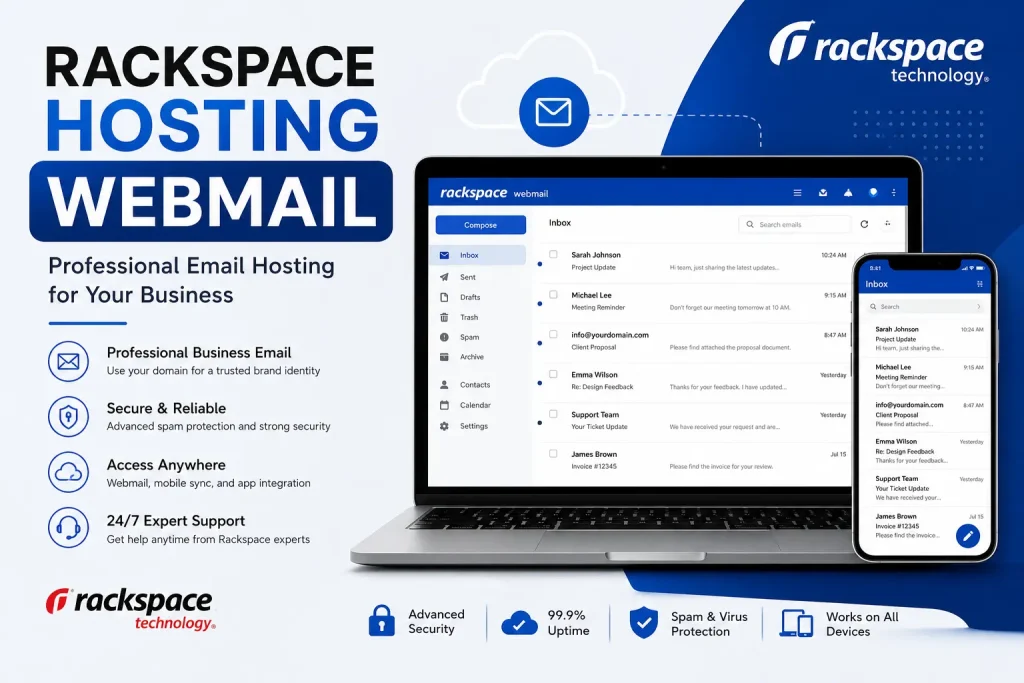
Rackspace is an industry-leading cloud hosting provider known for its robust business email hosting and enterprise-grade support. Thanks to its high security, guaranteed uptime, advanced anti-spam tools, and user-friendly interface, it remains a top choice for professionals in 2026.
No business can afford to ignore professional email communication, especially in an age defined by technology. Whether you run a small blog, an affiliate website, or a large enterprise—having a reliable email hosting service is crucial. It helps your brand appear credible, ensures top-notch security, and streamlines your communication. One such option that businesses worldwide continue to trust is Rackspace Hosting Webmail.
This article serves as your complete guide to Rackspace Hosting Webmail, covering everything from its features and setup process to pricing, troubleshooting, and why it remains a market leader.
What Is Rackspace Hosting Webmail?
Rackspace Hosting Webmail is a cloud-based business email service developed by Rackspace Technology. It allows users to send, receive, and manage corporate emails directly through a web browser without installing any complex software.
Unlike free personal email providers, Rackspace delivers a professional-grade communication suite that includes:
- Custom domain email addresses
- Advanced spam and malware filtering
- Secure cloud infrastructure
- Seamless mobile synchronization
- Generous mailbox storage space
- Industry-leading uptime guarantees
- 24/7/365 business-grade support
The Professional Impact:
Consider the difference between a free email like yourbusiness@gmail.com and a branded email like support@yourbusiness.com. The latter instantly builds customer trust, reinforces your brand identity, and projects true professionalism.
Why Businesses Choose Rackspace Hosting Webmail
Many organizations opt for Rackspace because it offers a secure, highly scalable, and intuitive platform. Here are the primary reasons behind its popularity:
1. Professional Business Branding
Using an email linked directly to your domain name reinforces your brand with every message sent. Customers are significantly more likely to engage with and open emails from verified corporate domains.
2. Enterprise-Grade Security
Rackspace protects organizations from phishing attacks, ransomware, and cyber threats using advanced integrated security layers:
- Real-time spam filtering
- Proactive virus protection
- Continuous malware scanning
- Secure SSL/TLS login systems
- Robust email encryption
3. Flexible Cloud-Based Access
With a fully cloud-driven environment, your team can access their inboxes from anywhere in the world across multiple devices, including desktop computers, smartphones, tablets, and any standard web browser.
4. Guaranteed Uptime & Reliability
Rackspace is built on a highly redundant network infrastructure. It guarantees exceptional uptime, ensures business continuity, and eliminates the risk of missed client communications.
Key Features of Rackspace Webmail
From growing startups to massive enterprises, Rackspace provides a rich set of features tailored to modern operational needs.
- Custom Domain Hosting: Create specific aliases for different departments (e.g., info@yourdomain.com, sales@yourdomain.com, admin@yourdomain.com).
- Instant Webmail Access: Log into your inbox securely via any modern browser with zero configurations required.
- Mobile Email Syncing: Supports IMAP, POP3, and Exchange ActiveSync protocols to keep your inbox synced in real time across devices.
- Massive Storage Capabilities: Large storage allocations per mailbox allow you to archive heavy attachments and extensive communication histories effortlessly.
- Collaboration Tools: High-tier plans support shared calendars, shared contacts, team task management, and synchronized meeting scheduling.
Rackspace Email Hosting Plans Compared
Rackspace provides flexible subscription models based on your company’s specific needs and size:
| Plan Type | Best Suited For | Key Inclusions |
| Rackspace Email Plus | Startups, Bloggers & Small Businesses | Business email hosting, webmail access, basic mobile sync, and 24/7 support. |
| Microsoft 365 (Hosted by Rackspace) | Teams requiring advanced collaboration | Outlook integration, Microsoft Teams, OneDrive cloud storage, and fully managed support. |
| Hosted Exchange | Large Enterprises & Corporate Teams | Shared calendars, contact lists, tasks, advanced data security, and Exchange ActiveSync. |
How to Log In to Rackspace Hosting Webmail
Accessing your webmail portal is simple and takes less than a minute:
- Visit the Portal: Open your preferred browser and navigate to the official Rackspace Webmail login URL (apps.rackspace.com).
- Enter Email: Type in your complete business email address (e.g., admin@yourdomain.com).
- Enter Password: Provide the secure password set up by your email administrator.
- Access Inbox: Click Log In to instantly view your inbox, drafts, sent messages, and system settings.
Step-by-Step Mobile Configuration Guide
To access your business emails on the move, configure your mobile devices using the steps below:
For Android Devices
- Open your built-in email or Gmail app.
- Select Add New Account and choose Manual Setup.
- Input your full corporate email address and password.
- Select IMAP or Exchange as the account type.
- Enter the Rackspace secure incoming/outgoing server details provided by your admin.
- Save and complete the installation to trigger auto-syncing.
For iPhone (iOS) Devices
- Open the device settings and tap Mail.
- Tap Accounts $\rightarrow$ Add Account.
- Select Other, then choose Add Mail Account.
- Input your name, email address, and account password.
- Ensure the IMAP server hostnames match Rackspace’s secure guidelines.
- Tap Save to begin syncing your inbox.
Rackspace Webmail vs. Competitors
Rackspace vs. Gmail (Google Workspace)
- Rackspace Advantages: Delivers highly focused managed business hosting, dedicated customer assistance, and cost-effective standalone email options.
- Gmail Advantages: Offers a highly familiar user interface and tighter integration with the Google ecosystem (Drive, Docs, Sheets).
Rackspace vs. Standalone Microsoft 365
- Rackspace Advantages: Provides dedicated white-glove migration services and award-winning personalized helpdesk support.
- Microsoft 365 Advantages: Offers native desktop Office application bundles and highly advanced internal communication architectures.
Troubleshooting Common Rackspace Webmail Issues
If you encounter technical hitches, here are the quickest ways to resolve them:
Login Failures
- Potential Causes: Typographical errors, corrupted browser caches, or expired login credentials.
- Fix: Double-check your CAPS lock, clear your internet browser cookies/cache, or try authenticating through an incognito window.
Email Failing to Sync
- Potential Causes: Misconfigured port settings or poor internet network connectivity.
- Fix: Verify that your IMAP/SMTP server details match Rackspace’s official guidelines and restart your local network connection.
Sluggish Dashboard Performance
- Potential Causes: Bloated mailboxes or outdated browser software.
- Fix: Delete heavy, unnecessary email attachments, empty your trash folder, or switch to an updated modern browser.
The SEO and Digital Marketing Edge
Many affiliate marketers and webmasters overlook how much a professional email address impacts search engine optimization and digital marketing efforts:
- Higher Outreach Success: Cold outreach emails sent from admin@globalvior.com achieve higher open rates and fewer spam reports than those sent from globalvior123@gmail.com.
- Building Link Credibility: When pitching to high-authority websites for guest posts or backlinks, a premium domain email instantly validates your authority.
- Improved Conversion Rates: Customers are more comfortable completing purchases on e-commerce platforms when order confirmations come from a verified business domain.
Best Practices for Managing Your Inbox
To ensure maximum performance, security, and organization, implement these habits:
- Enforce Multi-Factor Authentication (MFA): Protect your business communications by adding an extra security layer beyond passwords.
- Maintain Clean Folder Hierarchies: Sort incoming communications into designated categories like Clients, Invoices, Support, and Marketing.
- Regularly Purge the Spam Directory: Ensure your trash and junk folders are regularly emptied to keep your cloud storage optimized.
Final Verdict
In 2026, Rackspace Hosting Webmail remains one of the most stable, secure, and professional email hosting platforms for modern businesses. Whether you are running a high-traffic affiliate marketing network, a localized startup, or a fast-scaling corporate office, Rackspace takes the hassle out of email administration.
With its premium anti-spam algorithms, ironclad uptime, and round-the-clock technical support, it is an investment that yields immediate dividends in brand trust and corporate security.
Frequently Asked Questions (FAQs)
What is Rackspace Hosting Webmail?
It is a professional, cloud-based email hosting service that enables businesses to manage corporate email accounts securely over any internet browser without localized software.
Is Rackspace webmail safe for sensitive business data?
Yes. Rackspace deploys enterprise-grade security protocols, including continuous malware scanning, spam filtering, SSL data encryption, and redundant storage systems.
Can I run my custom brand domain name on Rackspace?
Absolutely. Rackspace is built for custom domain integration, allowing you to establish complete brand consistency across your communication channels.
Does it sync seamlessly across mobile phones?
Yes. It supports IMAP, POP3, and Exchange ActiveSync, allowing real-time mailbox updating across Android, iOS, and desktop applications.
Is Rackspace suitable for a small business?
Yes. It offers affordable entry-level pricing tiers, premium customer care, and seamless scalability options as your enterprise expands.
Can I migrate my old emails from Gmail to Rackspace?
Yes. Rackspace provides dedicated automated tools and professional migration assistance to transfer your folders, historical data, and contacts from providers like Gmail safely.